On a group Board, tasks are organized by stages: a new task appears in the first stage (by default, Backlog), and then the team moves it across columns until it reaches the final stage (for example, Done).
That’s why many users expect that when a task is moved to the Done status, it will automatically move to the final stage on the group board.
To make this happen automatically, Uspacy allows you to configure a Conditional action in the Automation section. This automation is triggered by an event (such as a task change), checks specific conditions (the group + the Done status), and then performs the Change stage action—updating the task’s stage within the group.
Let’s go step by step ⬇️
Setting up the Conditional action
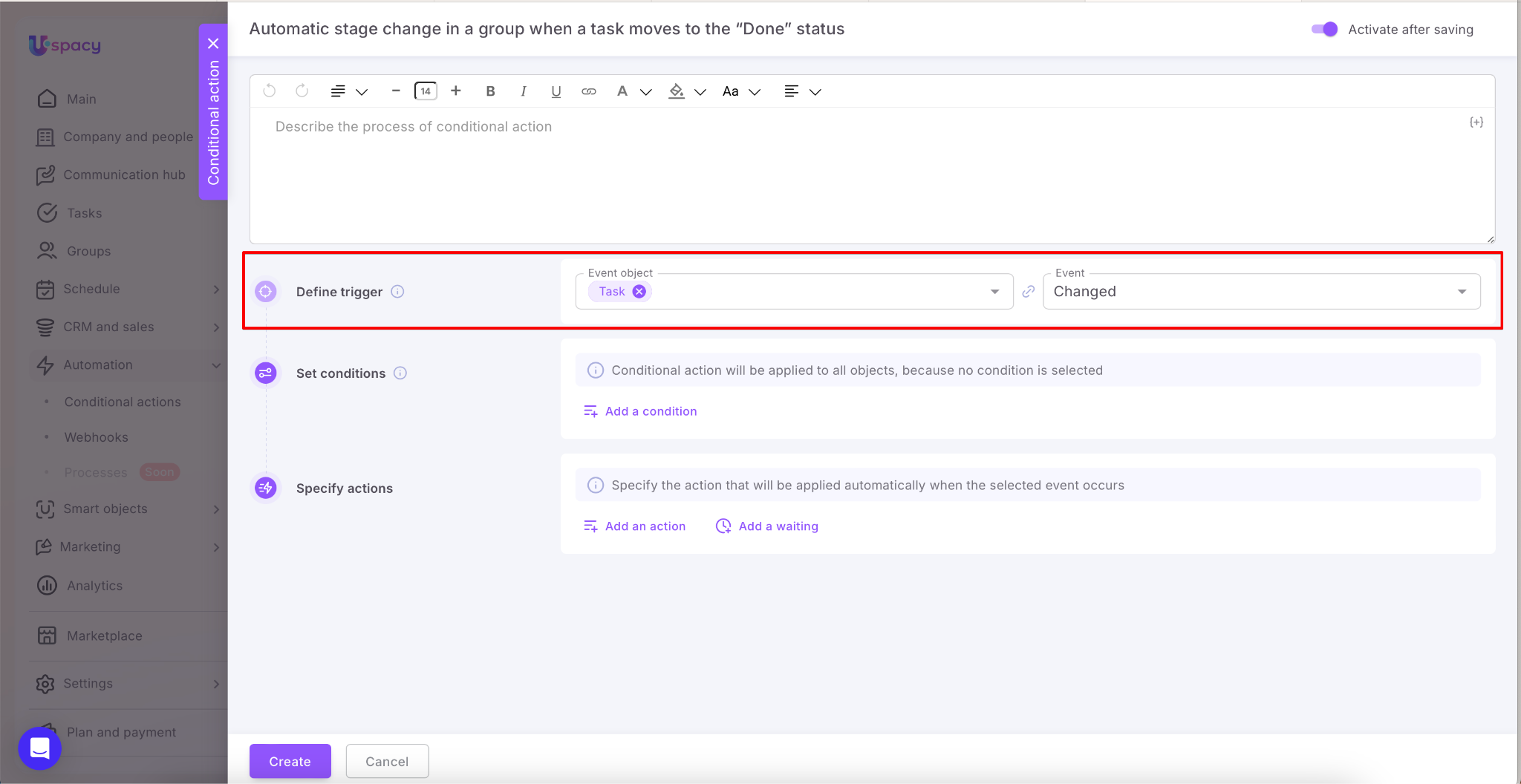
First, select the trigger. In our example, this is a task change.
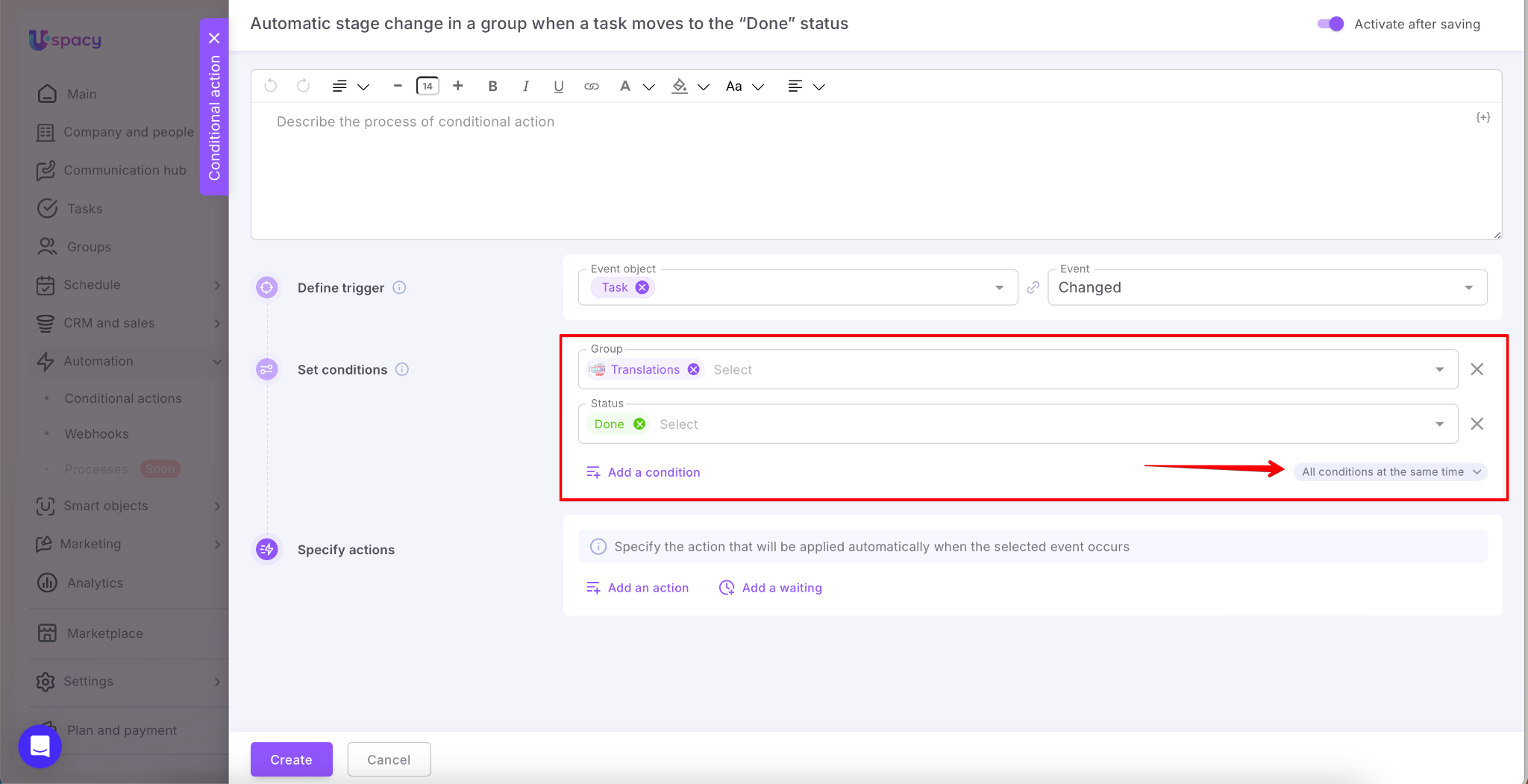
Next, specify the group whose tasks should trigger the automation, as well as the status the task must move to for the automation to run.
💡 Both conditions must be met at the same time.
This means the conditional action will NOT run if a task from this group is in any other status, such as In progress.
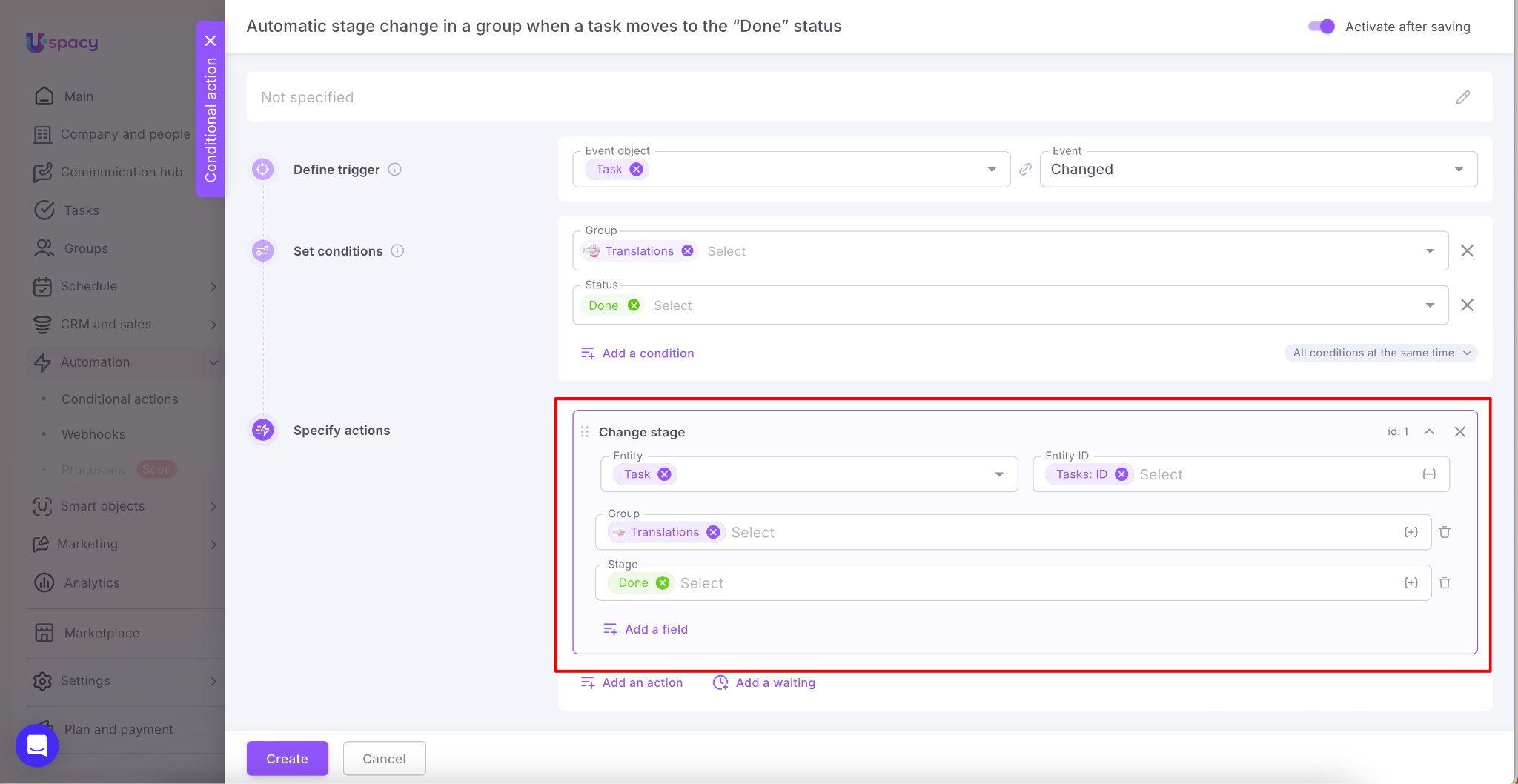
Then, set the action to Change stage. Select Task as the entity whose fields will be updated. Add the Group and Stage fields. For the stage, select Done.
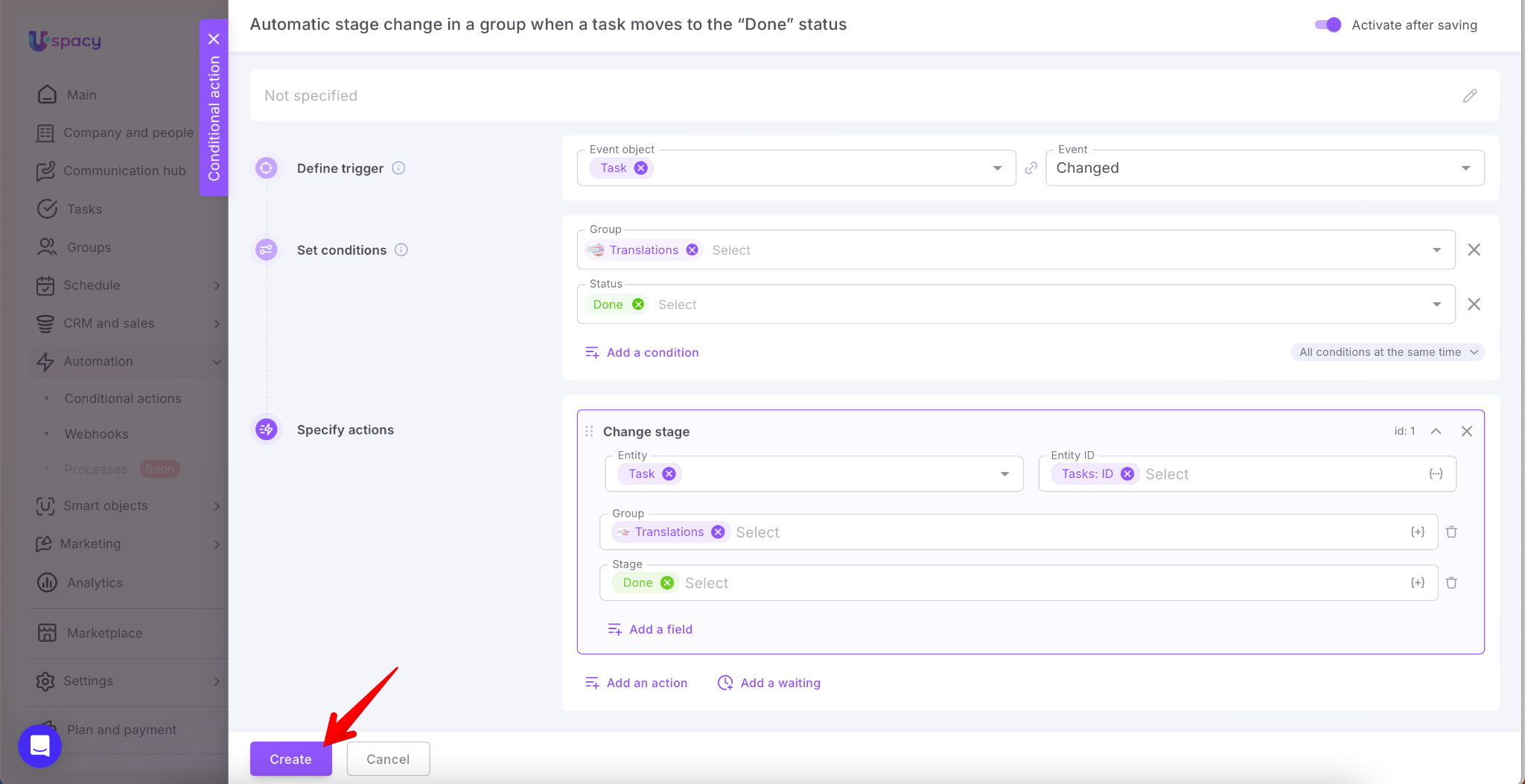
Once everything is set up, simply click Create.
Result
Complete a task that belongs to the specified group.
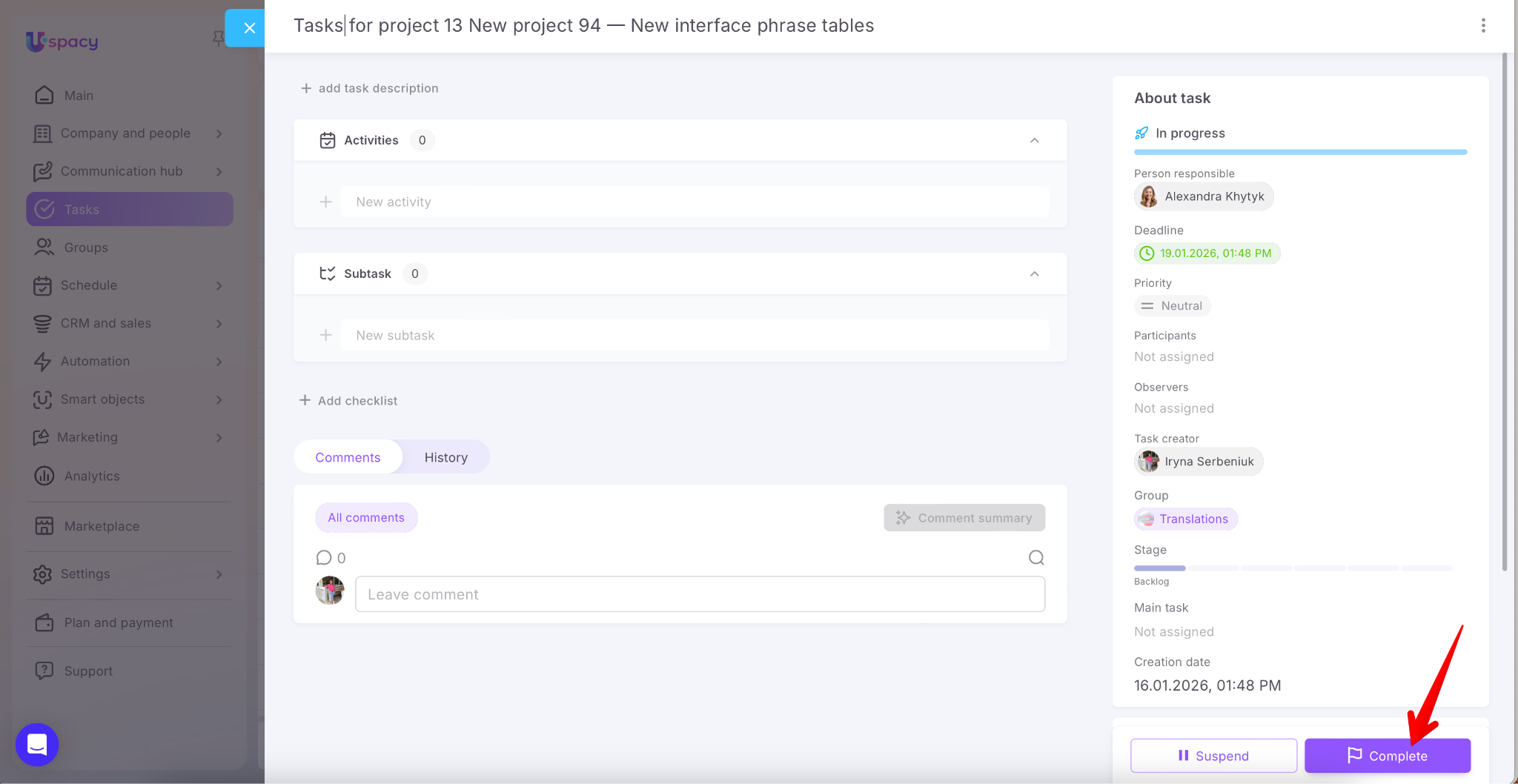
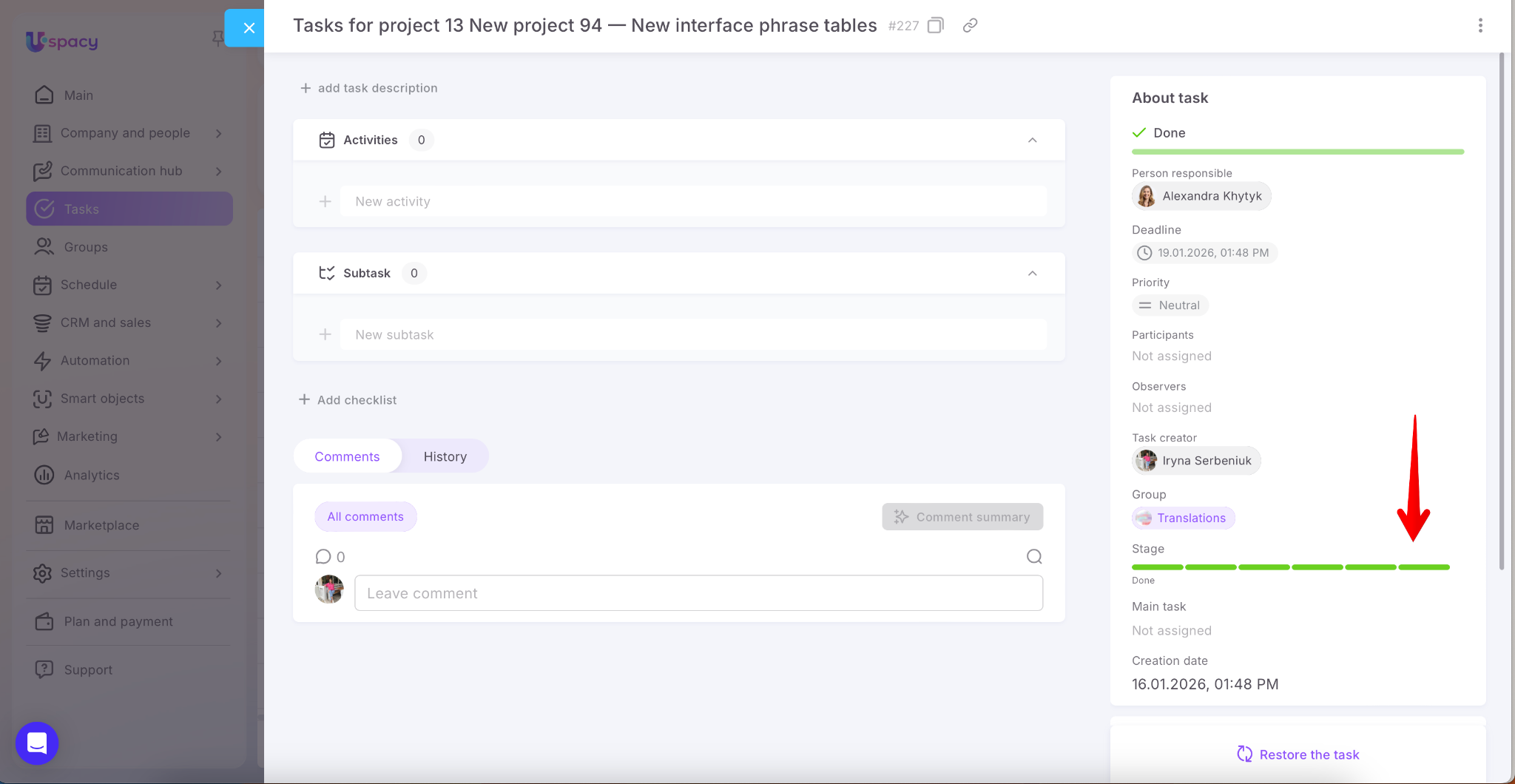
You’ll see that once its status changes to Done, the task is automatically moved to the final stage on the group board ✅
If you have additional questions or you need to contact the support, send a request to this email [email protected]
Created: January 15, 2026 / Updated: March 9, 2026