Uspacy helps keep a record of all client interactions and automates call processing. The system can now automatically transcribe calls (convert speech into text) and generate a brief summary of the conversation. This makes it easy to find important information, reduce manual note-taking, and keep all data directly in the CRM card.
How does it work?
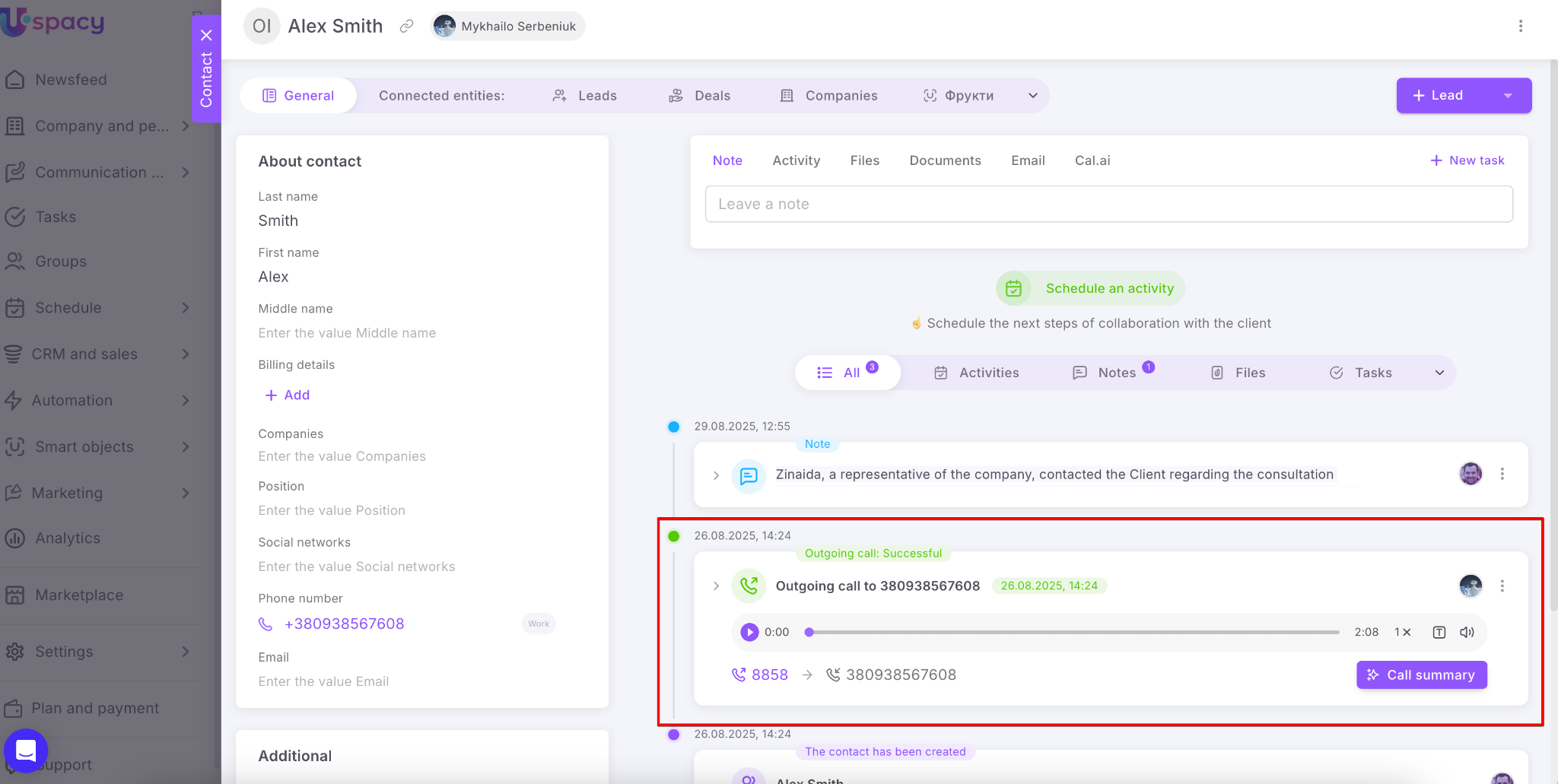
A call with a client is saved in the CRM card.
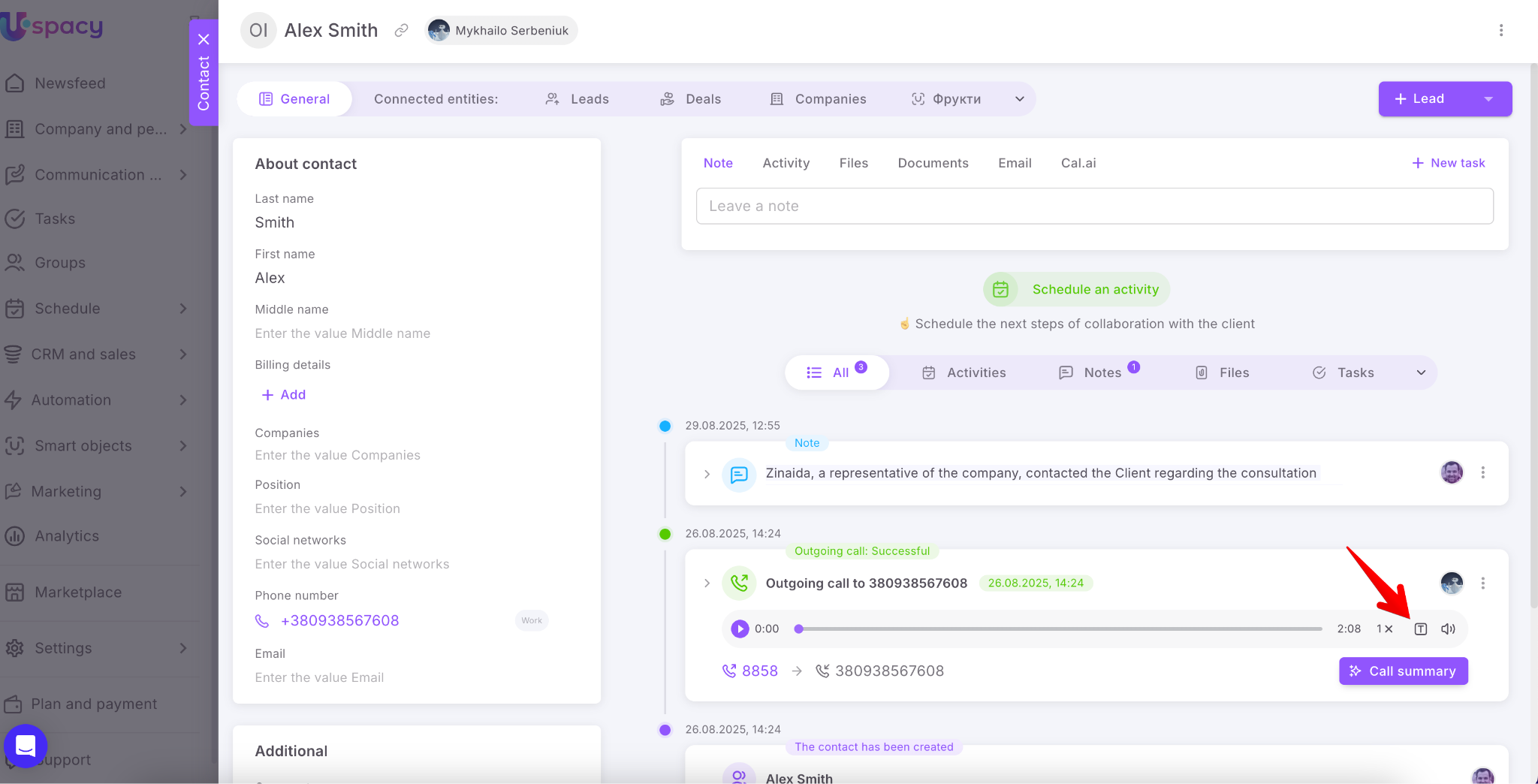
Now, instead of listening to the conversation, you can use a button that automatically starts the transcription.
This means the spoken language is recognized and converted into text.
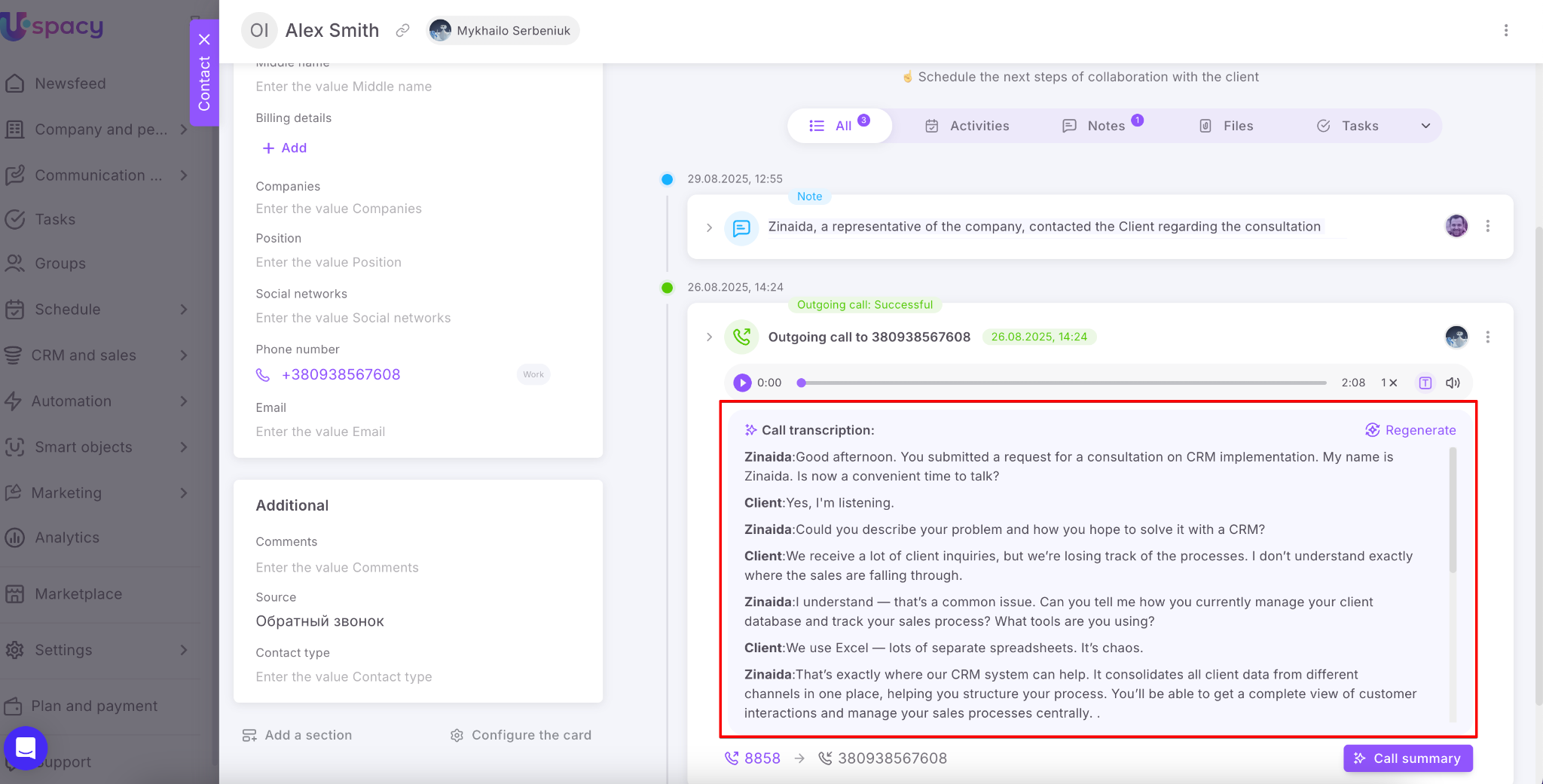
💡 Note: The transcription is performed in the language the conversation took place. If the call was in English, the text will be in English; if in Polish — the transcription will be in Polish, and so on.
Then, you can use the Call summary option.
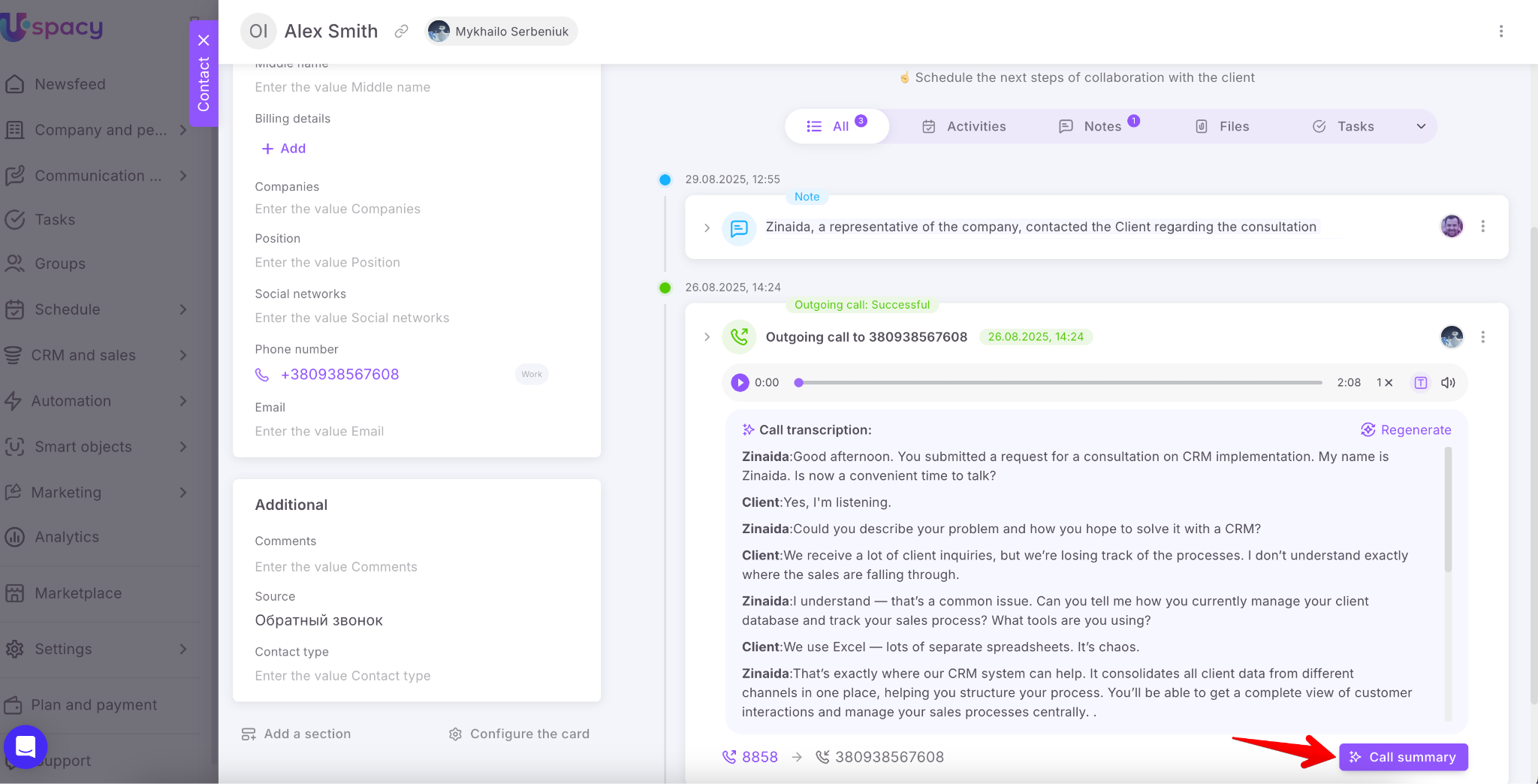
Based on the transcribed text, AI generates a summary of the conversation — including key points, agreements, and next steps.
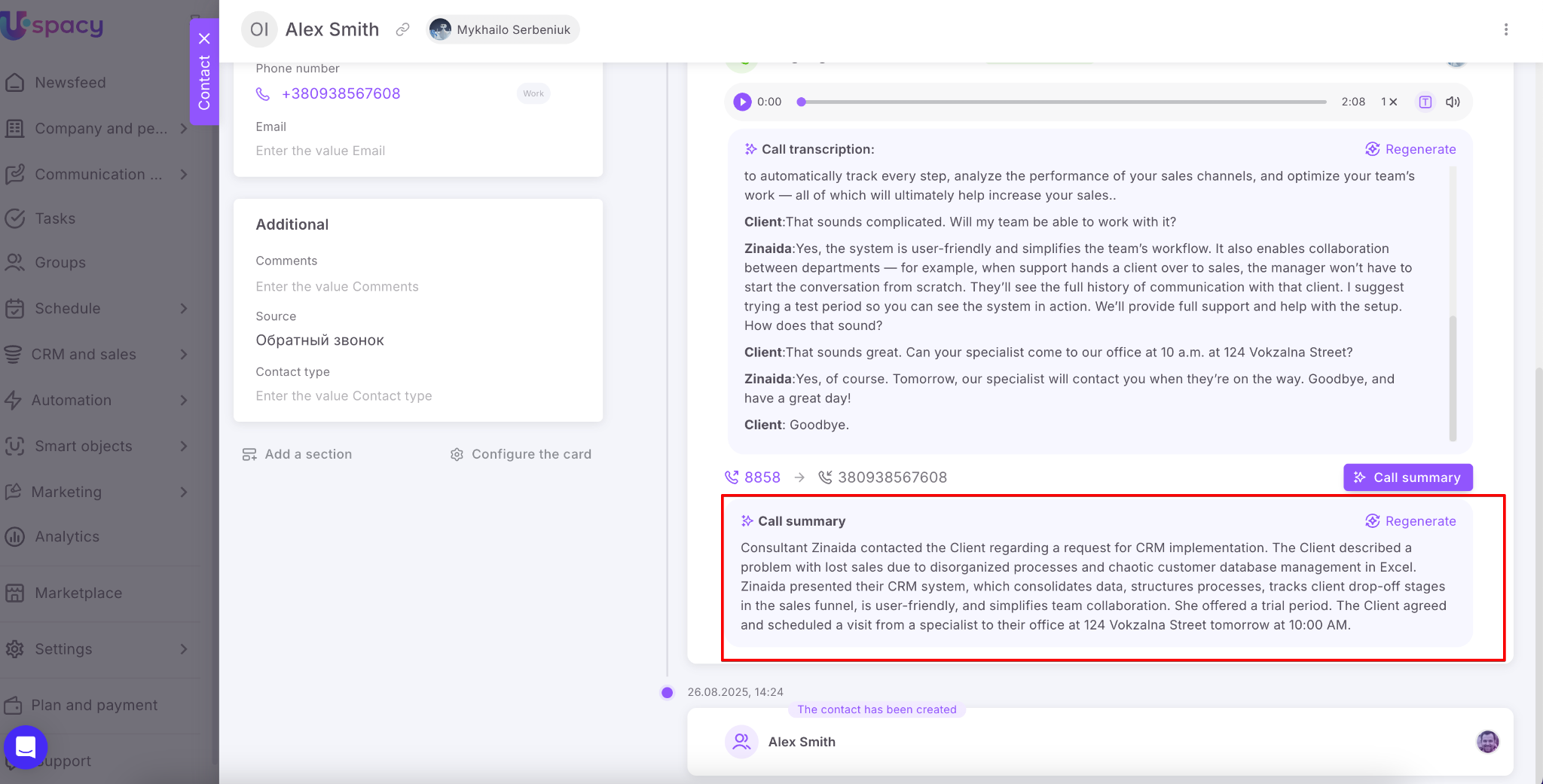
The call transcription and summarization feature makes working with clients more efficient, as all information is stored in the CRM, easily accessible for review, analysis, and follow-up actions. It helps reduce routine work and manual note-taking.
If you have additional questions or you need to contact the support, send a request to this email [email protected]
Created: September 2, 2025 / Updated: September 10, 2025