Uspacy helps automate workflows and save time. Now you can create tasks directly from messages, comments, and notes. This feature is powered by artificial intelligence – one click, and the smart assistant prepares the task with all necessary details.
See the step-by-step guide below ⬇️
How to create a task from a message in chat?
In the internal chat where colleagues communicate, you can quickly convert a message into a task. This allows you to immediately record agreements and save time transferring information manually.
Select the desired message (or even several), and use the Create a task (AI) option.
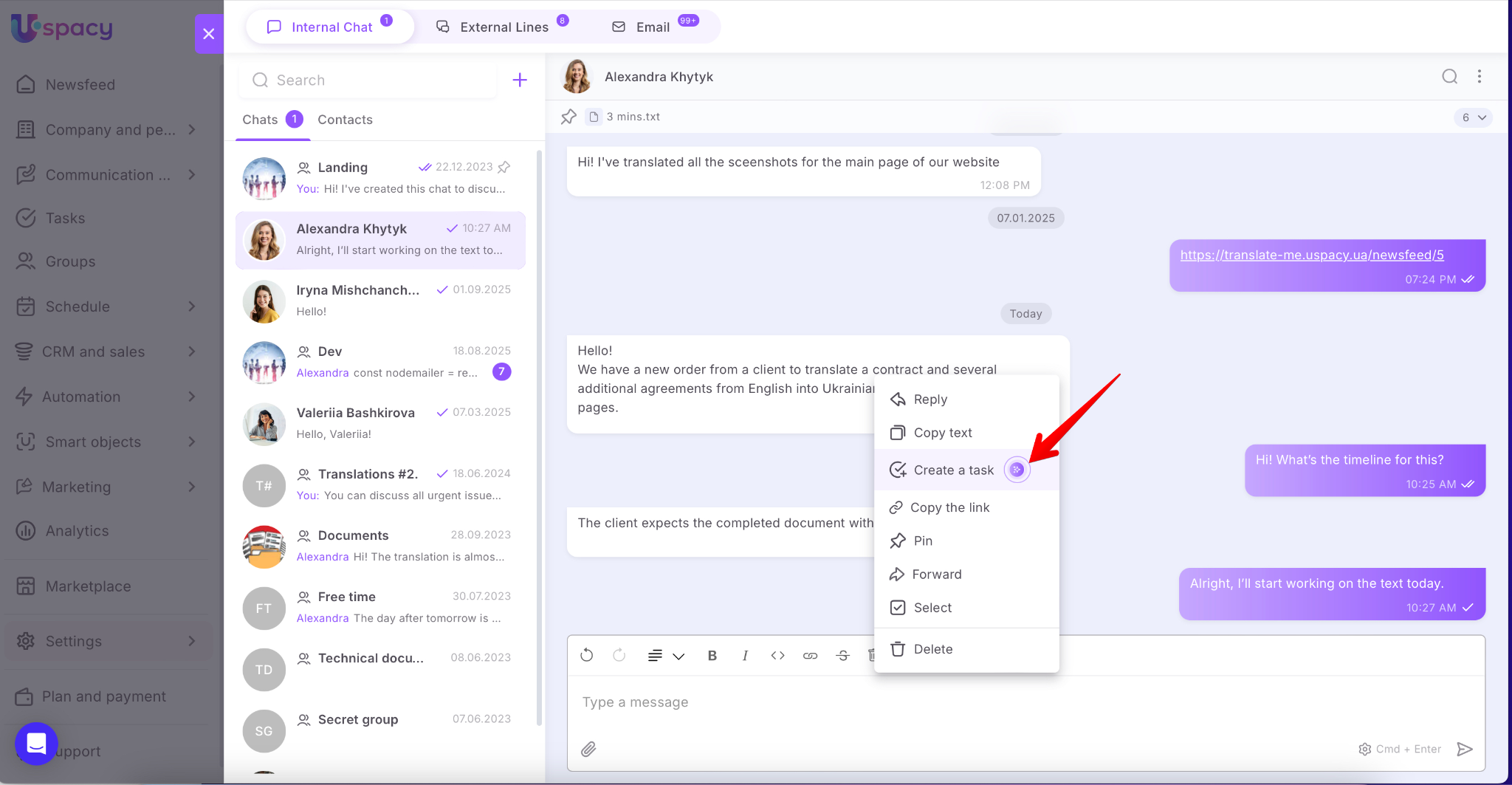
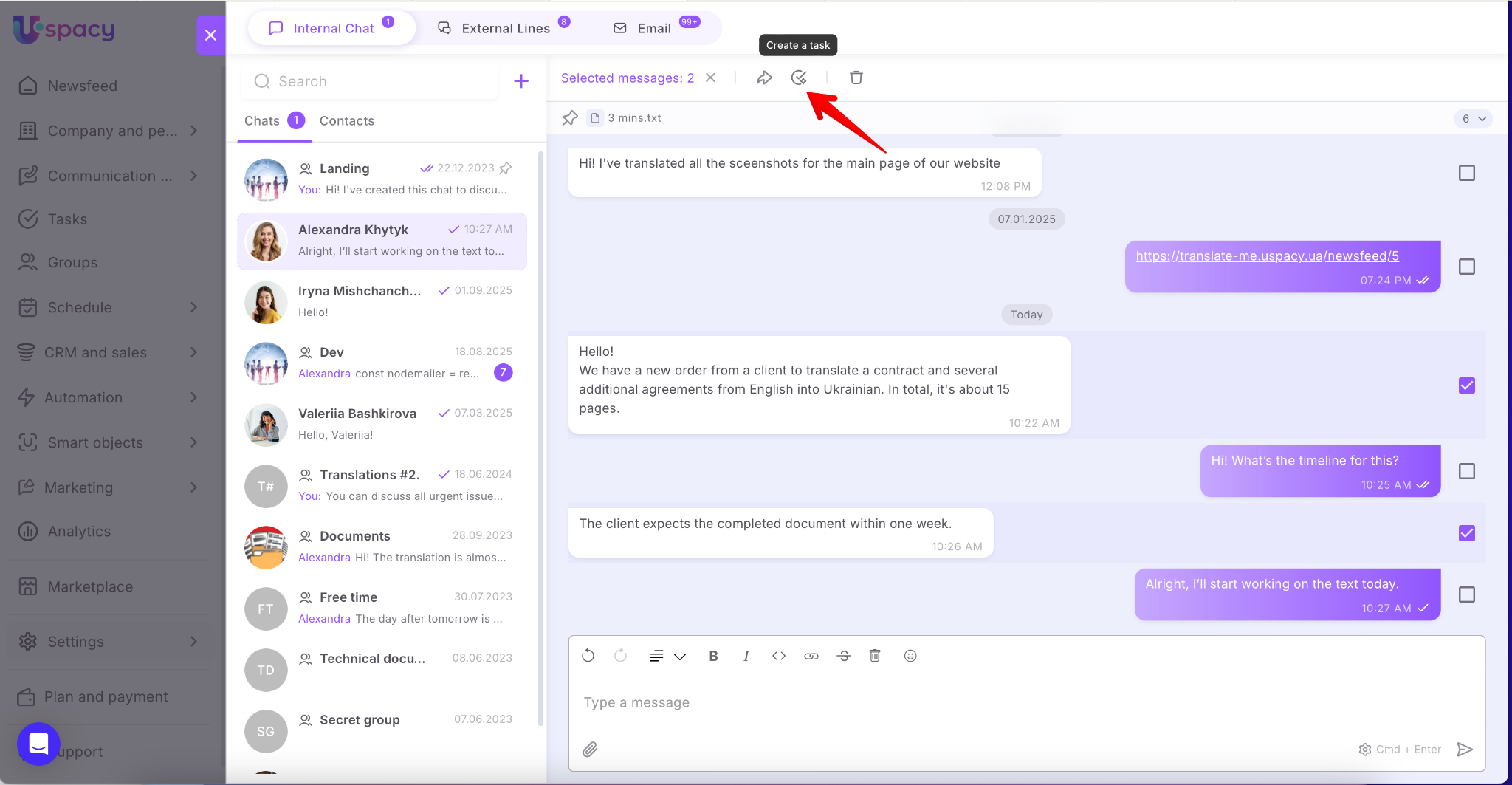
A task creation form will open with key data already filled out. The AI automatically determines:
- the task title,
- description,
- deadline,
- Person responsible, and observers.
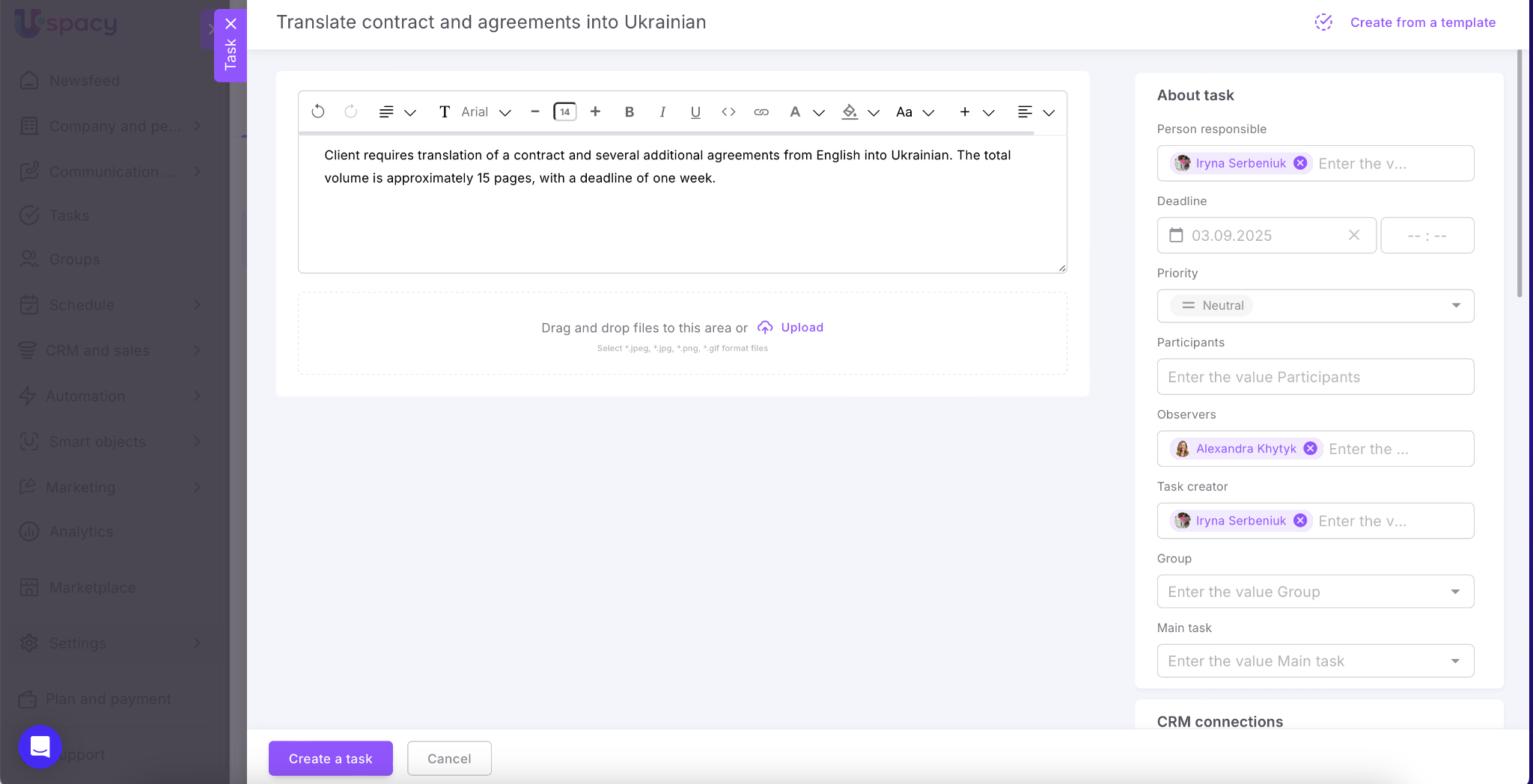
Of course, you can edit the generated task. Then save it.
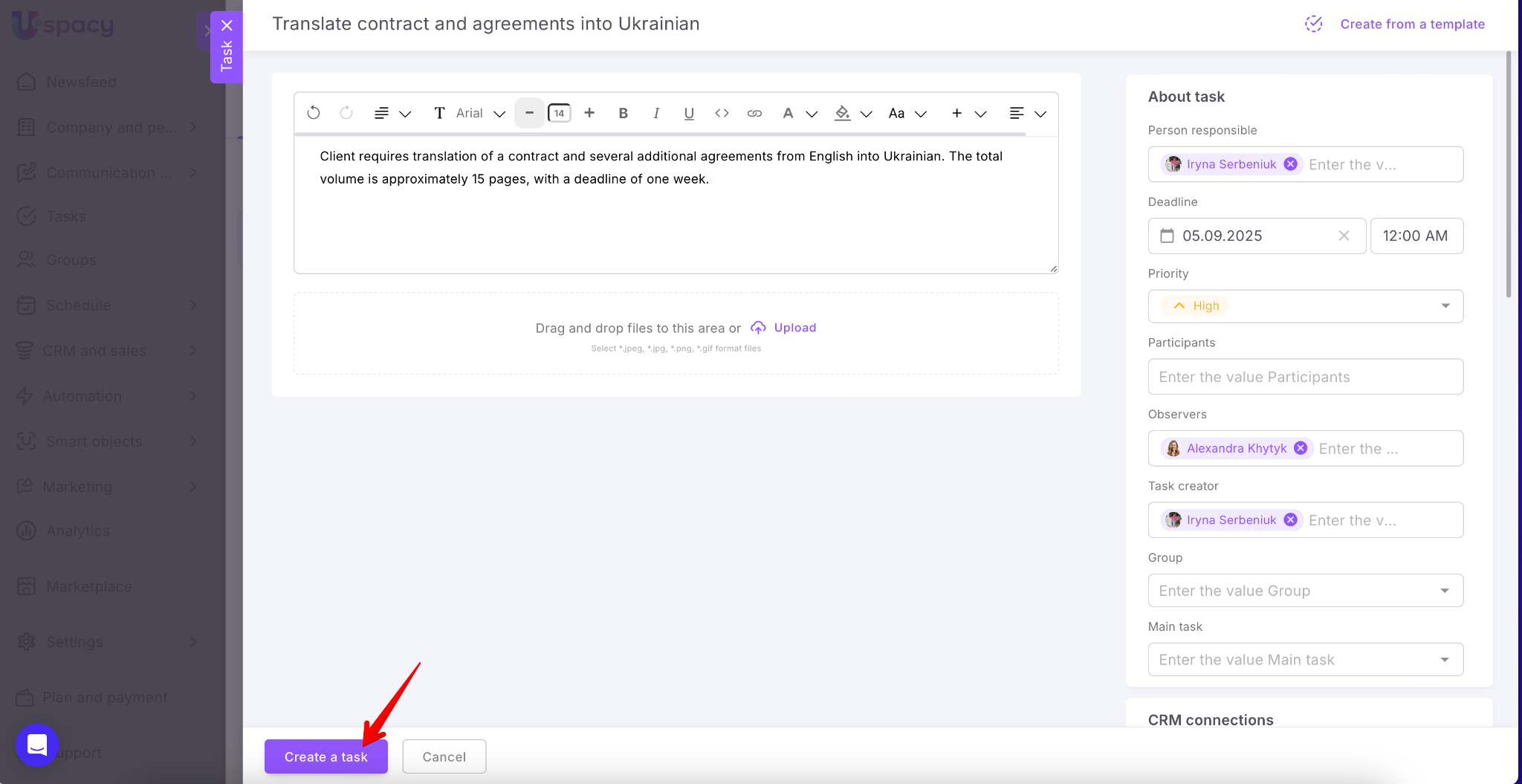
Done! A simple message from a colleague in chat is now a full-fledged task with one click.
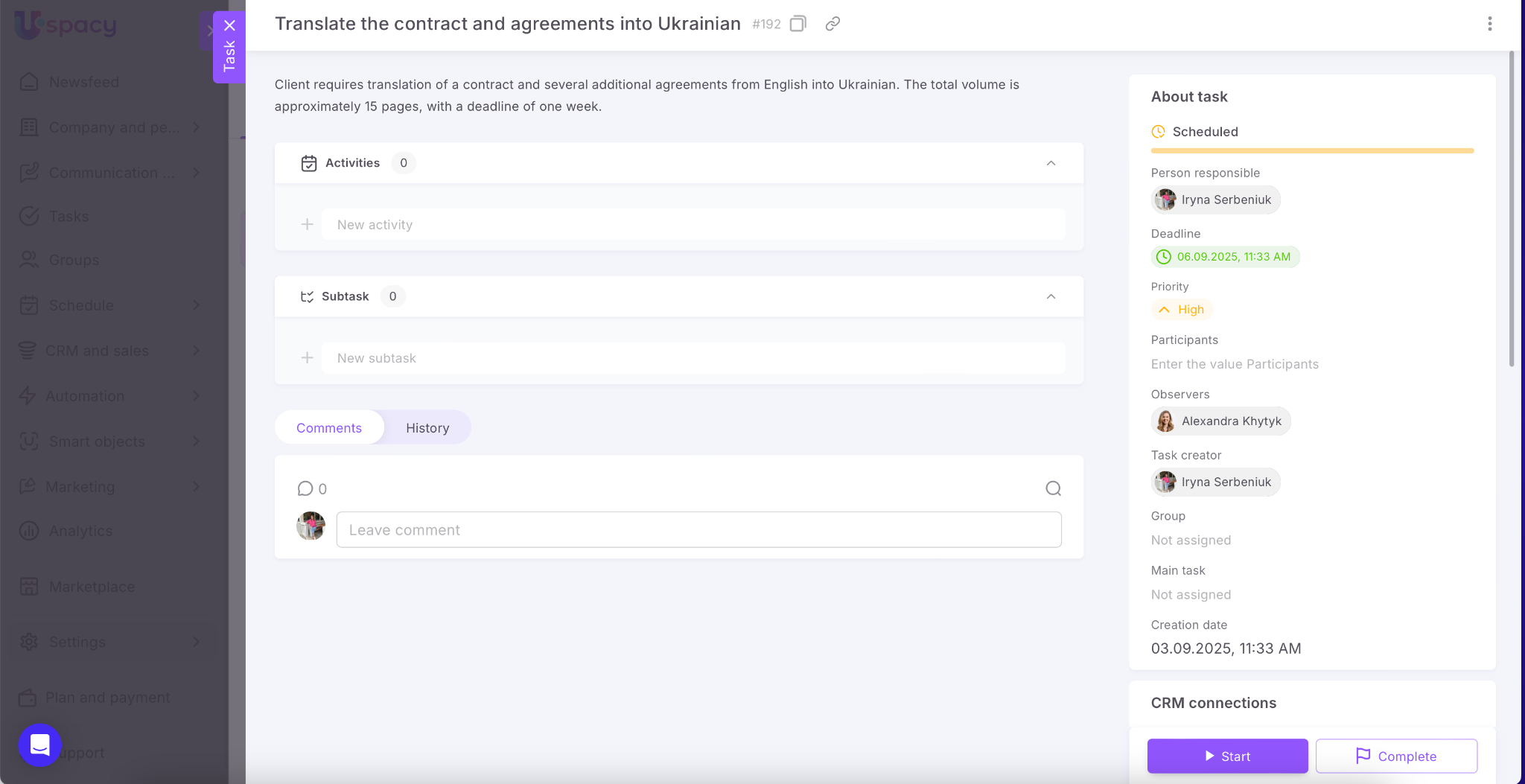
How to create a task from a comment?
Select the desired comment and use the Create a task (AI) option.
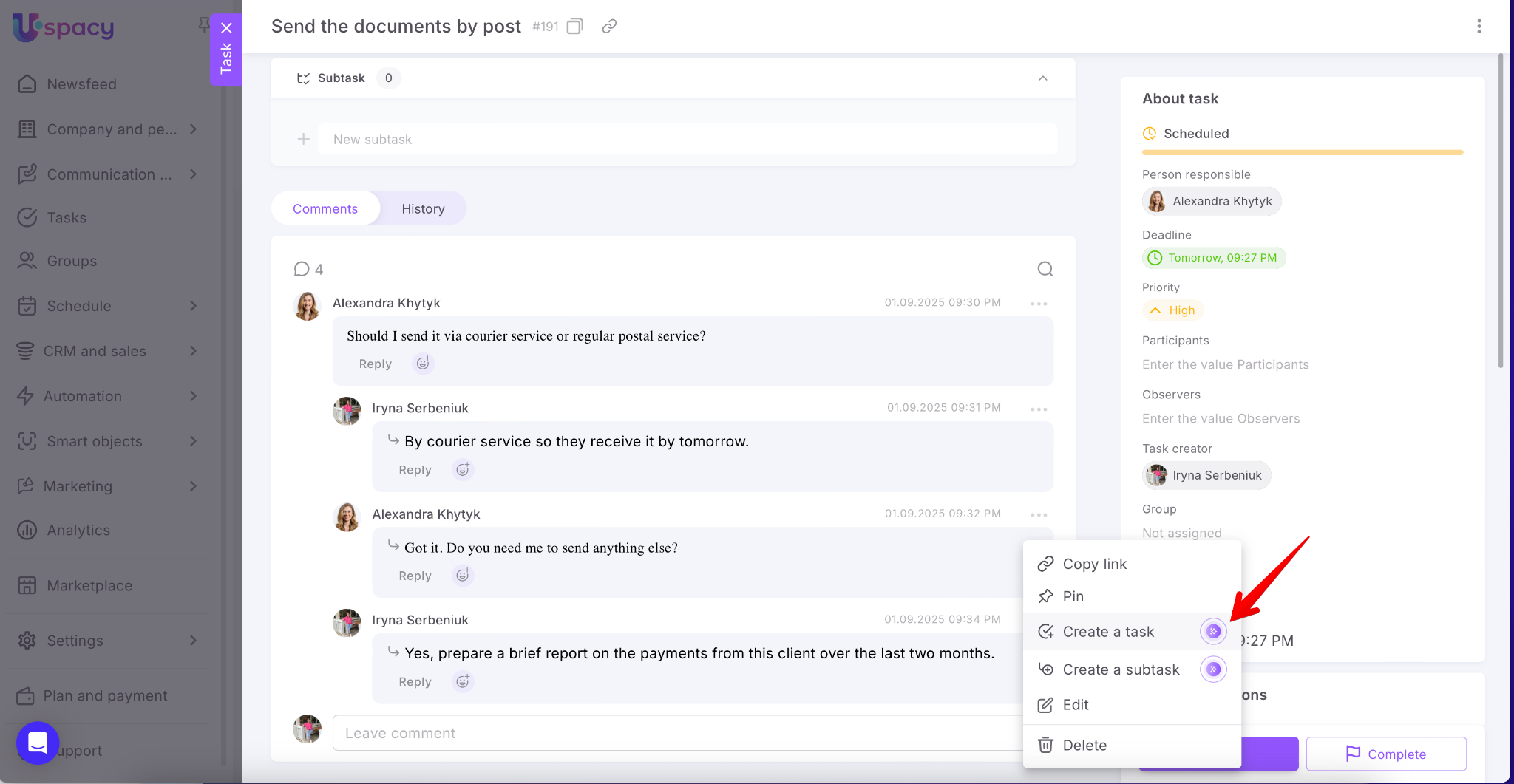
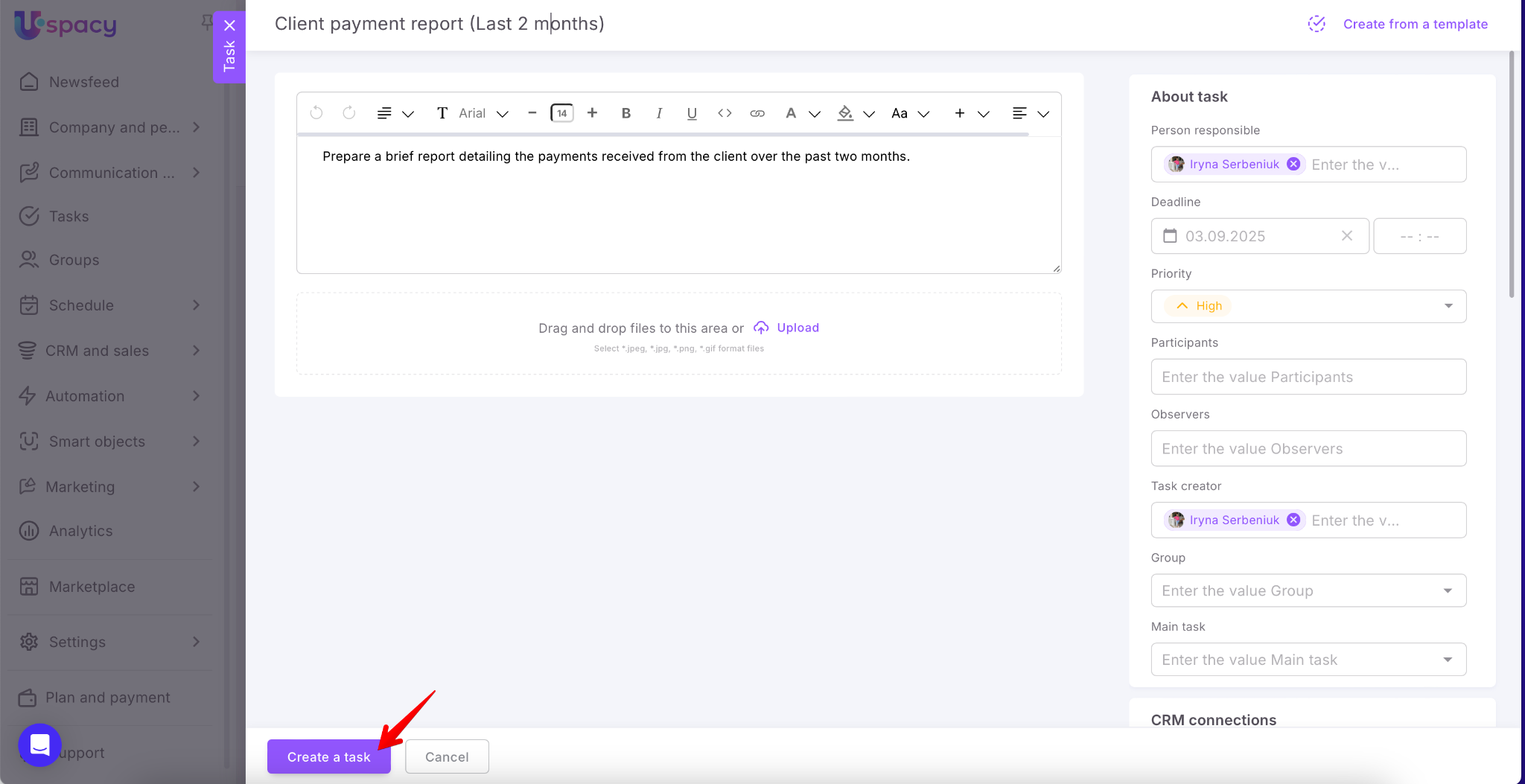
Again, a task creation form will open with the key data already filled out. Adjust any details if needed and save.
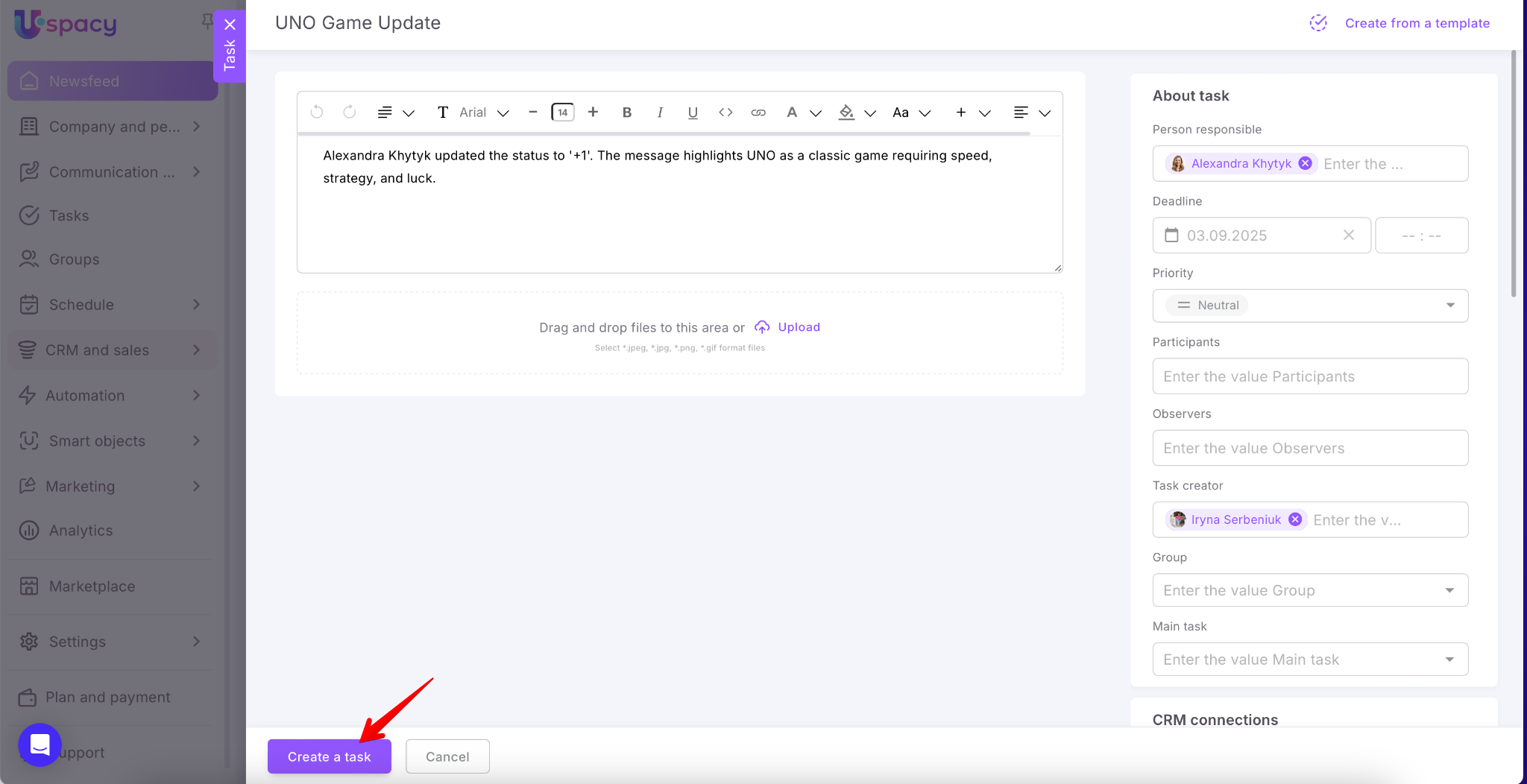
💡 Additionally, you can also create a new task from a comment in the Newsfeed.
How to create a subtask from a comment?
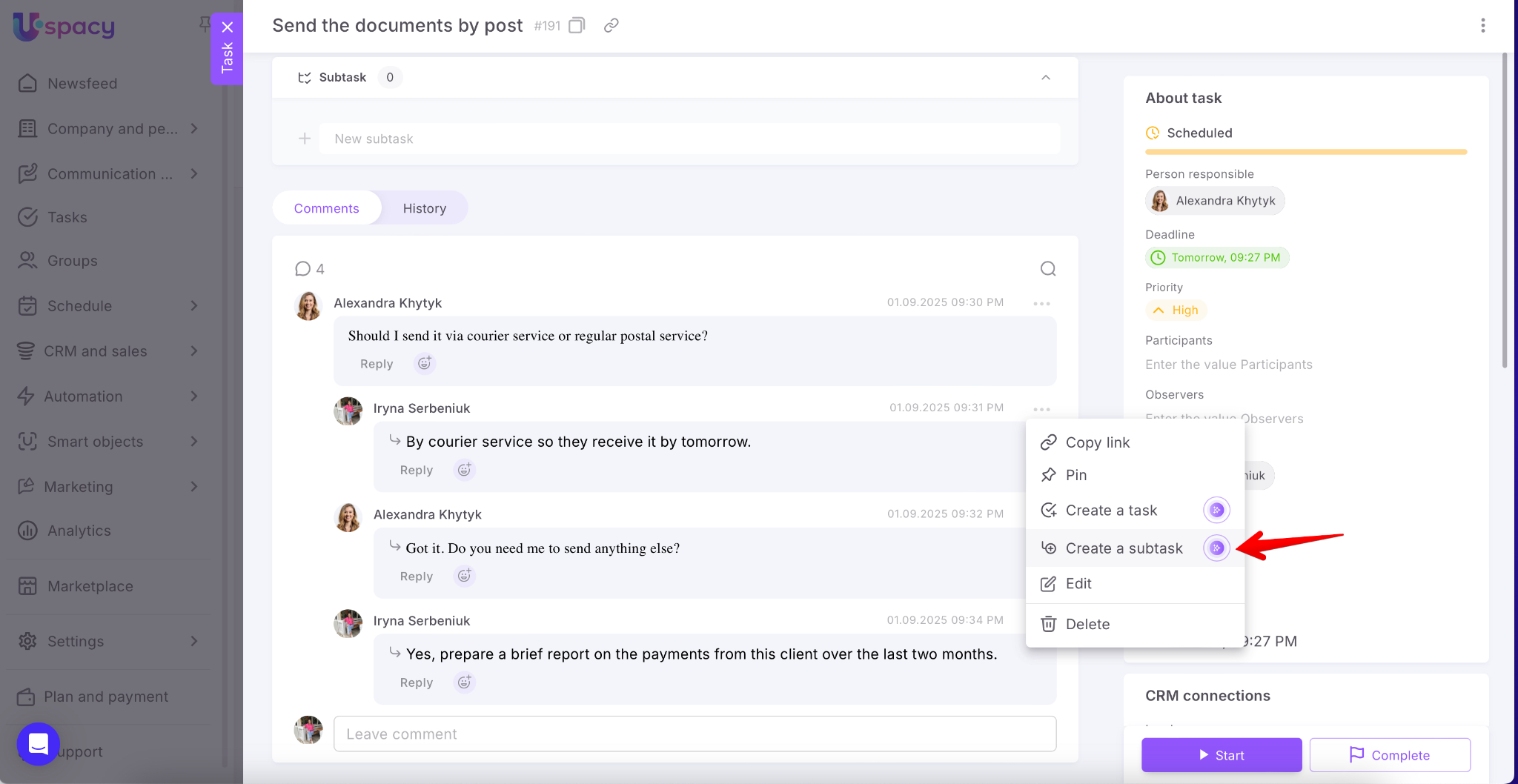
From a comment, you can also Create a subtask (AI) for the task you and your colleagues are discussing. Just select the corresponding option.
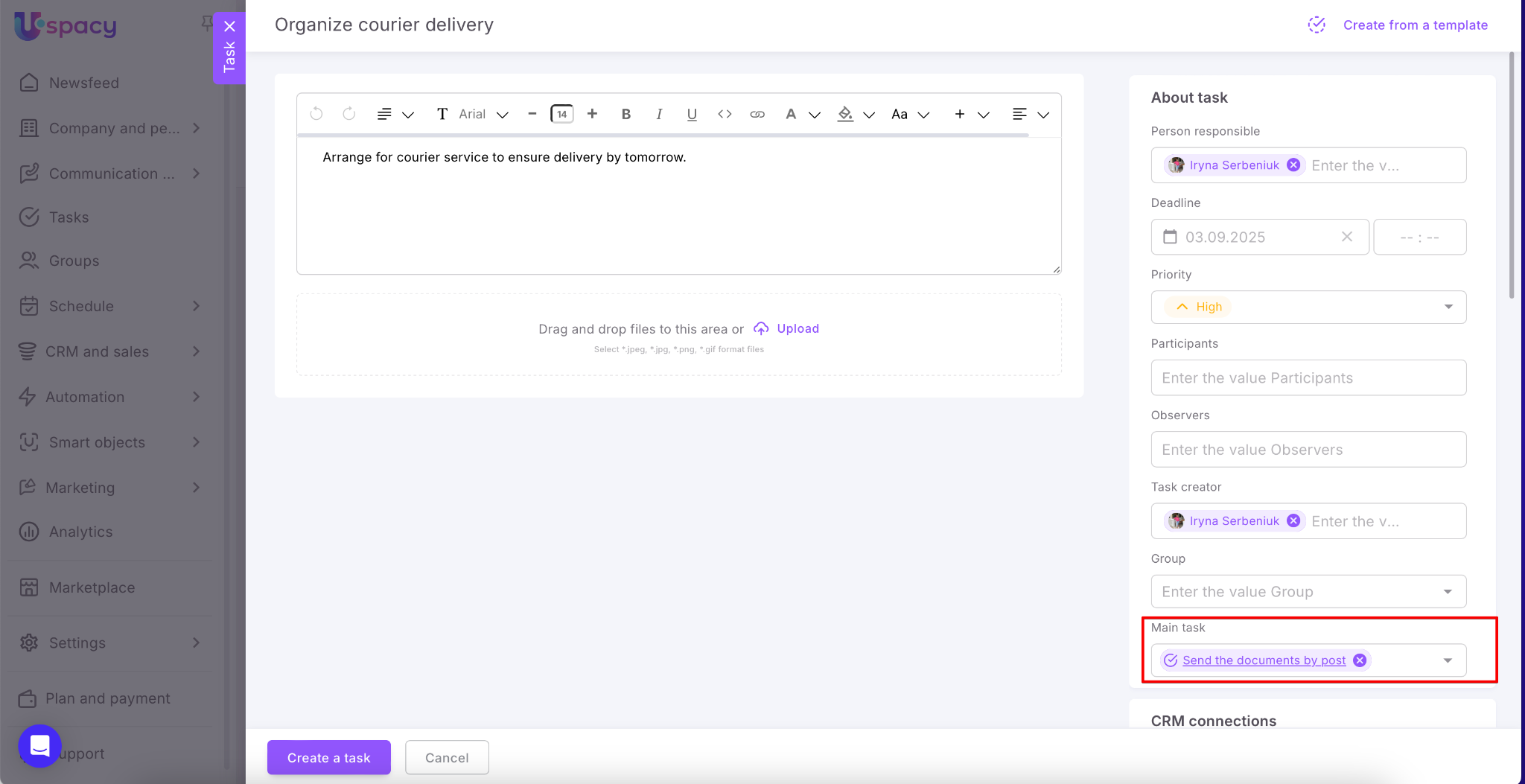
A task creation form will open with key data already filled out. Since it’s a subtask, the main related task will be shown in the form as well.
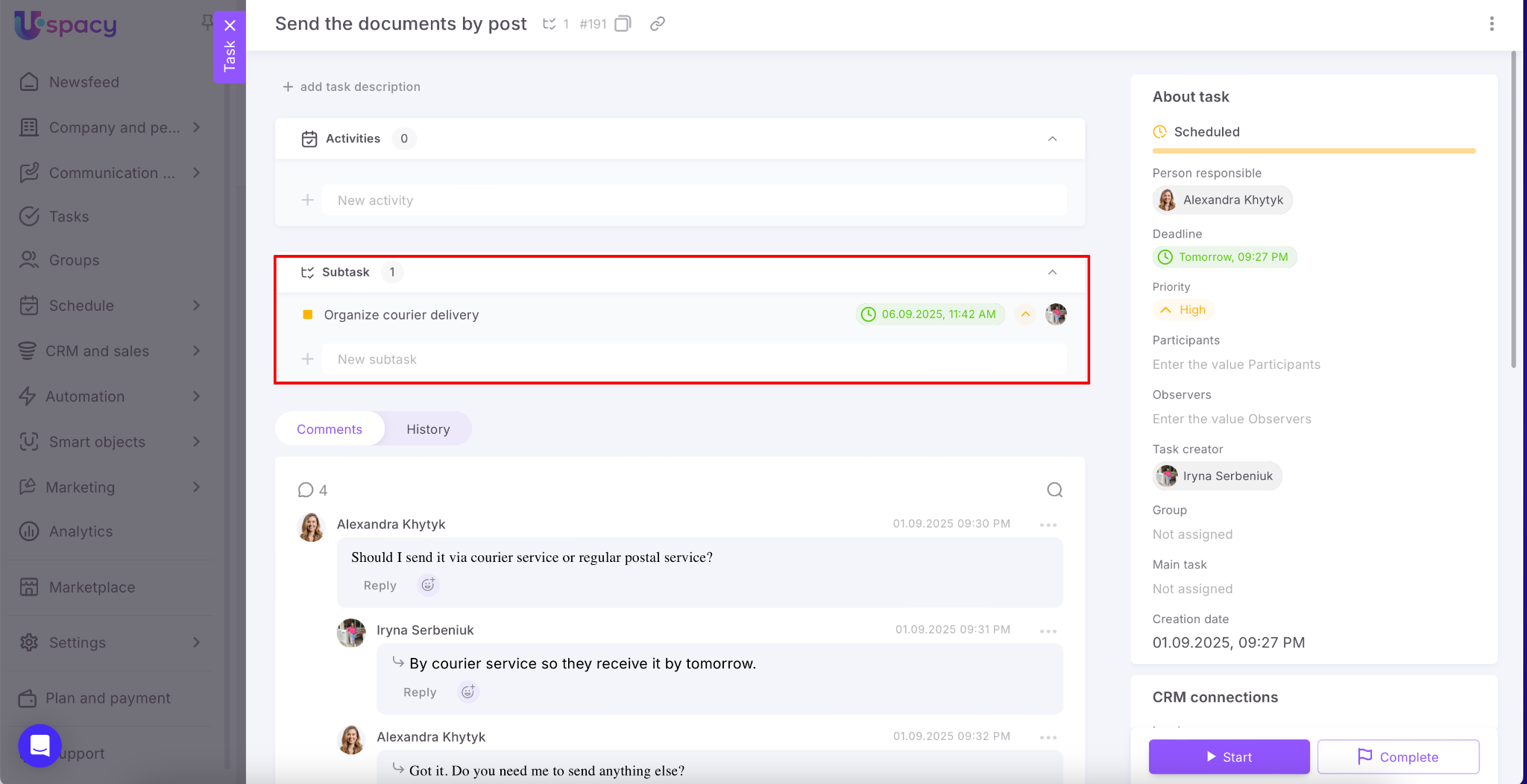
Done! The created subtask will also appear in the main task card.
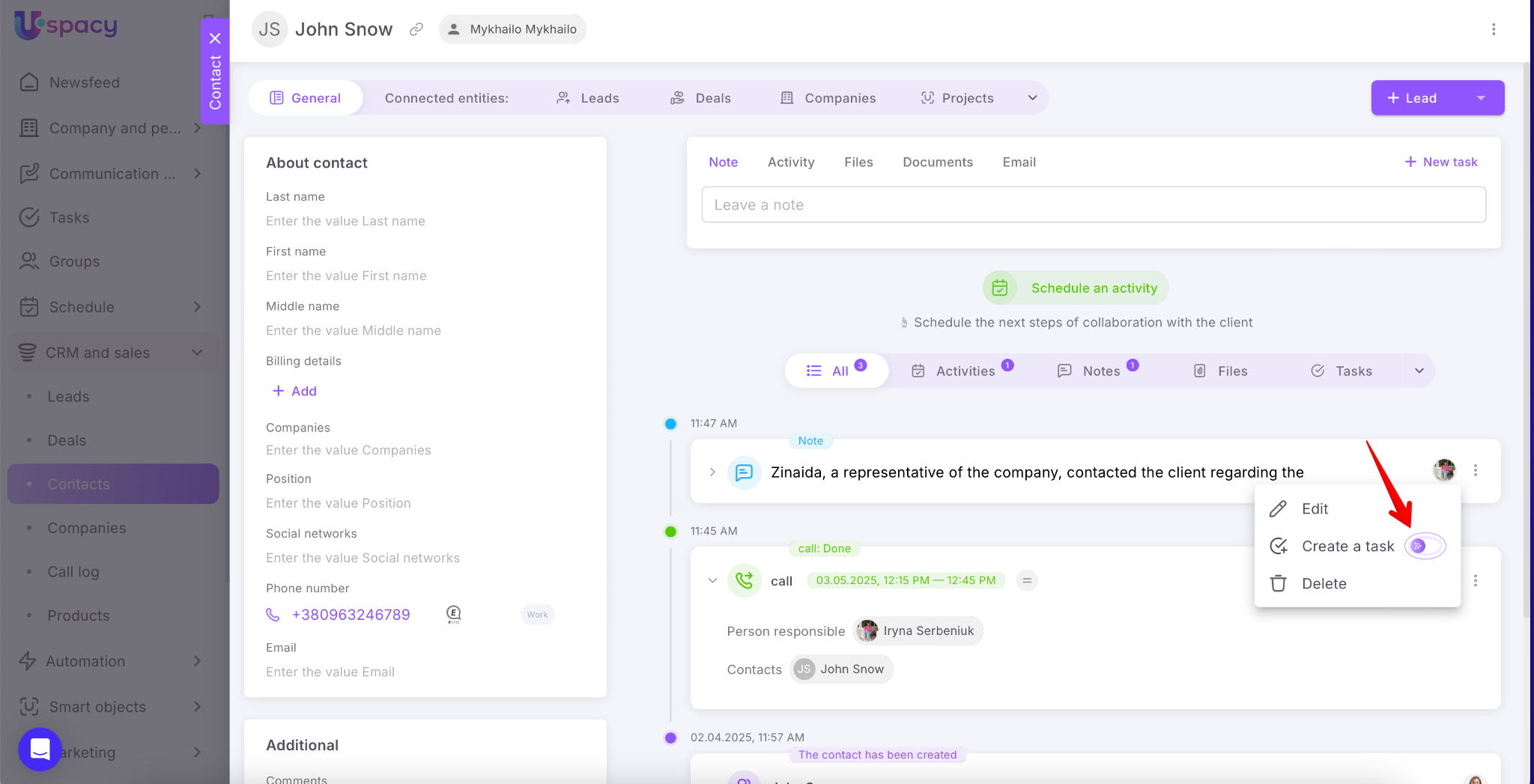
How to create a task from a note in a CRM card?
CRM cards often contain notes with important details about a client or agreements. To ensure these records don’t remain just plain text, use the Create a task option.
A task creation form will open, where the title, description, and other key data are generated automatically. Edit them if needed, then click Create a task.
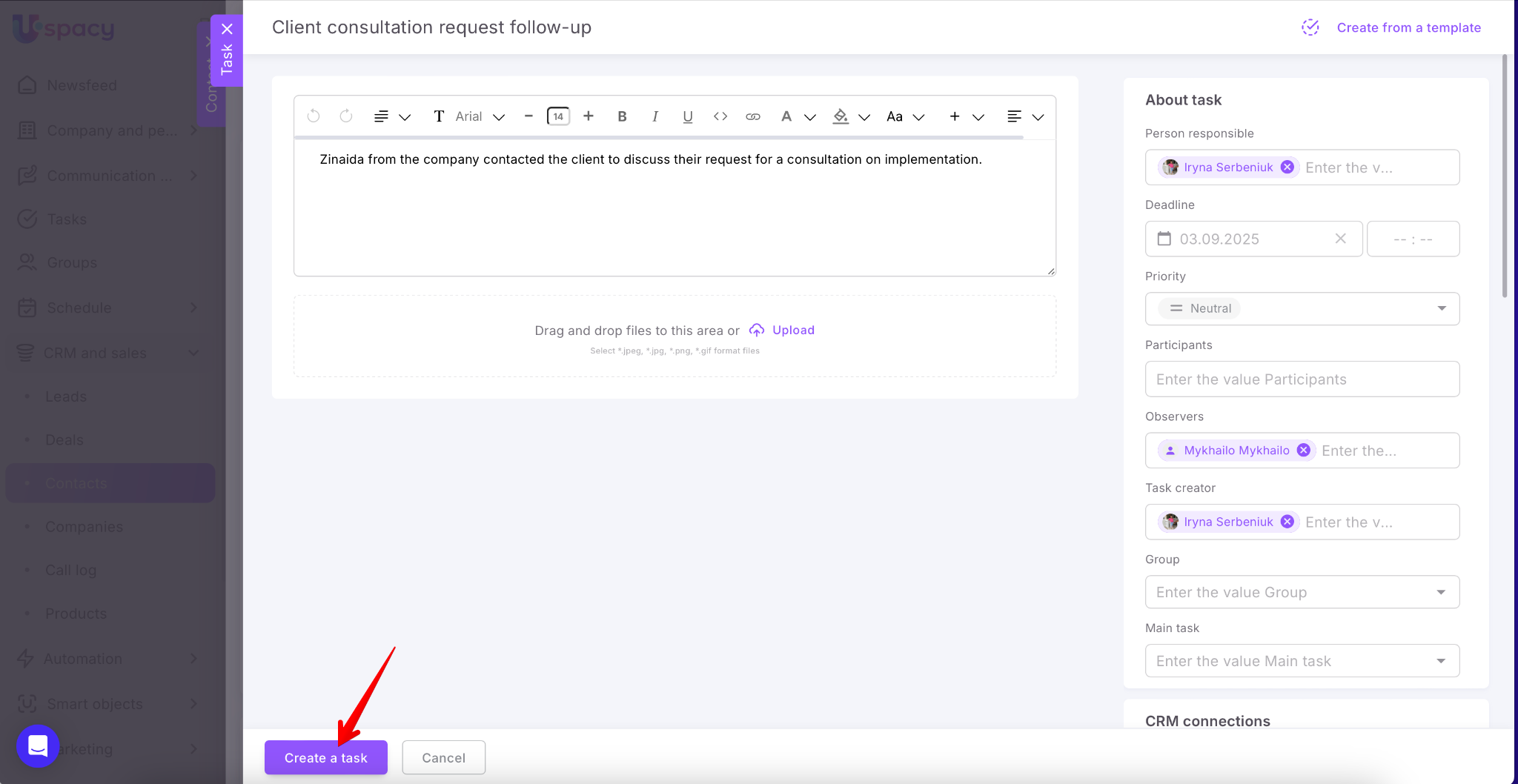
Done!
AI-powered task creation from messages, comments, and notes makes using Uspacy quicker and more efficient. Less manual work – more time saved on routine.
If you have additional questions or you need to contact the support, send a request to this email [email protected]
Created: September 1, 2025