❗️ Only the administrator or Space owner has access to the settings.
You can read more about making changes and saving them in the following article.
The General settings block is divided into three parts:
- The first contains basic settings, such as how the name is displayed or the default language.
- The second contains date and time parameters, such as time zone or selection of the first day of the week.
- The third involves the variability of the appearance of the Space itself, namely the selection of theme, page design, accent color. In addition, it is possible to allow or prohibit users to change these parameters themselves in personal settings.
More details below ⬇️
Basic settings
They include the selection of country, name display method, phone number format, as well as language parameters and currency.

This part has the following fields:
1. Country - from the list of all countries in the world, you can select the one in which, for example, the company carries out its activities.

You can also use the built-in search in the field to quickly find the country you need.

☝🏻 The country for Space after registering and creating your Uspacy will be Ukraine.
2. Name format - you can select the order in which to display the user's personal data. Four options are available.

3. Phone number format – the list contains countries with their international phone codes.

Use the built-in search to quickly find the needed value.

This selection determines which country code will be displayed by default when users add a new phone number to their profile.

4. Space language - you can select the desired interface language. Ukrainian, English, Portuguese, Polish and Spanish are currently available.
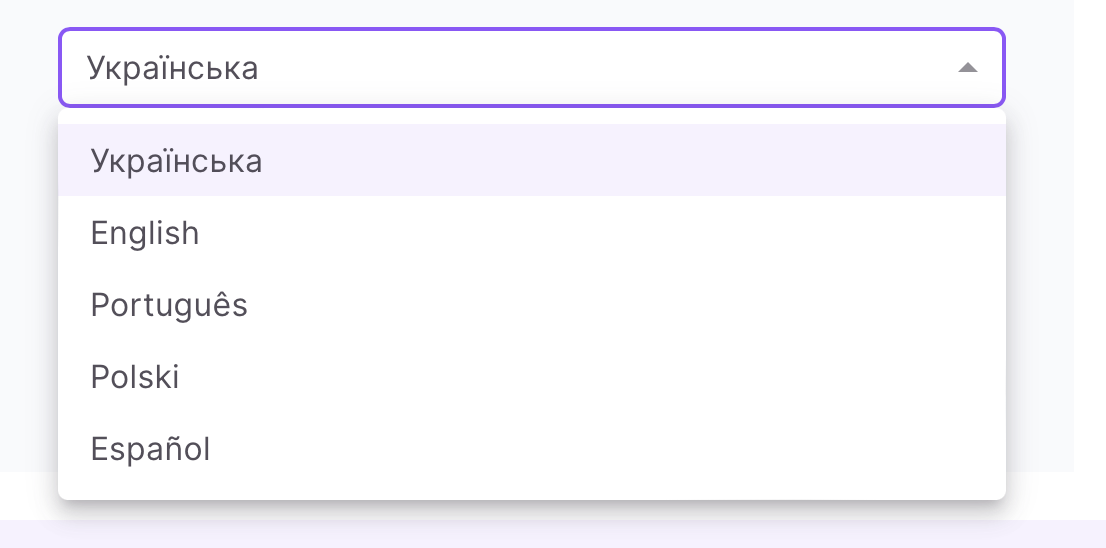
☝🏻The language of Space after registering and creating Uspacy, will be the language of your domain zone (for com, eu – English, ua – Ukrainian, com.br – Portuguese).
5. Currencies available in the system - in the list you can mark which currencies will be used in the Space.

☝🏻 After registering and creating the Space, the active currencies are hryvnia, euro and dollar.
This parameter affects whether users will be able to change the deal currency from hryvnia to dollar, from hryvnia to euro, etc. when working, for example, in CRM.

6. Main currency – you can specify which of the currencies will be automatically used in CRM (for example, UAH will be specified in the appropriate field in deals at once).

The currencies for selection in the list will be those marked in the field above, that is, in the field Currencies available in the system.

☝🏻 Hryvnia is set as the main currency after registering and creating the Space.
Date and time settings
They include selecting the date and time format, the time zone, and the day of the week.

This part contains the following fields:
1. Date format - you can select one of 25 possible combinations of displaying the number, month and year.

2. Time format - you can select a convenient time display method - with or without dividing the day into two 12-hour intervals. Do you prefer to finish work "at 06:00 PM" or "at 18:00"?

3. Time zone - you can specify the local time for the Space, which will be displayed by default.

The field also has a built-in search. This will make it easier to find the right region for the correct time.

☝🏻 After registering and creating the Space, the time zone of Ukraine will be set.
4. The first day of the week - you can select whether Monday or Sunday will be the beginning of a new calendar week.

Appearance settings
They include the selection of color, design, theme of the space, as well as allowing or denying users to change these settings themselves.

This part contains the following fields:
1. Accent color - you can select from the palette. It will color the buttons and some other interface details of the whole Space.

2. Design – you can select as a background and various different blocks in the Space will look together. Here, for example, is standard. The background and parts of the Workspace are separated from each other by variations of light colors.

❗️Currently only Standard design is available. You will be able to select another option soon, so stay tuned for product updates😉
3. Space theme - you can select a general color solution for the background and all parts of the Workspace.
❗️Only the light theme is currently available. Dark and contrast are coming soon, so stay tuned for product updates😉
4. Personal appearance settings - you can give permission to Space users to change the color of accents, page design and theme independently in their profiles. To do this, you need to click on a special toggle button.

In addition, in this block you can also configure the display of your own Space logo.
🌟This option is only available on the Professional plan.

Upload an image of the recommended size and format to add a big logo.

As a result, after saving the settings, it will be displayed at the top above the left menu when it is expanded.

Also upload an image of the recommended size and format to add a small logo.

It will be displayed in the top left menu when it is pinned and also in the browser tab.

If you do not allow individual changes to the appearance in the Space settings, then there will be no block with these parameters in the user profile settings.
If you have additional questions or you need to contact the support, send a request to this email [email protected]
Created: March 13, 2023 / Updated: February 8, 2024