
TikTok is not only a platform for entertaining content but also an effective channel for generating potential clients. With TikTok Lead Generation, companies can collect inquiries directly from ads: users complete a form within TikTok without being redirected to an external website.
The integration between Uspacy and TikTok forms enables automatic transfer of these submissions into the CRM. As a result, new leads and contacts immediately appear in your Workspace, allowing the team to respond faster and avoid manual data entry.
In the Marketplace section, a free app for TikTok integration is available. After installation and configuration, it automatically transfers submissions from TikTok ad forms into Uspacy, enabling fast and efficient CRM processing.

Preparation steps
Before connecting TikTok forms to Uspacy, you need to set up a TikTok Ads Manager account. This is where you create advertising campaigns with the Lead Generation objective and build Instant Forms for collecting submissions. These forms allow users to leave their contact information directly on TikTok without visiting an external site.
To use TikTok Lead Generation, you must have a TikTok Ads Manager advertising account configured for your business. During setup, TikTok requires basic company information, including country or region, time zone, currency, contact details, and billing information. After this, the ad account may go through a verification process.
It is also recommended to prepare your lead form in advance. You should configure a call-to-action, description, lead questions, and a link to your privacy policy. This ensures users understand what data they are providing and how it will be processed.
Before starting the integration, make sure you have:
- a TikTok Ads Manager account;
- a configured advertising account;
- access to the account used for the connection;
- a created Instant Form for lead collection;
- a valid privacy policy link.
After that, you can proceed to install the TikTok Forms app from the Uspacy Marketplace and configure data transfer into your CRM.
Connection
First, install the free TikTok Forms integration app in your Workspace. To do this, go to the Marketplace section and click Get.

Once the app is installed, open its settings.

Next, establish a connection with TikTok using the dedicated button.

You will need to authorize access to your TikTok account.
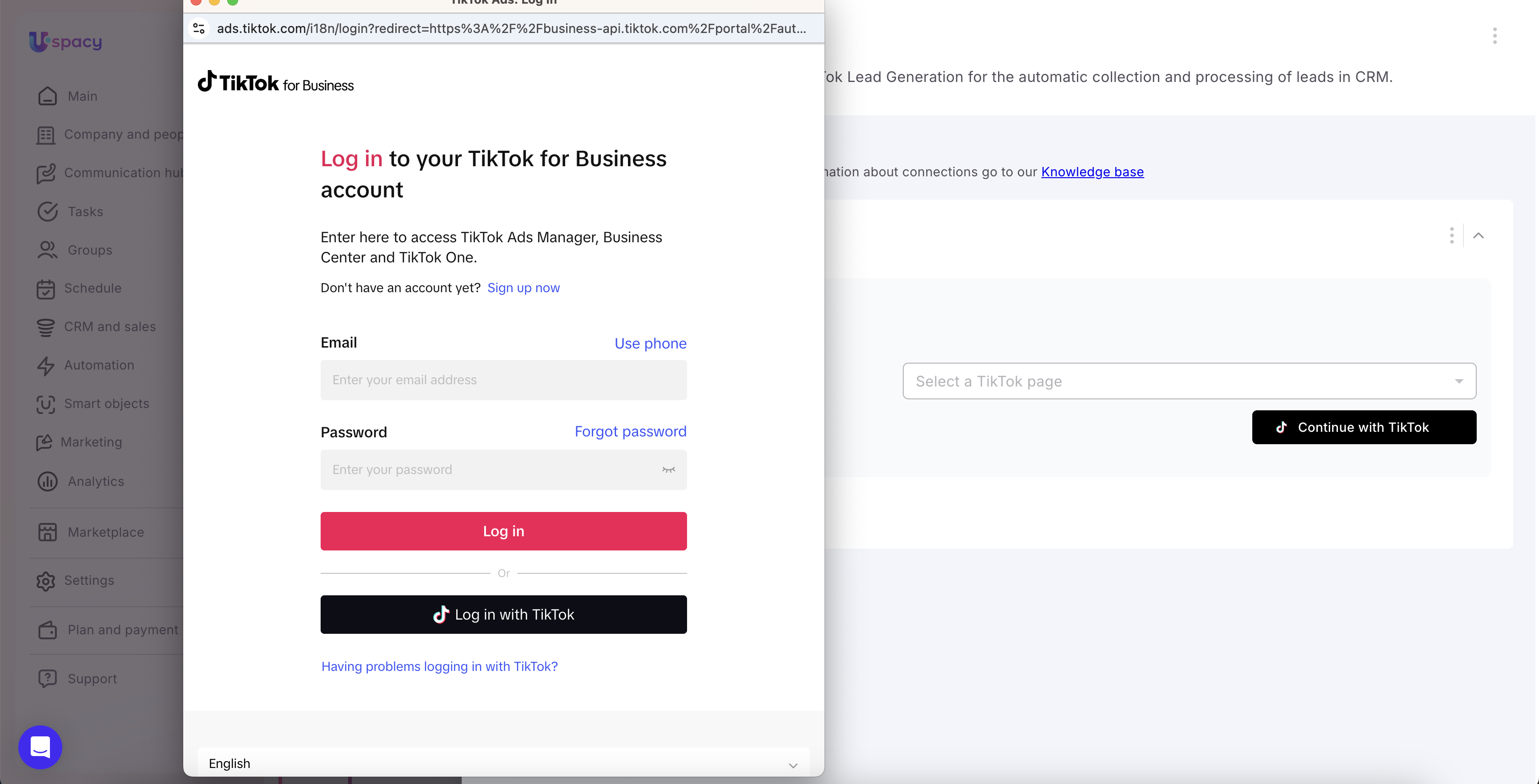
💡 Please note: one TikTok account can only be connected to one Uspacy Workspace. If you need to use the same account in another Workspace, you must first disconnect it from the current one and then reconnect it.
Once the connection is established, expand it to begin configuring forms and synchronizing them with Uspacy.
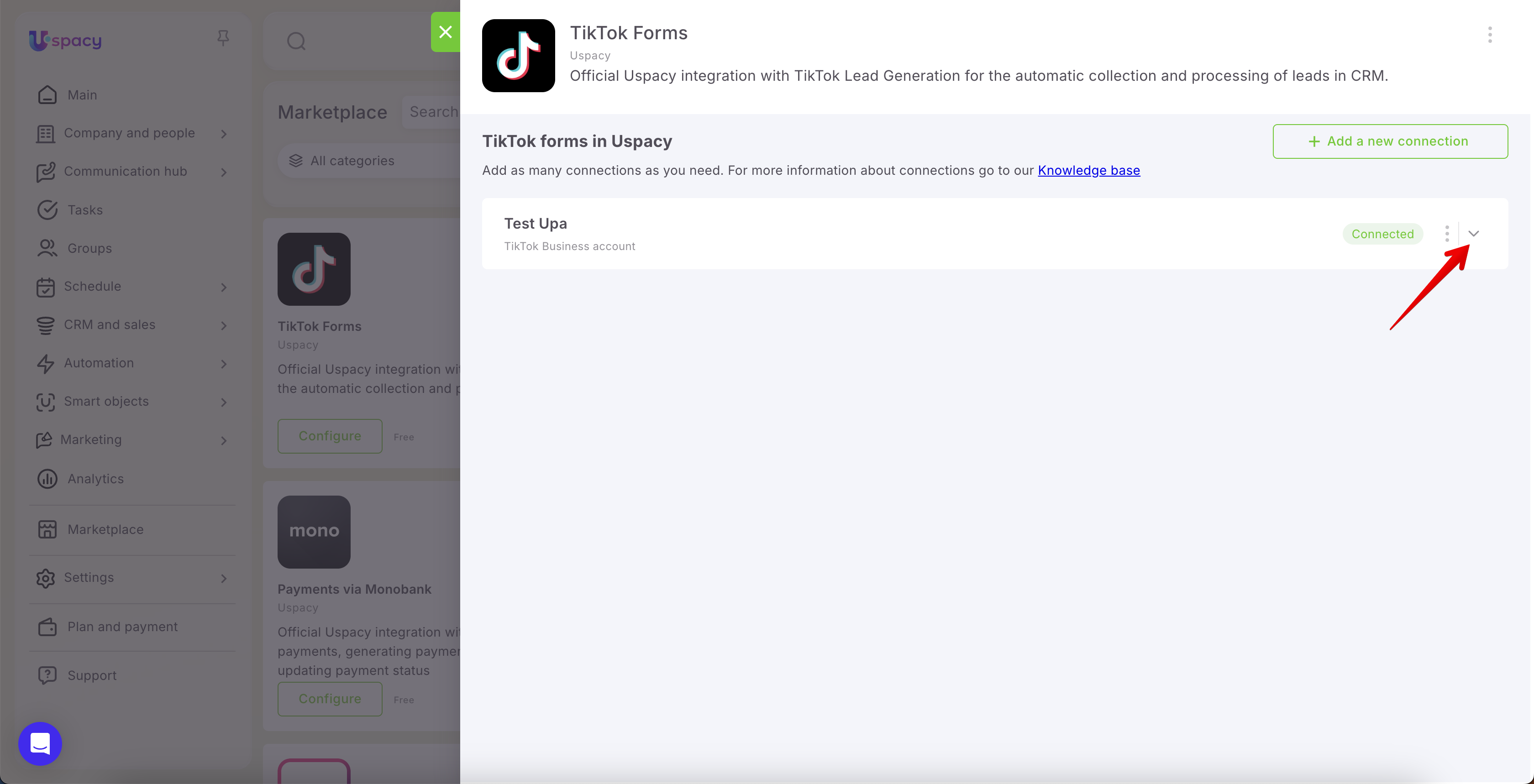
Click Add forms.
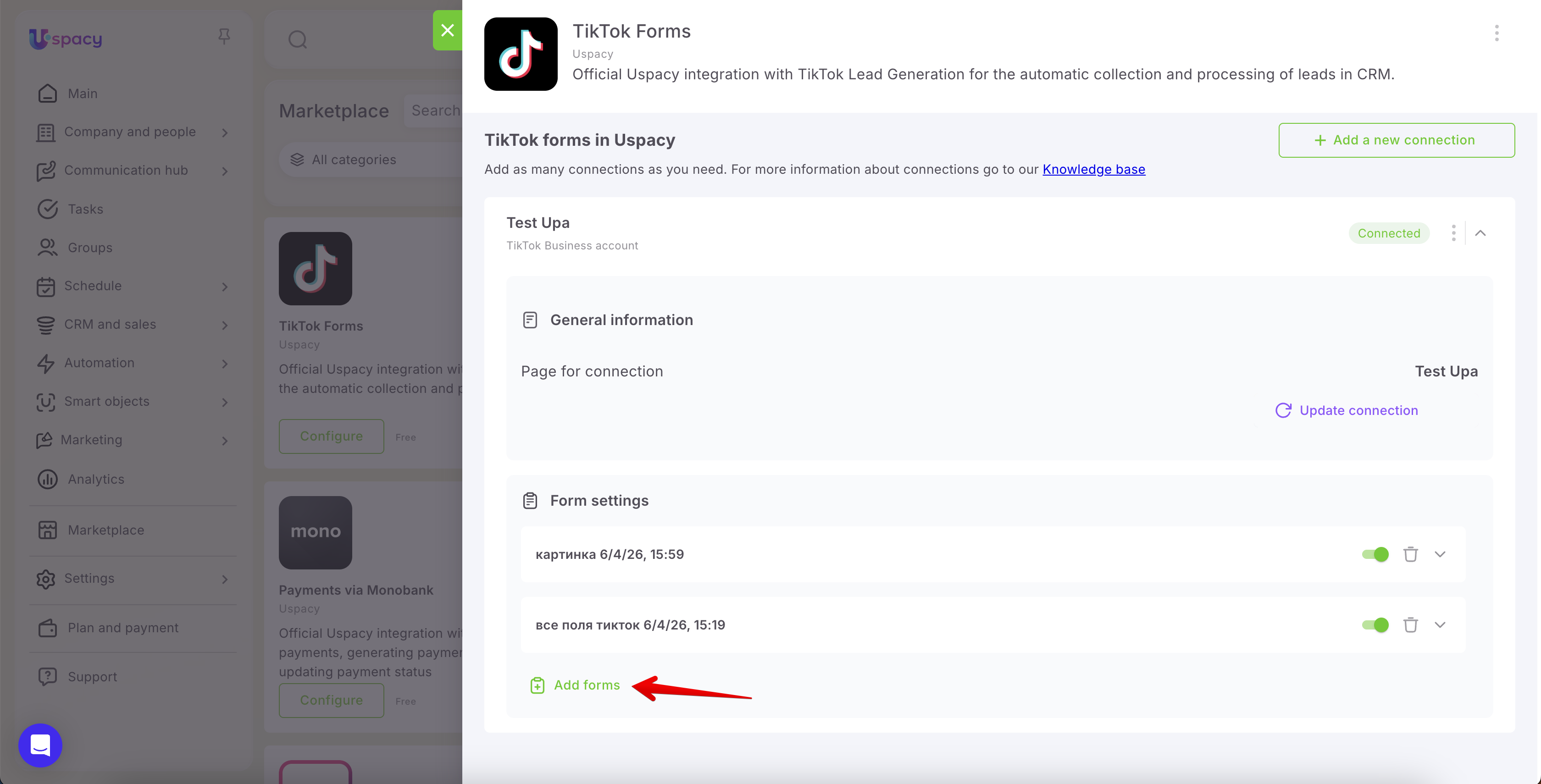
From the list, select the forms whose submissions should be automatically sent to the CRM.
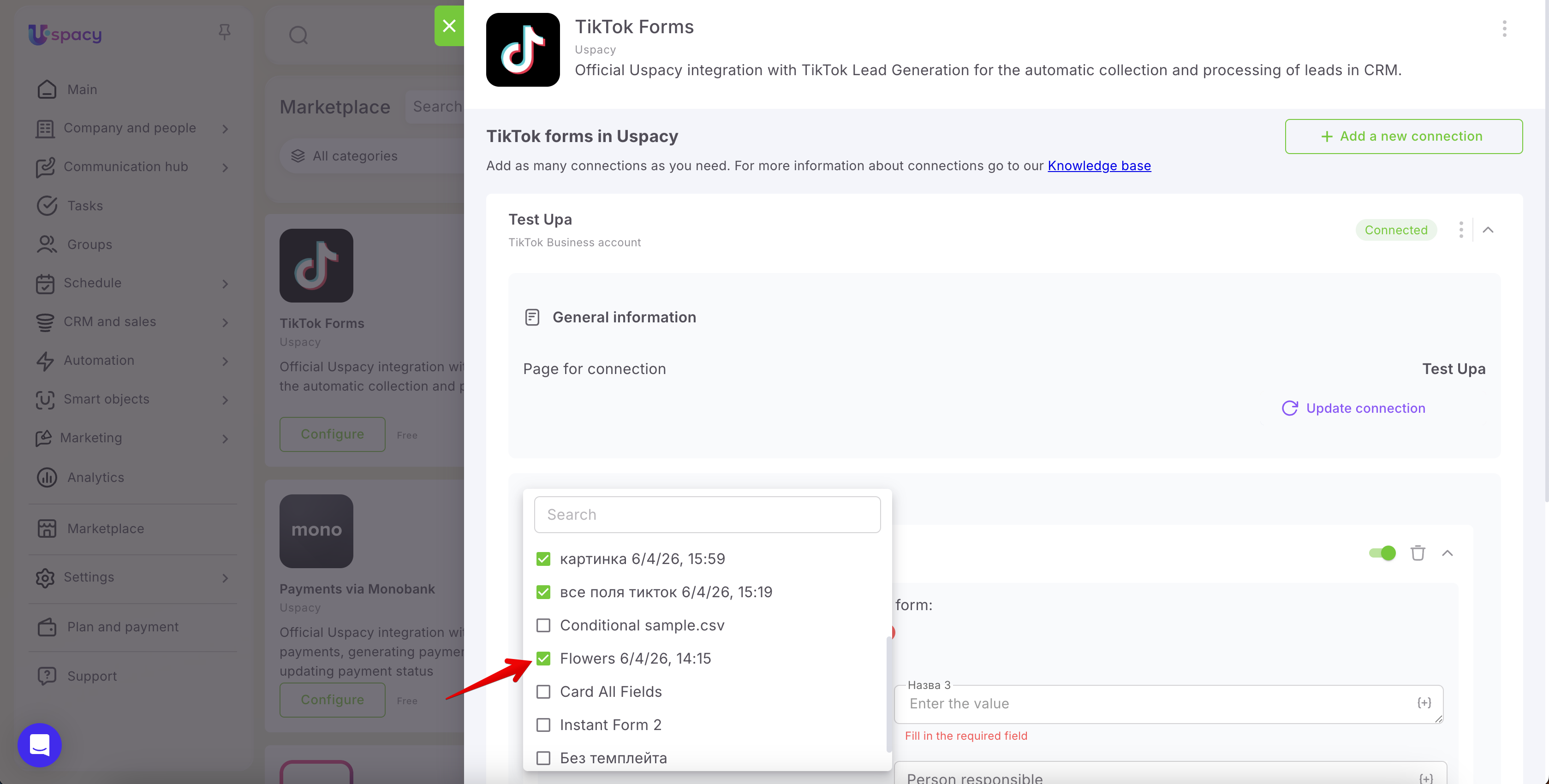
🌟 The number of active forms depends on your subscription plan. You can configure field mapping for all forms, but only forms within your plan’s limit will be active:
- Free — 1 active form
- Standard — up to 5
- Professional — unlimited
Now proceed to the configuration stage. First, select which entity should be created when a form is submitted.
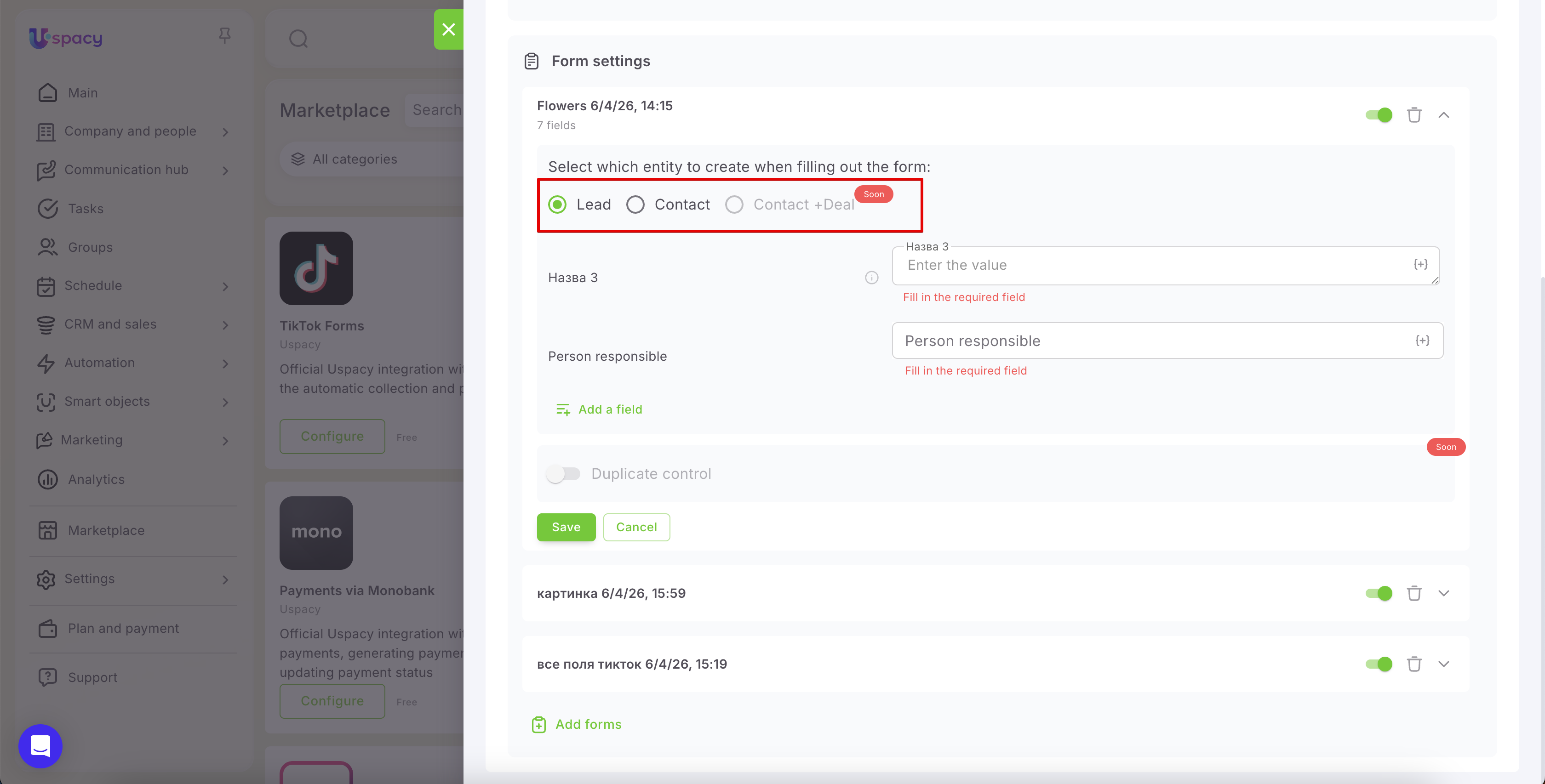
Next, fill in the required fields: Name and Person responsible.
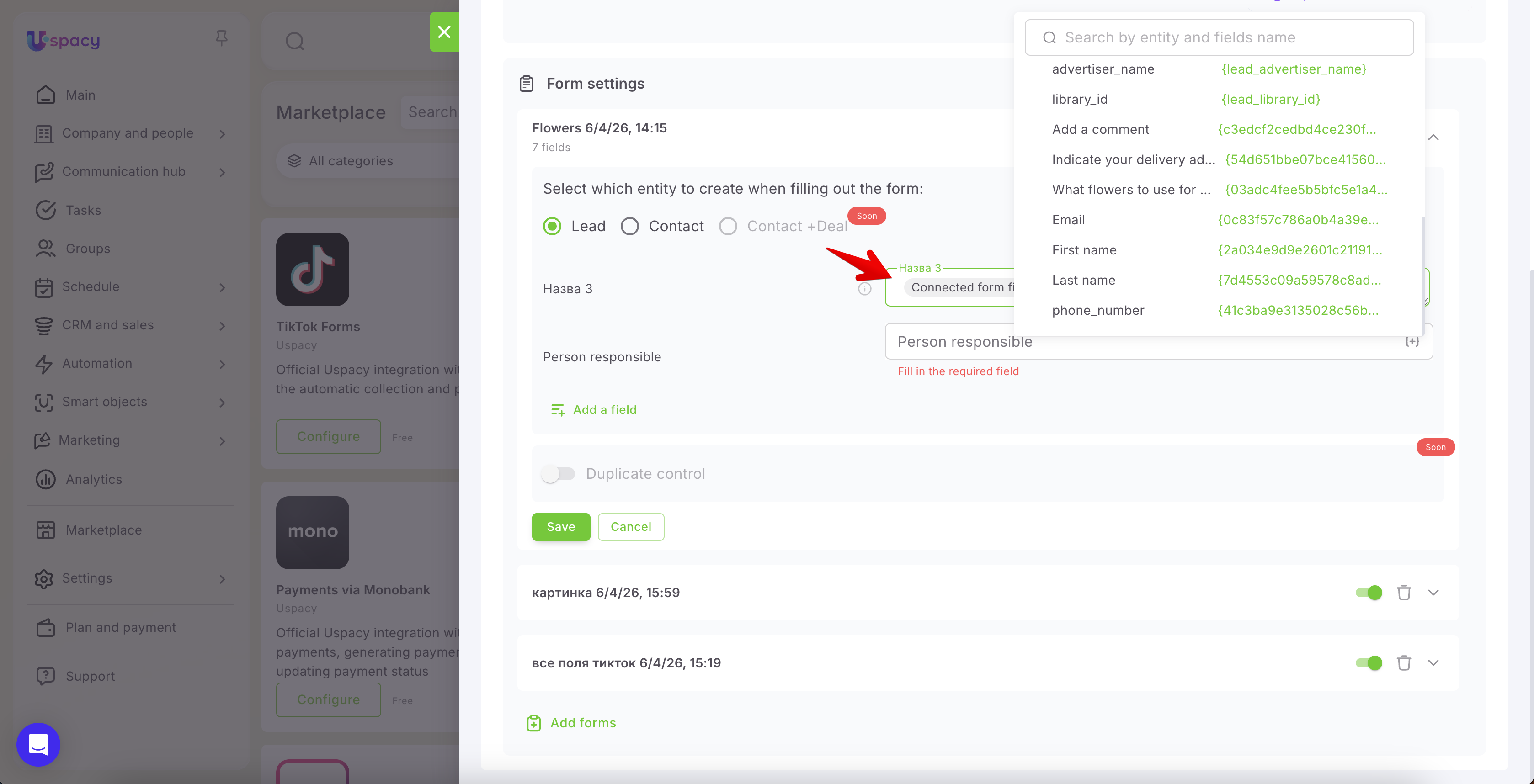
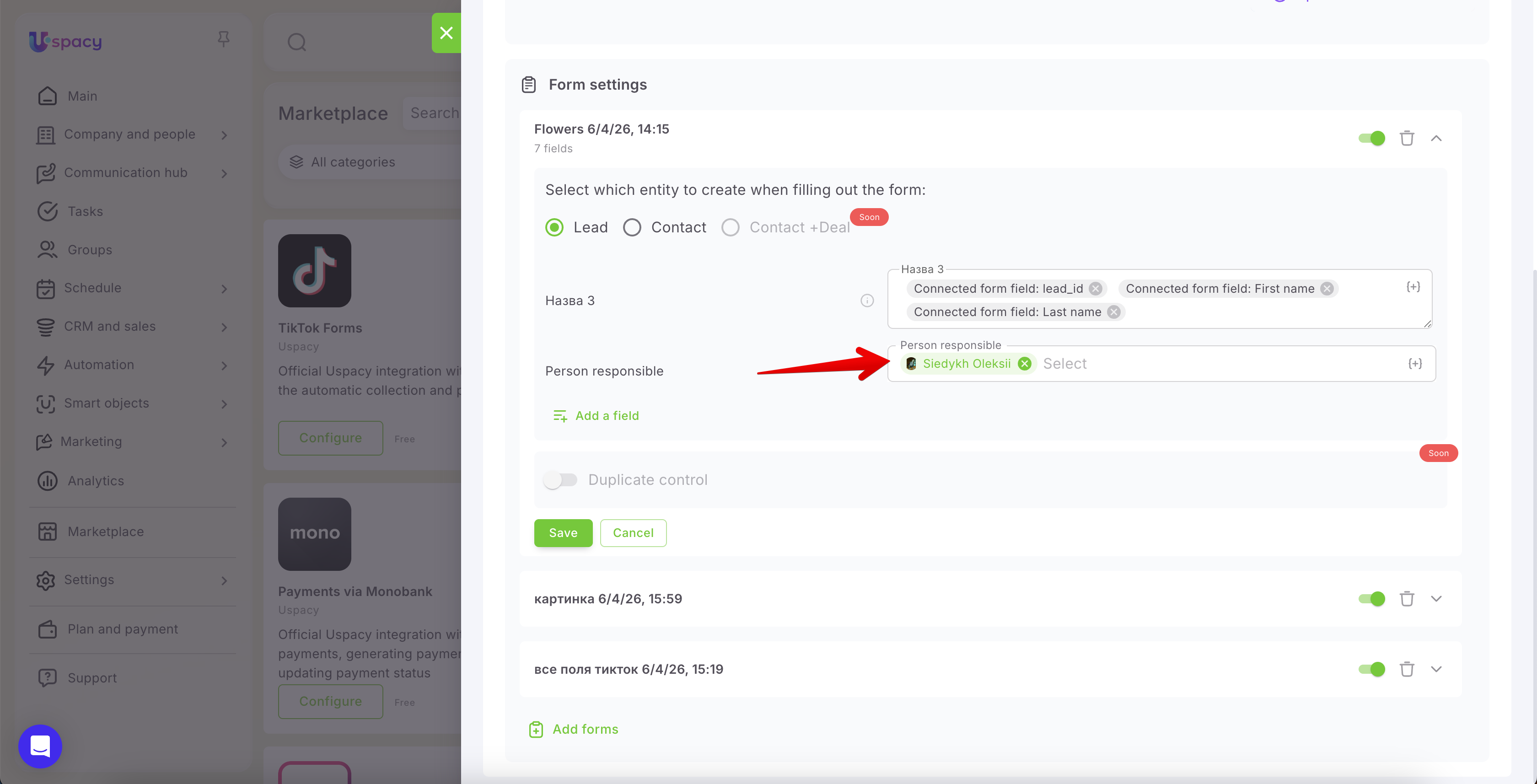
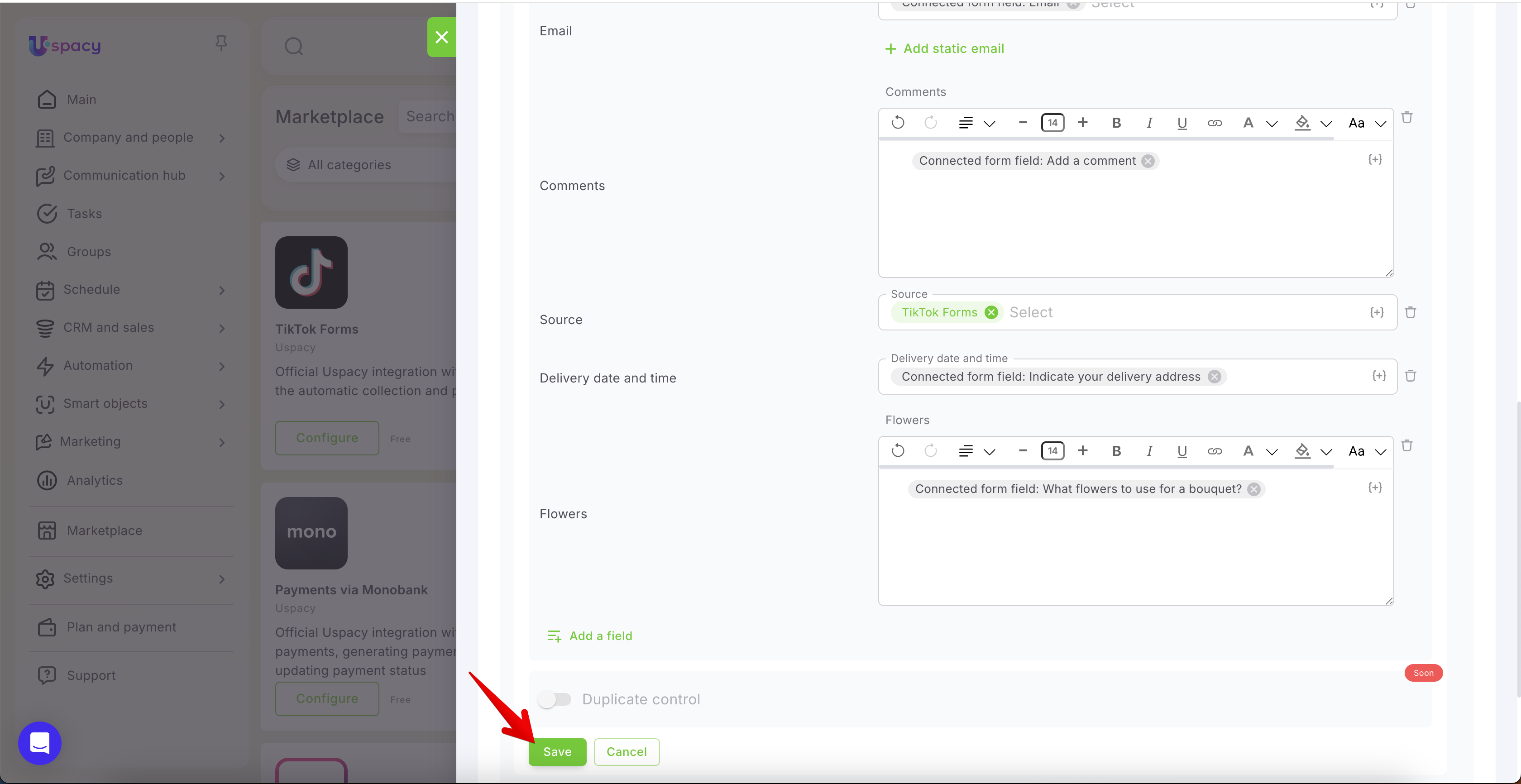
Then click Add a field to define where values from TikTok form fields should be transferred in Uspacy.
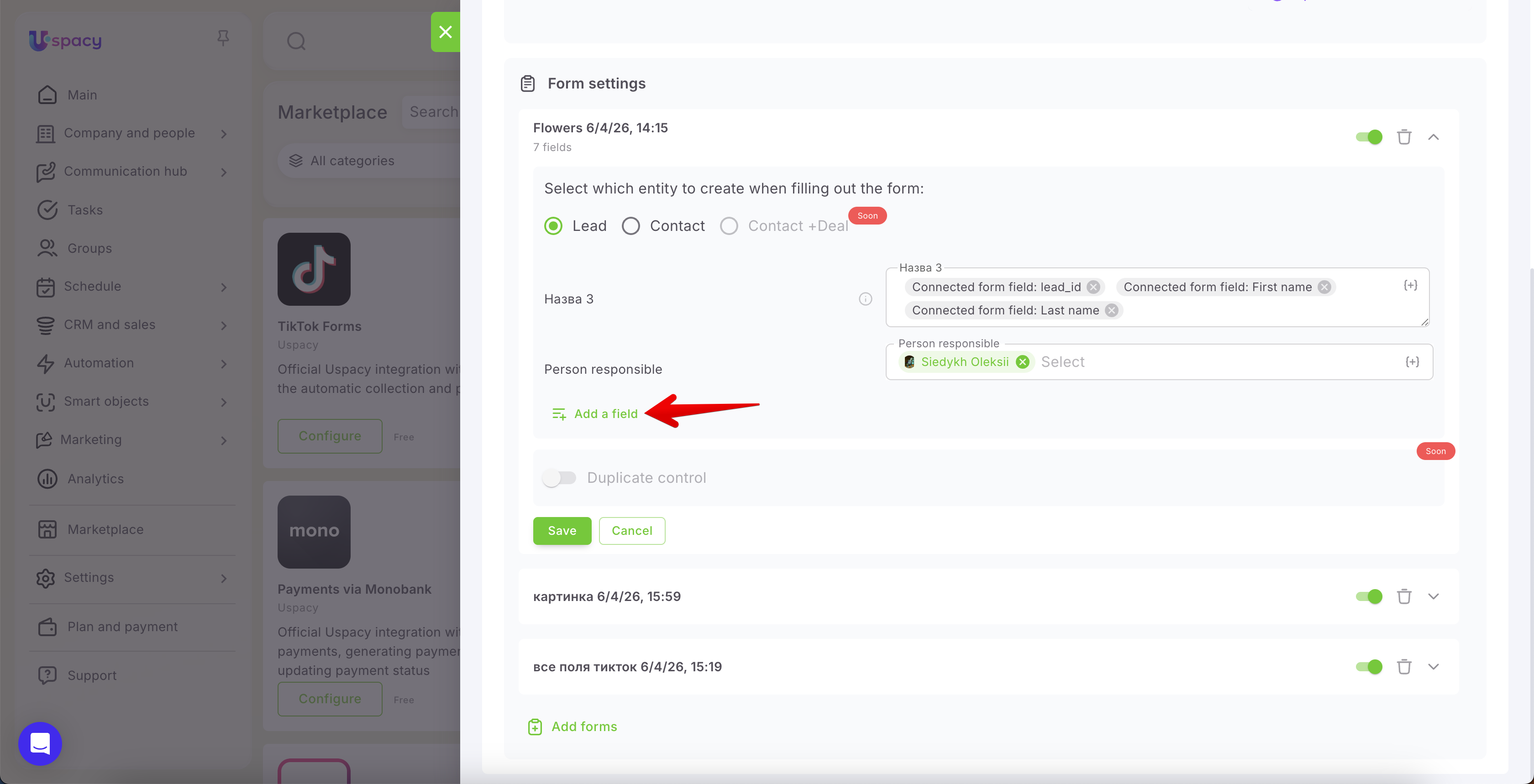
Select the required fields using checkboxes.
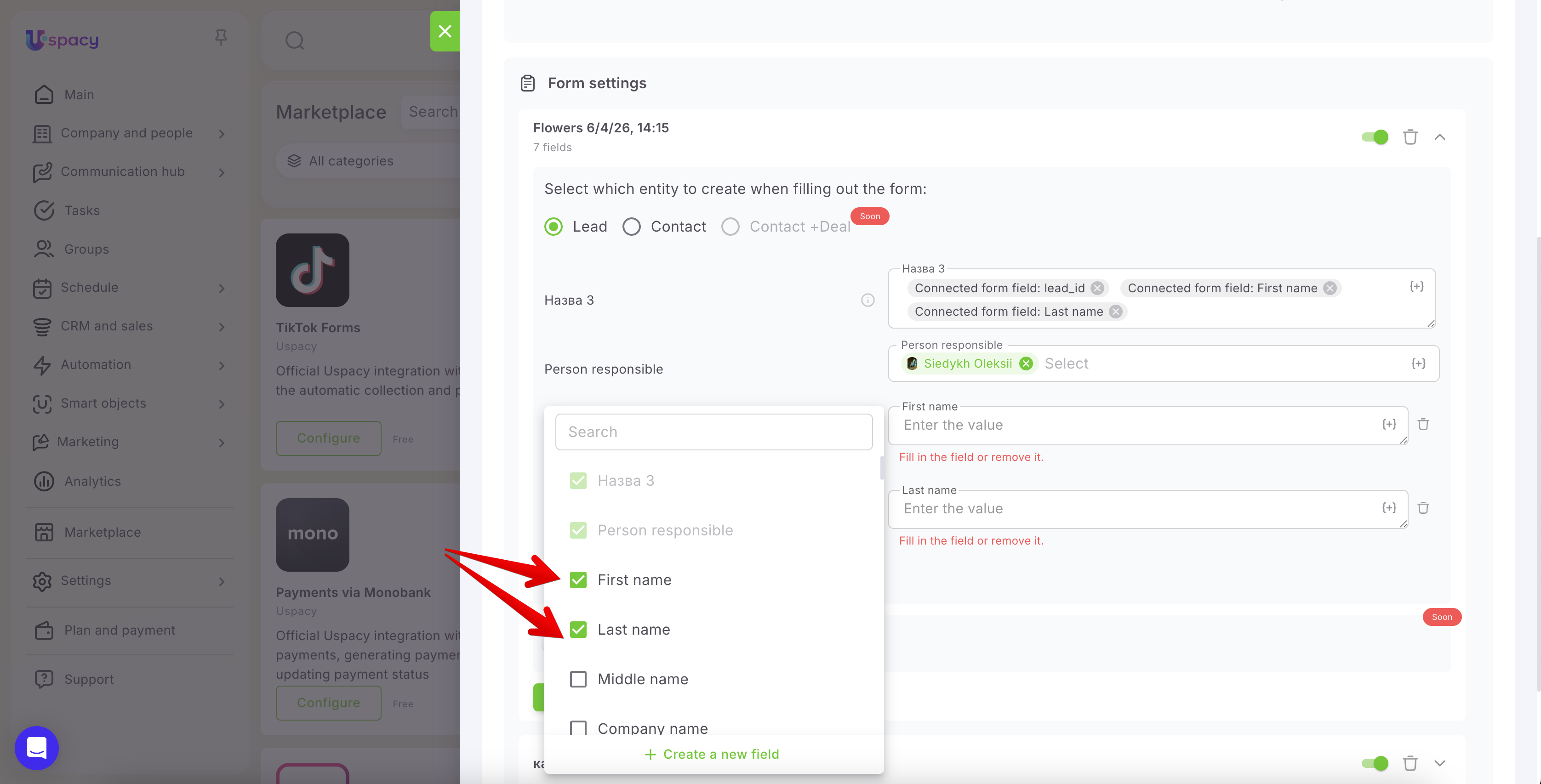
You can also create a new field in Uspacy directly if an appropriate one is missing for proper mapping.
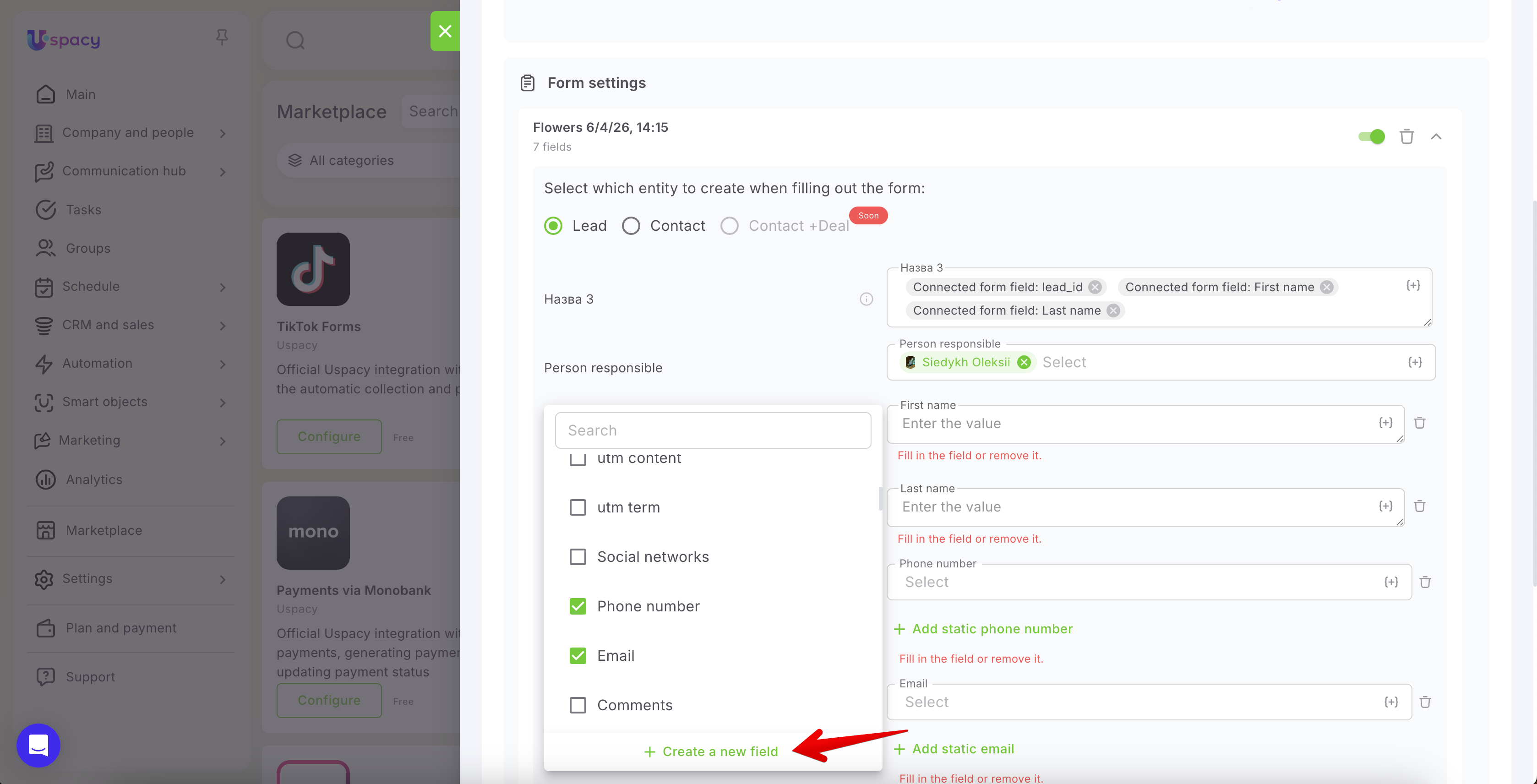
🔍 More details on creating custom CRM fields can be found in the article “Custom fields in CRM.”
Once all required fields are added, assign values to them (static or dynamic).
Dynamic values are data automatically transferred from the corresponding TikTok form fields into Uspacy. For example, if you map the “Name” field in TikTok to the “Name” field in Uspacy, the value will be transferred automatically upon form submission.
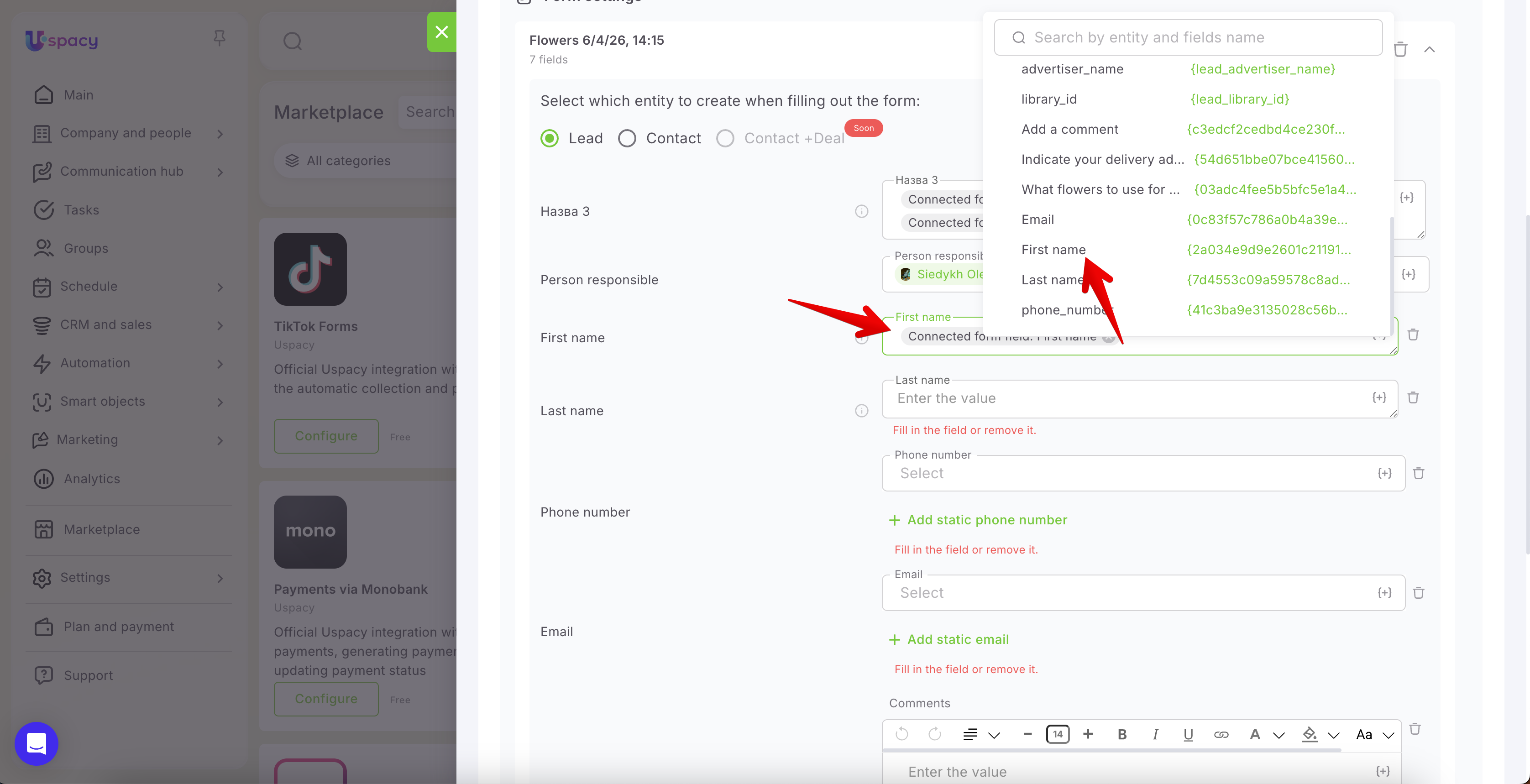
💡 Note:
- A single TikTok field can be mapped to multiple Uspacy fields if needed.
- Similarly, multiple TikTok fields can be mapped into a single Uspacy field. For such mappings, it is recommended to use Text-type fields, as Row-type fields are limited to 255 characters. If this limit is exceeded, part of the data will not be saved.
- For List-type fields, values will only be transferred if the options in TikTok and Uspacy match exactly. If values differ in spelling or wording, the data will not be mapped. For example, if Uspacy uses “Rose” but TikTok uses “Roses,” the value will not be transferred.
All added fields must be properly mapped and filled with values.
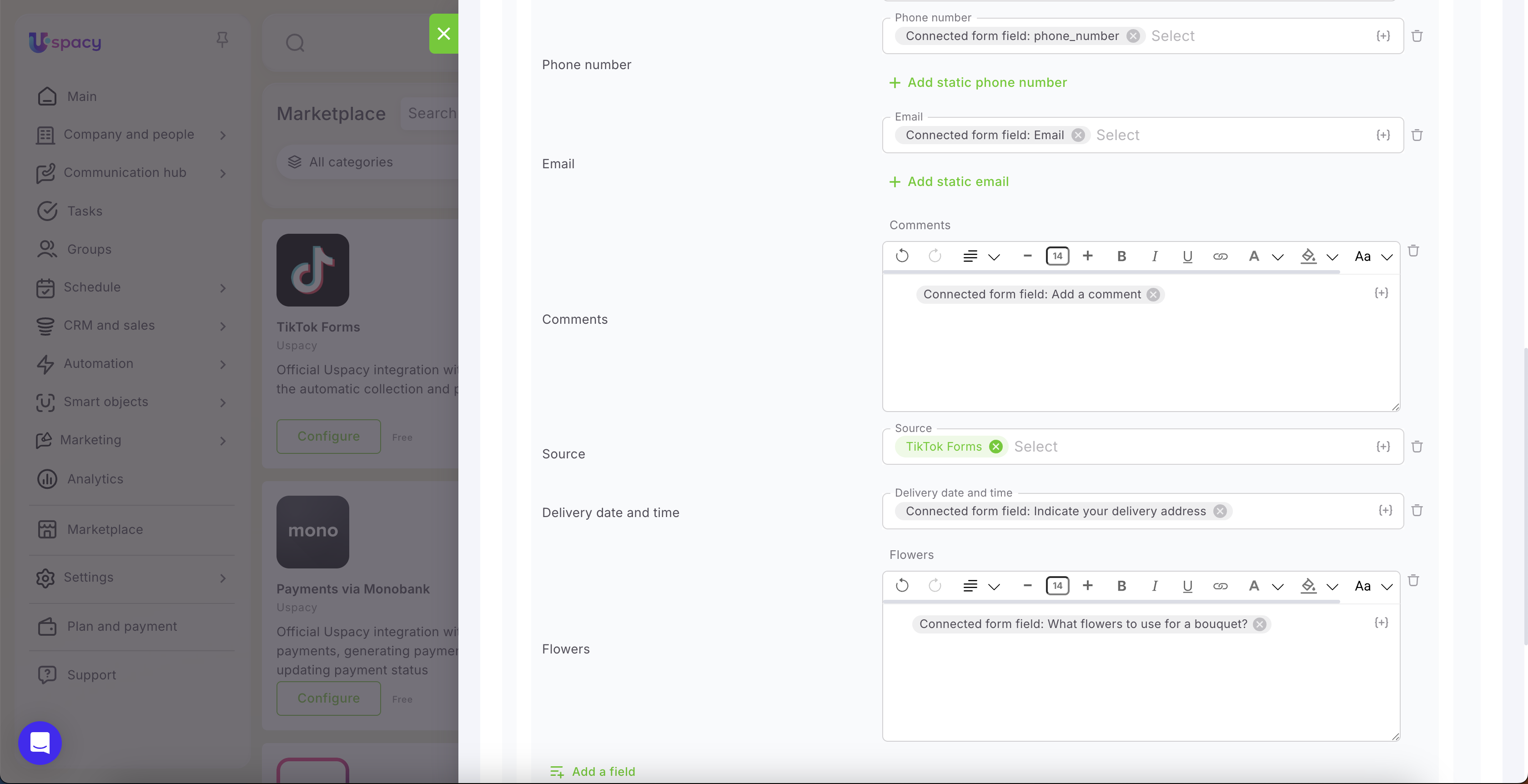
Once everything is ready, click Save.
- If you close the settings without saving, the form will not be connected to your Uspacy Workspace, and no data will be transferred to the CRM.
- Additionally, if any required mapped fields are left unfilled (static or dynamic values), saving will not be possible and an error will be displayed.
How does it work?
You can test the integration using sample data by submitting a TikTok form.
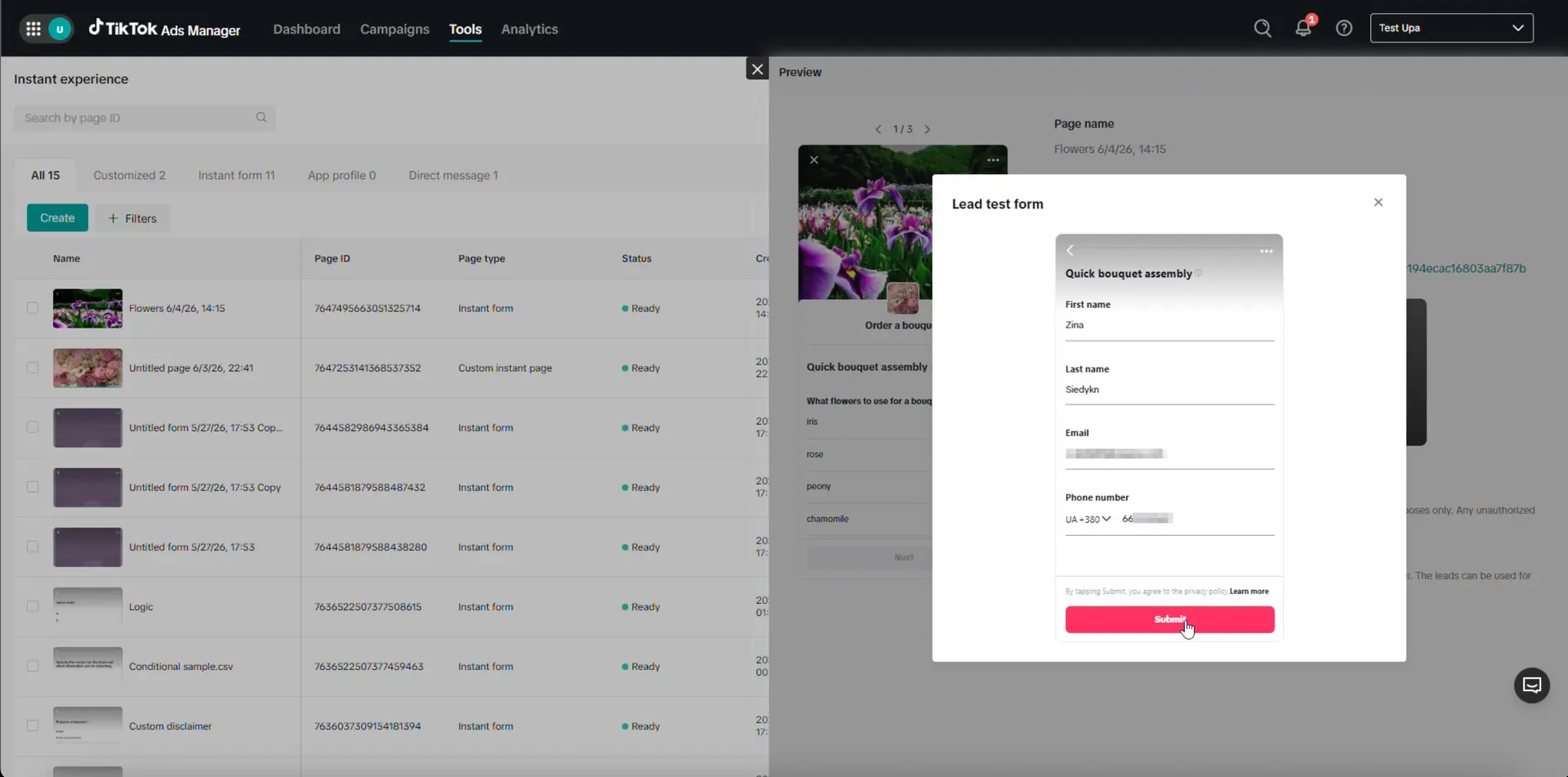
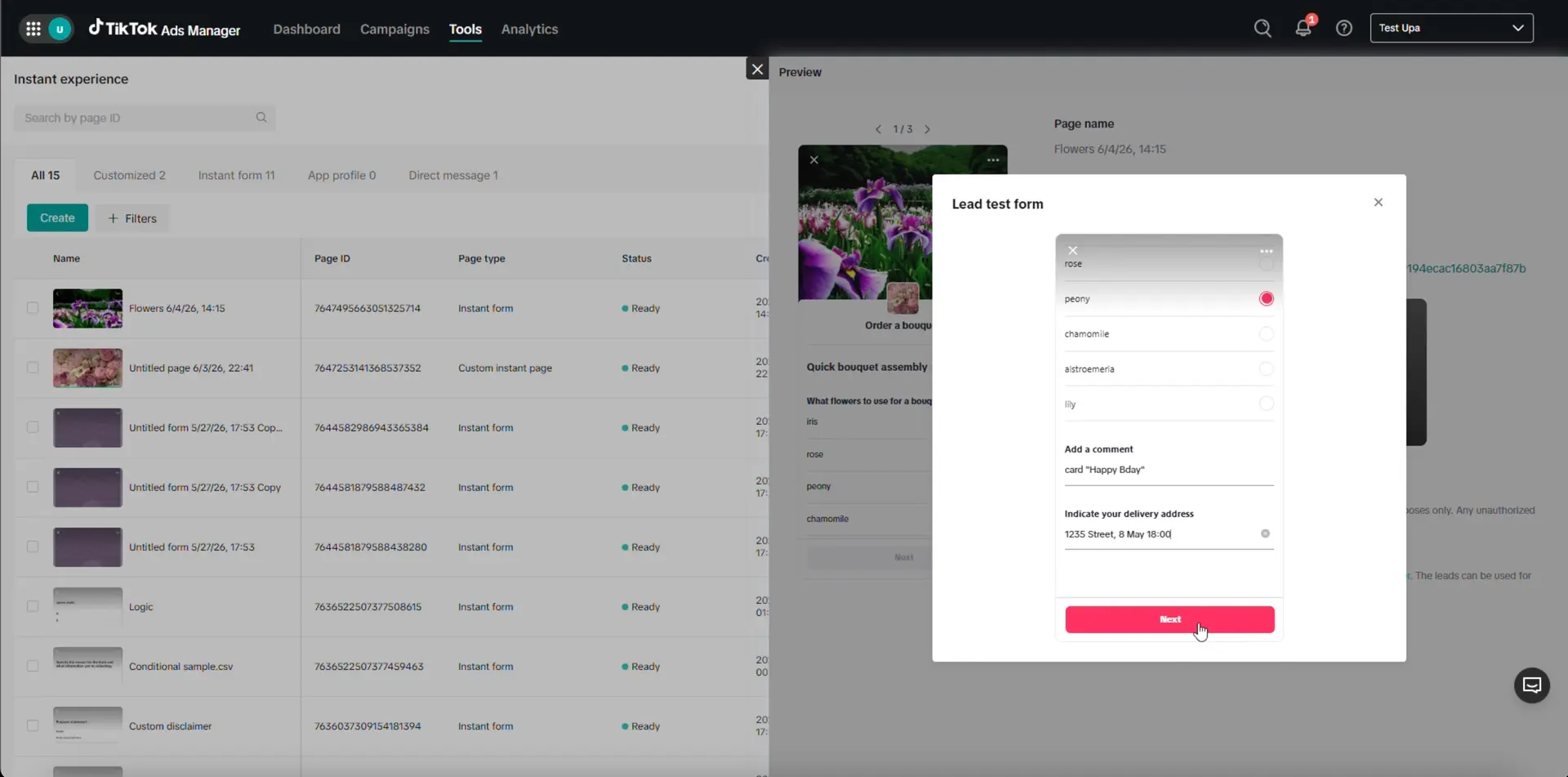
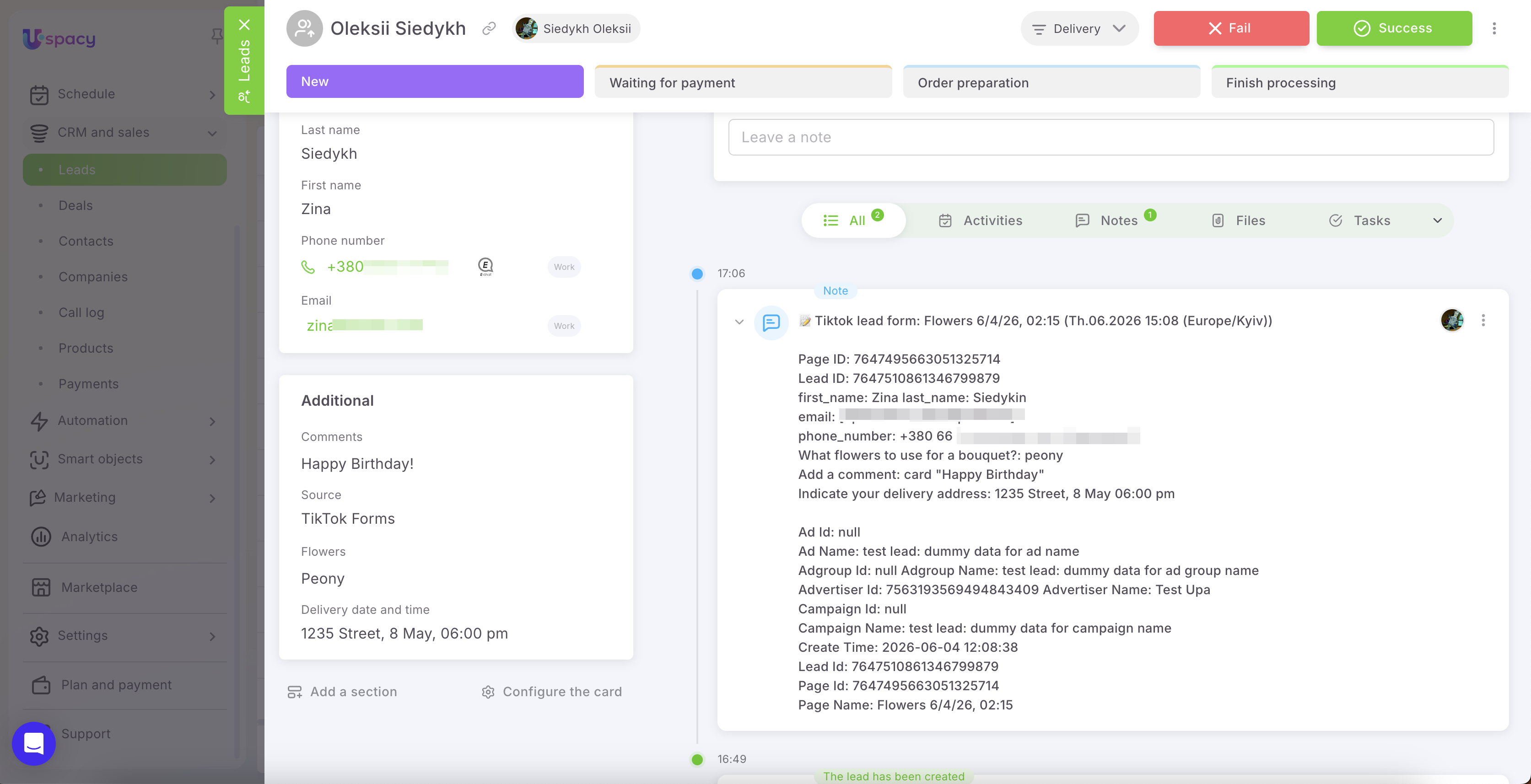
After submission, a new lead or contact will appear in your CRM (depending on the entity type selected in the settings).
All data provided by the customer and mapped to Uspacy fields will be filled in the record.
Additionally, a Note is automatically created in the record with form submission details. It includes the TikTok form name, submission date and time, technical identifiers, and the full set of responses and contact information provided by the user. This allows managers to quickly review not only the structured fields but also the full submission context in one place.
Form activity management
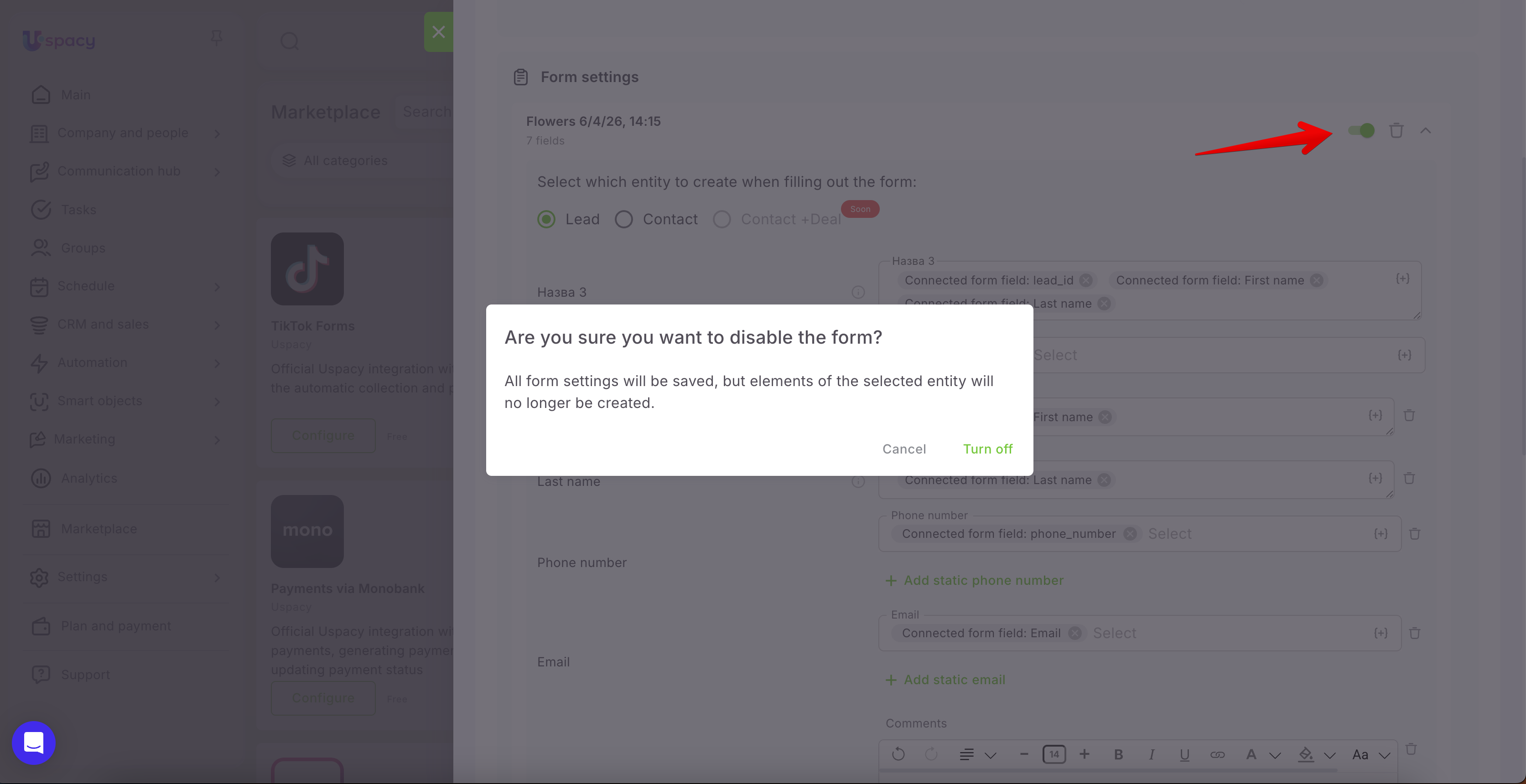
If you disable a form using the toggle switch, the form and all its settings will be preserved, but new Leads or Contacts will no longer be created from it. This is useful when you need to temporarily pause processing without losing configuration.
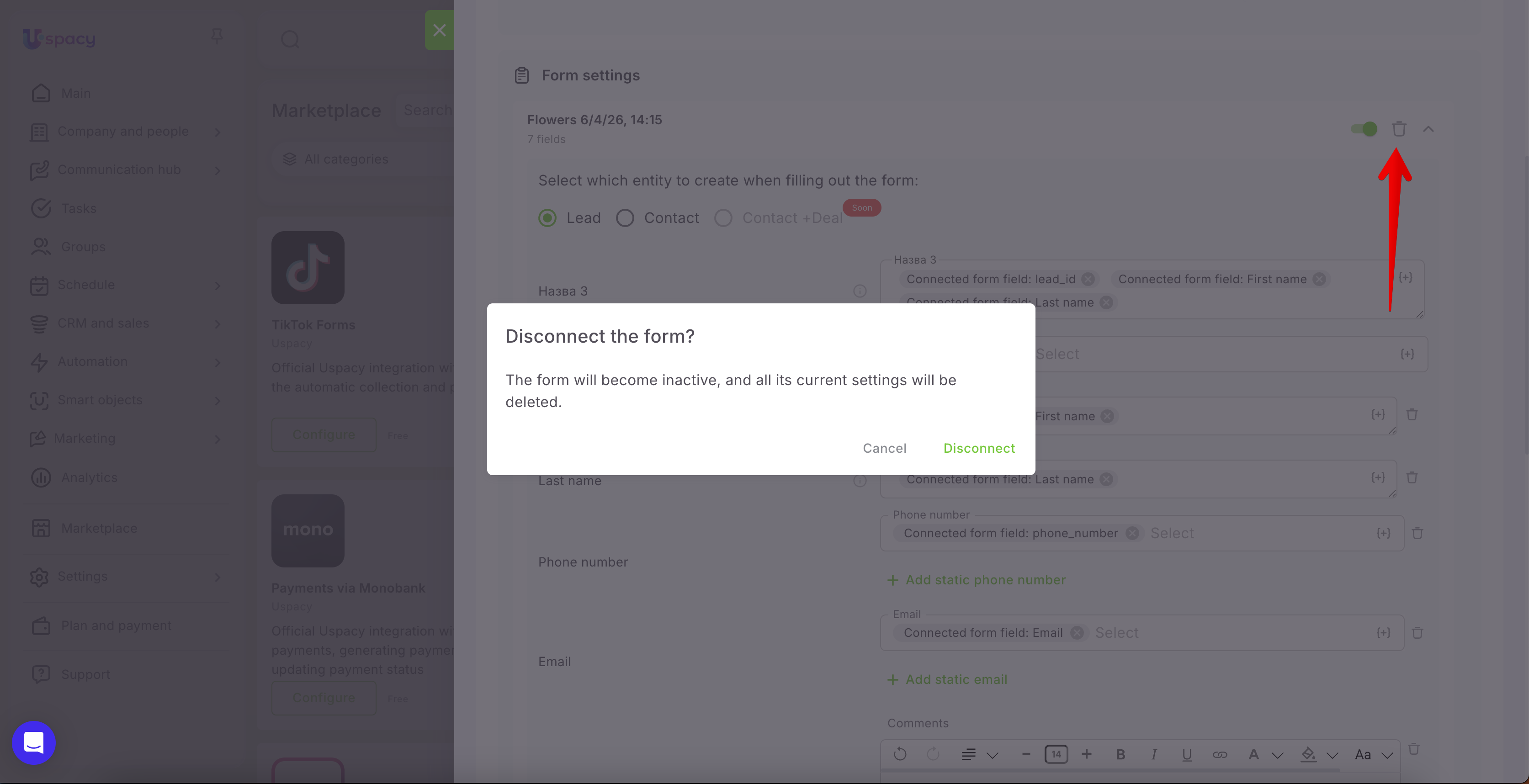
If you delete a form using the trash icon, it will be removed from the list of connected forms, along with all its settings. If you later add the same form again, it must be configured from scratch.
Please note: if a form is deactivated or deleted on the TikTok side, it will eventually disappear from Uspacy as well. This does not happen immediately, so the form may still be visible for some time.
In conclusion, TikTok Lead Generation integration makes managing ad campaign submissions more structured and efficient. All data from TikTok forms is automatically transferred to Uspacy, where it can be quickly reviewed, processed, and assigned without manual copying. As a result, teams save time, respond faster to new inquiries, and work with leads in a unified Workspace.
If you have additional questions or you need to contact the support, send a request to this email [email protected]
Created: June 4, 2026 / Updated: June 9, 2026