Uspacy Knowledge Base
All materialsTasksWork with tasks

Activities for tasks

Activities for tasks

In this article, we will explain how to create activities directly in the task card you are working on

You can schedule activities not only on the Activities page but also directly in the element cards and smart objects, as well as in the tasks themselves.

We will focus on the latter option ⬇️

🌟It is possible to work with activities in tasks only on commercial plans. For more details on plans and their features, follow this link ➡️
Monosnap+Uspacy+—+єдиний+робочий+простір+для+організації+щоденних+процесів+компанії+2024-12-02+15-23-56.png

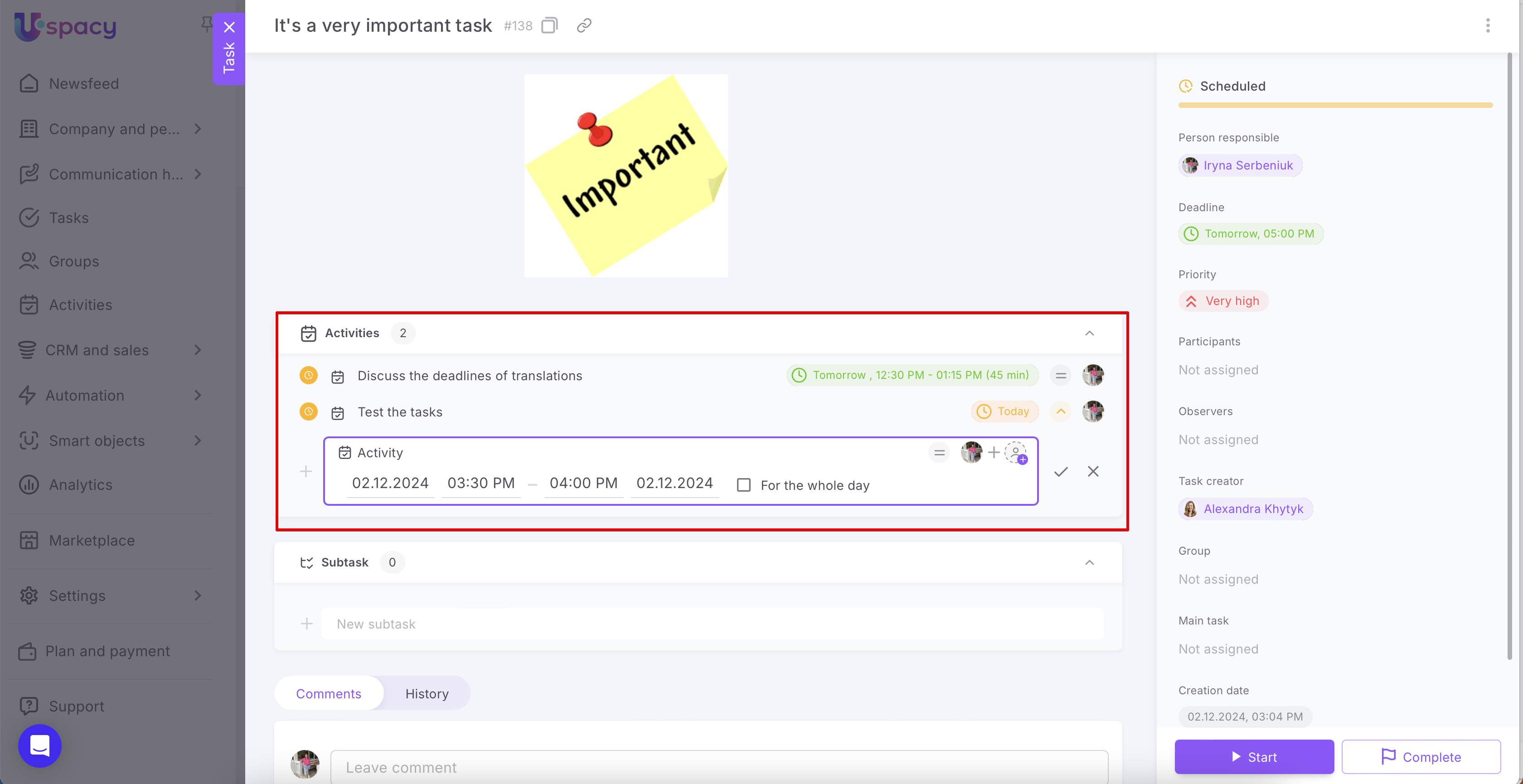
To schedule a new activity in the task you are working on, open the task and use the tab of the same name.

AD_4nXfLAErBYjdsvBA7WizsbmgPBs2nKcAFIAgHZUdAkhKbRa2MYq4XmRMb8voHHdLiF4YjKKGjHZL4fIT3NSs6VdEy3eHMqlVOSlSVdzc6TJT4FxTb2eoJ0y8yZaglLFFfZX2fk7L14w

In the expanded section, select the task type (1), enter its name (2), specify the priority (3), assign a person responsible (4), and add participants (5).

AD_4nXeYTEb0SUVYu4mc2HwNQPR9TJsV3EJkOhAife4qH-9MOhln3aftFrhGcrBx9WoGhholLy5QJveWCUQSwd0hM6cYNE5G1_2P9YT3u871G07AkQURbMRAIG5KSIKQZS40dz1EJl-Ktg

Next, specify the deadline.

AD_4nXdCRZ94WURzZgqM3F2FcXYOQiCzmBI957_XX1tUr_5BWyFeOw1LF16OO2n53JDsK7dkR83VoLROEJgrhdylJPqYaWYivkfkANCJoA_moXwlhnJE-bZRAyy0YRic3eNSf2YvL99pqg

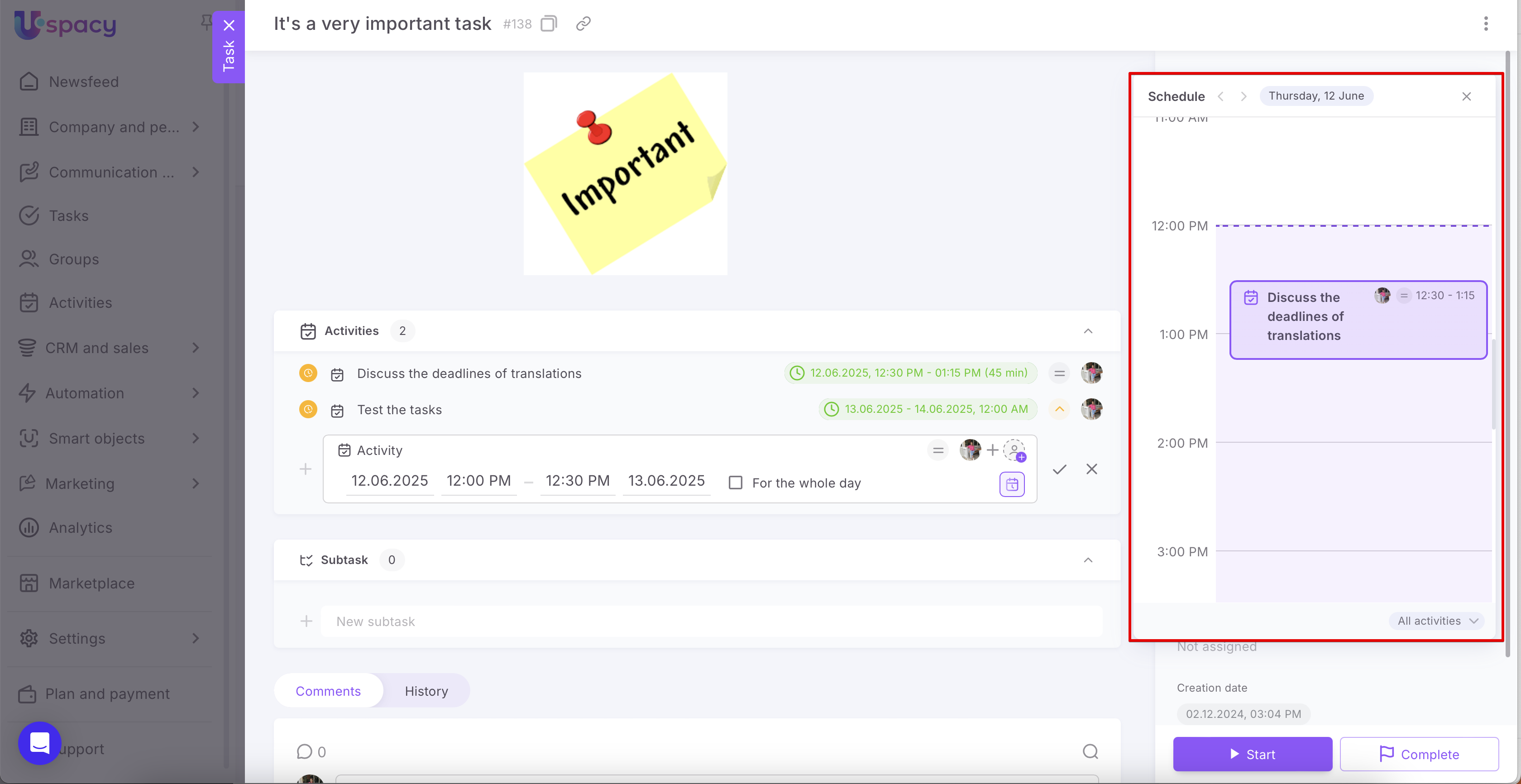
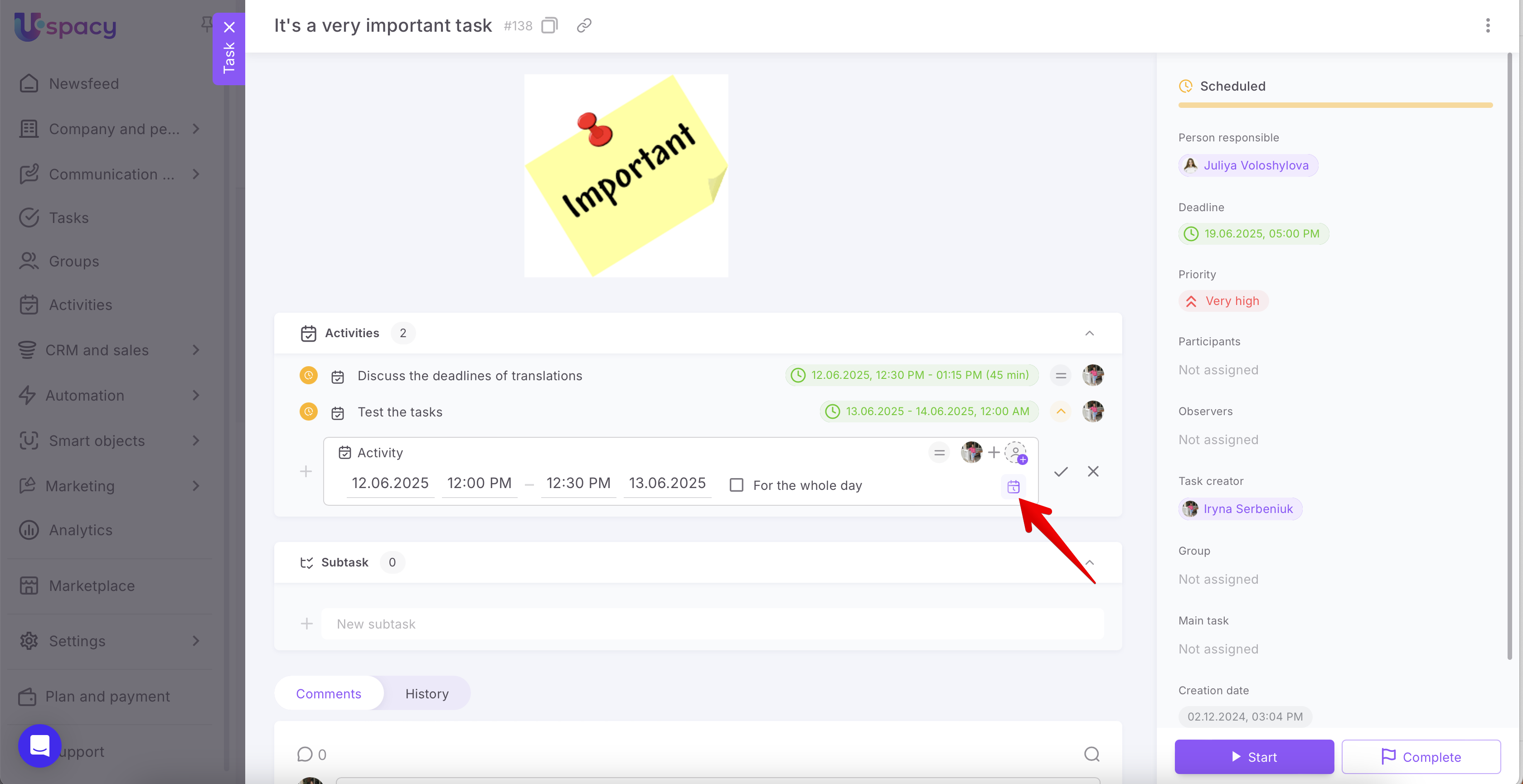
🌟 Since availability can now be viewed in Tasks, you can open the scheduling tab when creating a new activity.

To do this, click the corresponding button.
Monosnap+Uspacy+—+єдиний+робочий+простір+для+організації+щоденних+процесів+компанії+2025-06-05+12-00-23.pngMonosnap+Uspacy+—+єдиний+робочий+простір+для+організації+щоденних+процесів+компанії+2025-06-05+11-59-50.png

And save everything.

AD_4nXfSDG6RN2Nf-3QbYPLbrwxhpCNENd-FT9Wggj66-fFUSXw9jFKLywprHtvjAzGJZgFlAjbD0X6lc2YU4Fydoj-WfVUSfJvfOrJSoFFi8AGAJ0AeL5EeMrN1F1iFydGPs7NYc1tyYQ

As a result, the activity will appear on the card at once.

AD_4nXfQAUsk3H9rTYyAuOlh30k8UyqCXT_yrXGehB3-vKQ4EVK62IcqWYnzfaM_fs3i6UzPM8KGn_WZxaDrd8CsgPNOaL9qW9mUWpUL2GSJb76lIFPkP_mm2PG39tm0TR1AfsFHY5Oh

You can also find it in the general list of the corresponding section.

AD_4nXcv1jKvPnP8xskSyw9yTpeDgX-ihijG8jD4FGny0iU4untdjnMk69TB_XS_t3l3ezBYs1gf7fT1438as-qqG4opWBoqTvRkXIeaqPY7hCInhAba5p5K0tN1nU16qXpyi9DaUsPPyg

In the task card, you will see that it is linked to a specific task.

AD_4nXdtMa9_nEuFiXunNFO7h-h0JfdRr4jwwfeHXoOnWcJif22HKdpygZtyVge8YTZQx3QvQIBWvm8vpZruclICsdpqS9oLWtkshzcwRMu5QjbHBsH68SG0MyPxFteVHmQ6_BVyuLcxCw

If needed, edit the activity and specify important parameters, such as a description or the list of participants, etc.

AD_4nXeW6FkEWlUflhGRPu91rZ61ctQ37qeuqkggUo1ugBiD89vAixcIqxPUGjp1_9nEIJ_WvuxGzSnuWEjFJ75q-Ag08LhT8a0KppIo7lBuZvoNK0d885NidCqW1KrxtCxX2OBdtoR6xw

If you have additional questions or you need to contact the support, send a request to this email [email protected]

Created: October 9, 2024 / Updated: June 4, 2025