Integrate IP telephony from Binotel into your CRM system and optimize the work of the company's sales department.
To ensure a high level of client service, you need to stay in touch with them all the time.The use of IP telephony will help to organize this process, and will also increase the sales.
Features of work
At Uspacy, telephony works with the help of integrations with specialized services. In the Marketplace section there are free applications that, after their installation and configuration, will allow you to call clients or receive calls from them.

💡 Payment for telephony services is made on the service side.
You can get to know more about the plans and prices of Binotel here.
For the successful work of Binotel telephony, it is necessary to configure initial settings both at telephony and Uspacy. After that, install a special extension for Google Chrome to make and receive incoming and outgoing calls on any browser pages, including your Uspacy Space.
In addition, Version 2.0 has now been released. It allows you to set up CRM integrations for calls. If you are setting up the integration for the first time, this version will be used automatically. However, if you are using an older version – 1.0 – but would like to enable CRM integrations for calls, you will need to update to version 2.0. We have described how to do this HERE.
About everything below ⬇️
Binotel settings
Uspacy settings
In the Marketplace section there is the free Binotel telephony application, which, after its installation and additional settings, will allow you to call clients or receive calls from them.

Binotel extension for Google Chrome and softphone
Thanks to a special extension in Google Chrome, you can work with calls directly in the browser through a pop-up window. It displays brief information about the client who is calling you. But it is possible to go to his/her CRM card in your Space at once. And thanks to the softphone, you will be able to call and talk with clients.
Work with telephony
After that, you can start working with Binotel telephony directly at Uspacy - make calls and stay in touch with your current and prospective clients.
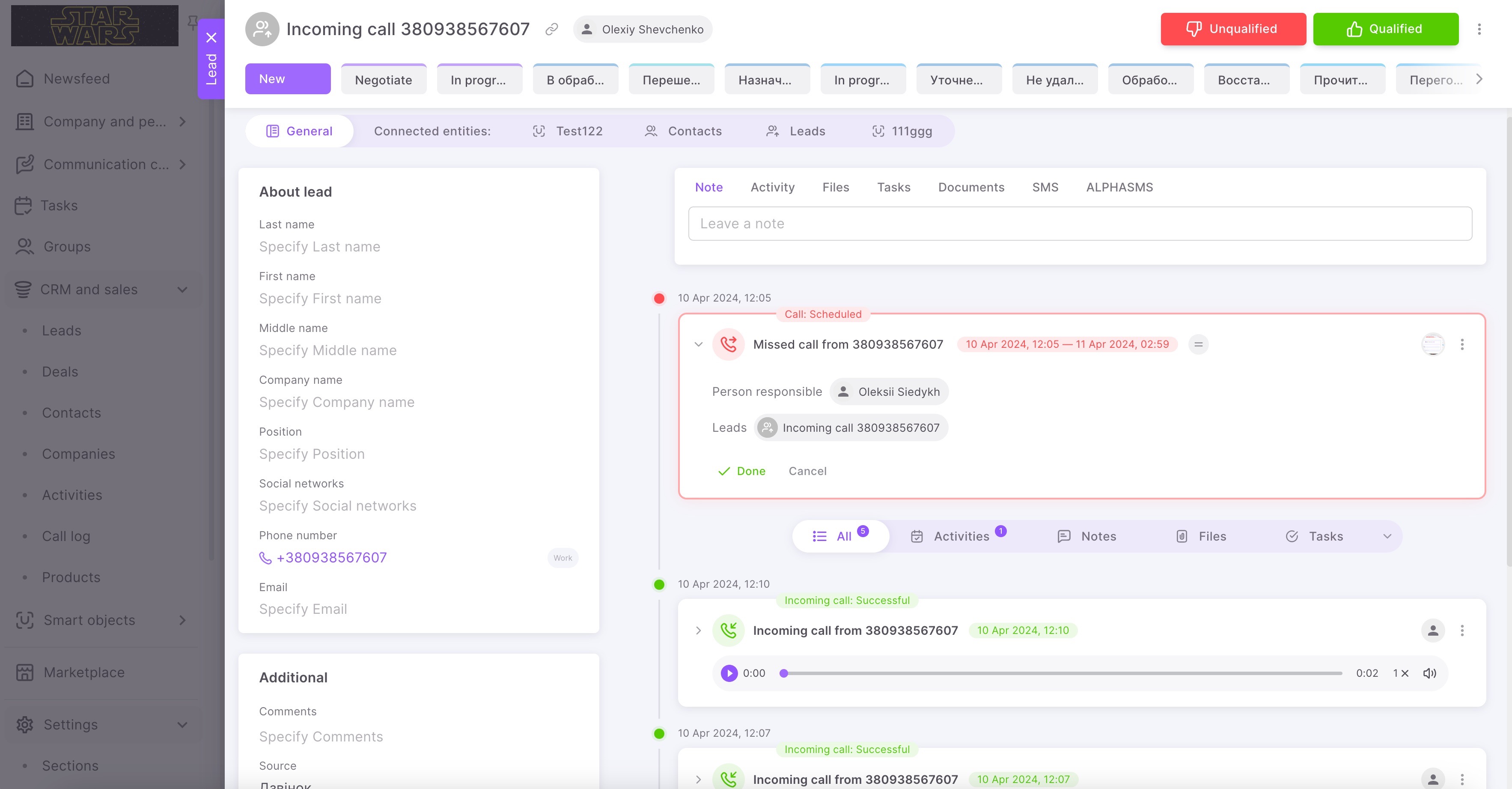
☎️ All calls (incoming, outgoing and missed) will be saved on the Call log page. Here you can process calls, for example, listen to recordings of conversations or go to the card of the related CRM entity.
💡It is available only on commercial plans.
On the call log page, you can immediately process calls, for example, listen to the recordings of conversations or go to the card of the related CRM entity.
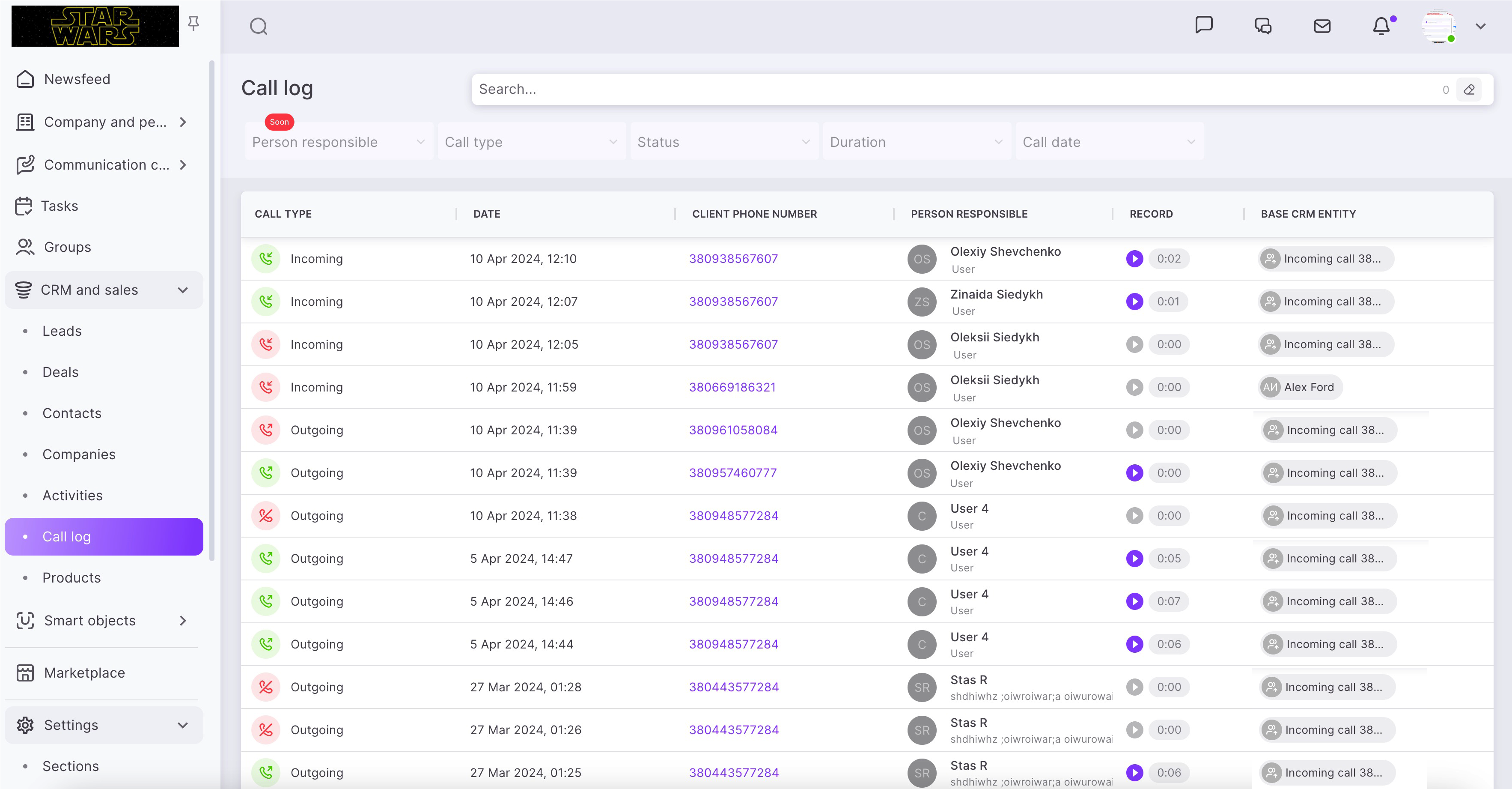
🙌🏻 Please note that conversation recordings are usually added with a delay of 10-15 minutes. If the call was long, the delay may be a little longer.
Conversation records will be contained in the CRM card as well, in its right part, under the activity filter, where the history of interaction with the element is displayed.

Update settings
🟣 September 2024. It's possible to transfer information through UTM tags. More details - Binotel settings – Step 2.
🟣 April 2025. Version 2.0 connection, which provides the ability to configure CRM connections for different types of calls. Details – Binotel settings – Step 4. Update the current integration settings for compatibility with Version 2.0
If you have additional questions or you need to contact the support, send a request to this email [email protected]
Created: May 17, 2023 / Updated: January 20, 2026