In CRM, you can create the documents you need for your work. But for this, first upload the templates to the system. And then, on their basis, generate documents directly in the cards of the elements you are working with.
🔍You can read more about how to create and upload templates to Space in the following article.
How to generate a document?
To do this, go to the entity element card. Expand the Documents block, the Templates tab, select the desired one and click Generate document.

❗️Pay attention to these two moments:
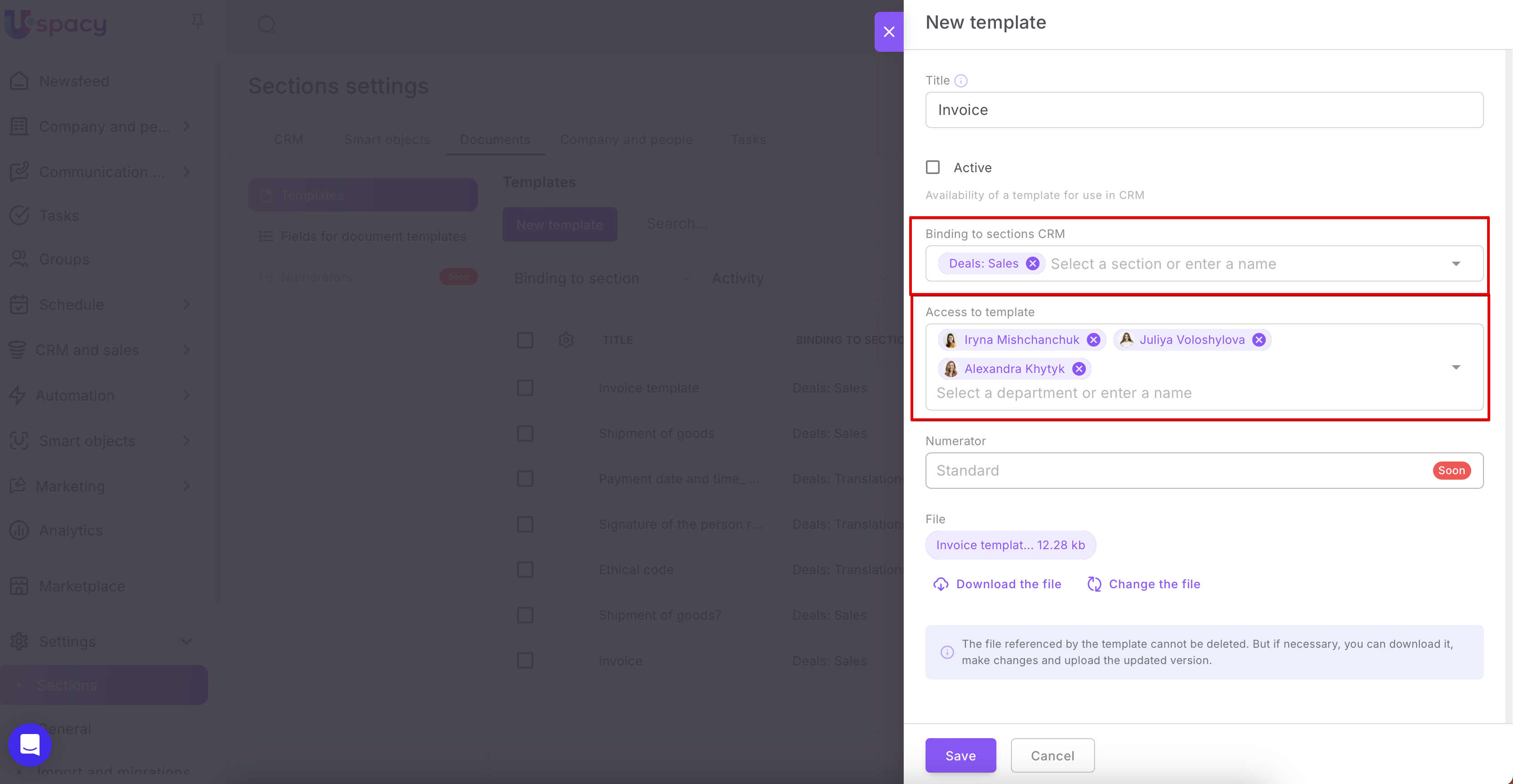
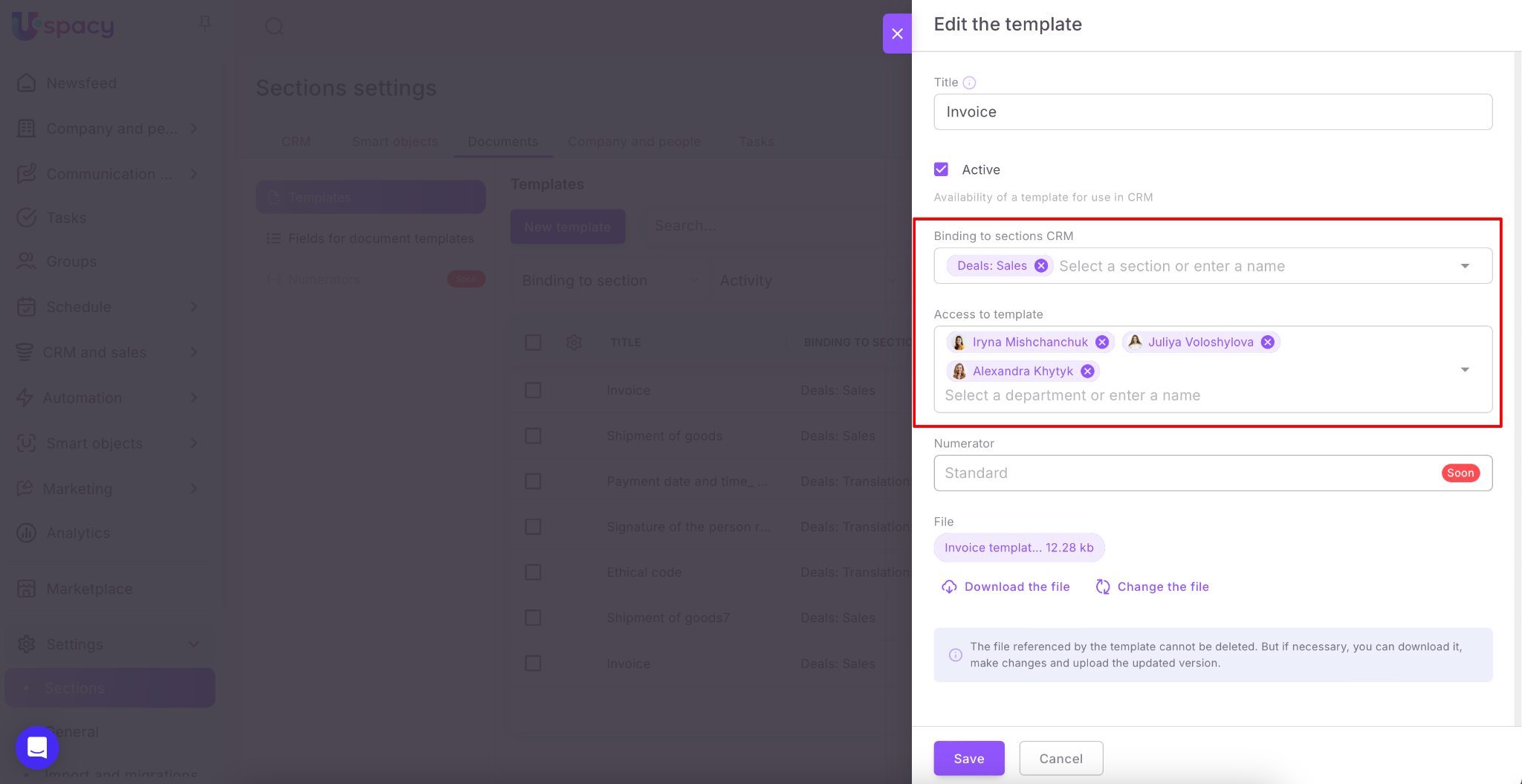
🟣 Only those templates that are related to the entity will be displayed in the list as well as only those to which the user has access.

These parameters can be configured when you upload the template.
Or when editing it.
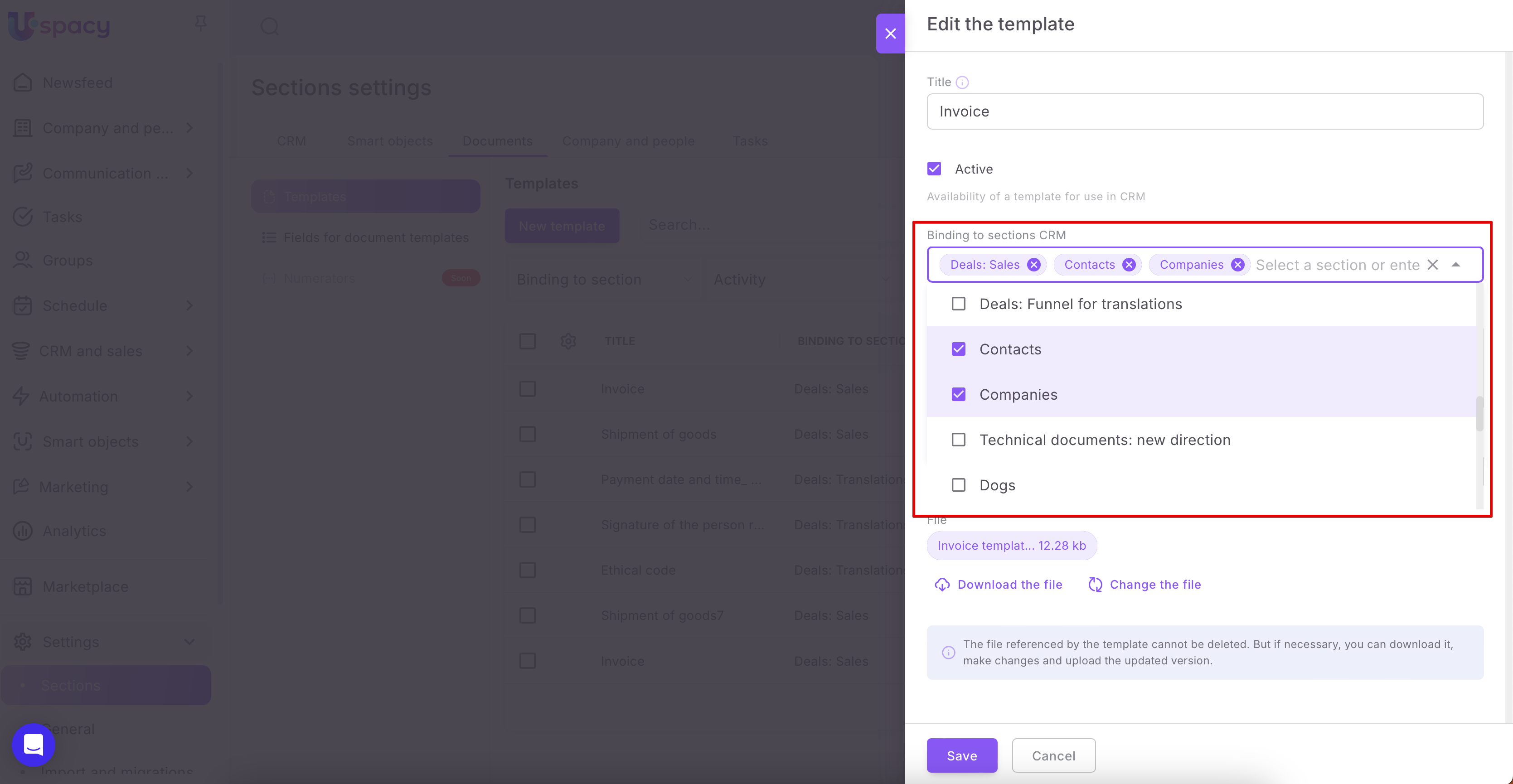
🟣 If no template is bound to the entity, then the document will not be generated. You need to start again or upload a new one.

Or configure existing templates in the system so that they are available for work with this entity.
And wait until the document is generated.

As a result, the finished version will be immediately displayed in the viewing form.

Viewing form of the generated document
Here, in the block on the right, you can see basic information about the document. Namely, its generation date and number.

You can change this data, just move the cursor and click on the desired field.

In addition, this block contains a field for your company billing details. If the billing details are added to the system, the document template contains the corresponding character codes which relate to the fields of the billing details, then they will be pulled into the generated document.

If you have added several sets of billing details to Space, you can select which ones to use for this document.

💡If the billing details are NOT added to the system, even if the document template contains the appropriate character codes corresponding to the billing details fields, they will NOT be pulled into the generated document. In the block on the right there will be a message about the absence of details.
In addition, in the About the document block it is possible to configure the display of the signature and seal. They are also part of the billing details.
Both the signature and the seal must be uploaded to the system as an image and their symbol codes must be added to the template. Check the box and they will be uploaded to the document.

You can read more about how to work with billing details in our articles:
🔍 Billing details in CRM. General information and functionality
🔍 How to add billing details of your own company to CRM
You can also print the document (1), save it to your computer in various formats (2), copy a link to it (3) or open it in a new browser window (4).

If you need to make any changes to the content of the document, that is, to the information that was pulled from the fields of the element card, then click on the appropriate button.

A window will open with a list of all fields available for the entity you are working with. So make the necessary changes and don't forget to save them.

The document will be re-generated. After that, the changes will be displayed in the viewing form at once.
💡They will be applied only to the document. The initial values of the fields in the entity card are not changed.

In addition, each document has an interaction menu, which is called up by clicking on the three dots in the upper right corner.

So, you can Configure the template on the basis of which the document is created.
🌟Please note that only the administrator or super administrator of Space has access to this action. It will be absent in the menu for ordinary users.

And also delete the generated document. The system will require confirmation as it will be impossible to restore the action.

You can perform all of the above actions both immediately after generating the document and later, simply by re-opening it.
Where to find the generated document?
After closing the viewing form, you will see the generated document in the timeline of the element card. That is, where the history of working with it is displayed.

Also, you can find the document in the Documents block, in the Generated documents tab.

Since it is possible to filter all activities by type in the interaction history, it is enough to specify Documents. This will speed up the search. And all the documents generated for the element will be shown one by one.

Interaction with the generated document in the CRM card
To open the desired document, just click on it.

The viewing form is similar to the one we have during the initial generation. That is, here you can perform all the same actions that we described above.

If you made changes to the document, this will be displayed in the history. The time of the last editing will be indicated. And the document will move to the top of the list.
To save the generated document, you can download it immediately from the element card instead of opening it. To do this, use the special buttons.

The download will start automatically. You can find the saved document by going to downloads in the browser.
To get an external link to the document, click on the button of the same name.

The document will open in a separate browser tab. After copying the link, you can send it, for example, to a client or colleague. And with the help of functional buttons in the external viewer, they can print or download this document.

You can click on the three dots to call up the interaction menu. It contains such items as Edit and Delete. We have already talked about the features of these actions above.

If you have additional questions or you need to contact the support, send a request to this email [email protected]
Created: December 8, 2023 / Updated: September 22, 2025