A category is a group of products united by a common feature.
When working in CRM Uspacy, it is possible to create custom categories for more convenient grouping and searching of products.
The system also supports a multi-level structure. This means you can create main categories, subcategories, sub-subcategories — and so on. This approach allows for a logical organization of even a large and complex catalog. It is especially relevant for companies in the fields of retail, distribution, or manufacturing.

For more convenient work with the entire range of products or services, a special visualization mode can be used, which makes it easier to perceive the overall structure of the catalog.

How to add a category?
This can be done in several ways. Select the one that is more convenient for you.
The first method
On the Products page, open the category switcher and click the + new category button.

🌟 Only an administrator or a user with the appropriate set of permissions can create categories. For others, it is only possible to switch between existing ones. And there is no button to create a new one.

A window will open where you will need to enter the name of the new category. Then click on the Save button.

If you plan to make it a top-level category (a main category that will contain a general group of products), leave the field below empty.
If you want it to be a subcategory (a more specific product group) of an existing category, fill out this field by selecting a Parent category from the list. This will assign your new category under the selected one.
🌟 The ability to create and manage a multi-level product catalog is available only on commercial plans. For more details, visit the pricing plans page ➡️.

Now, click the Save button.

The category will immediately appear in the general category list.

The second method
You can also add a category directly from the product card, either while creating or editing a product. In the corresponding field, click + new category.

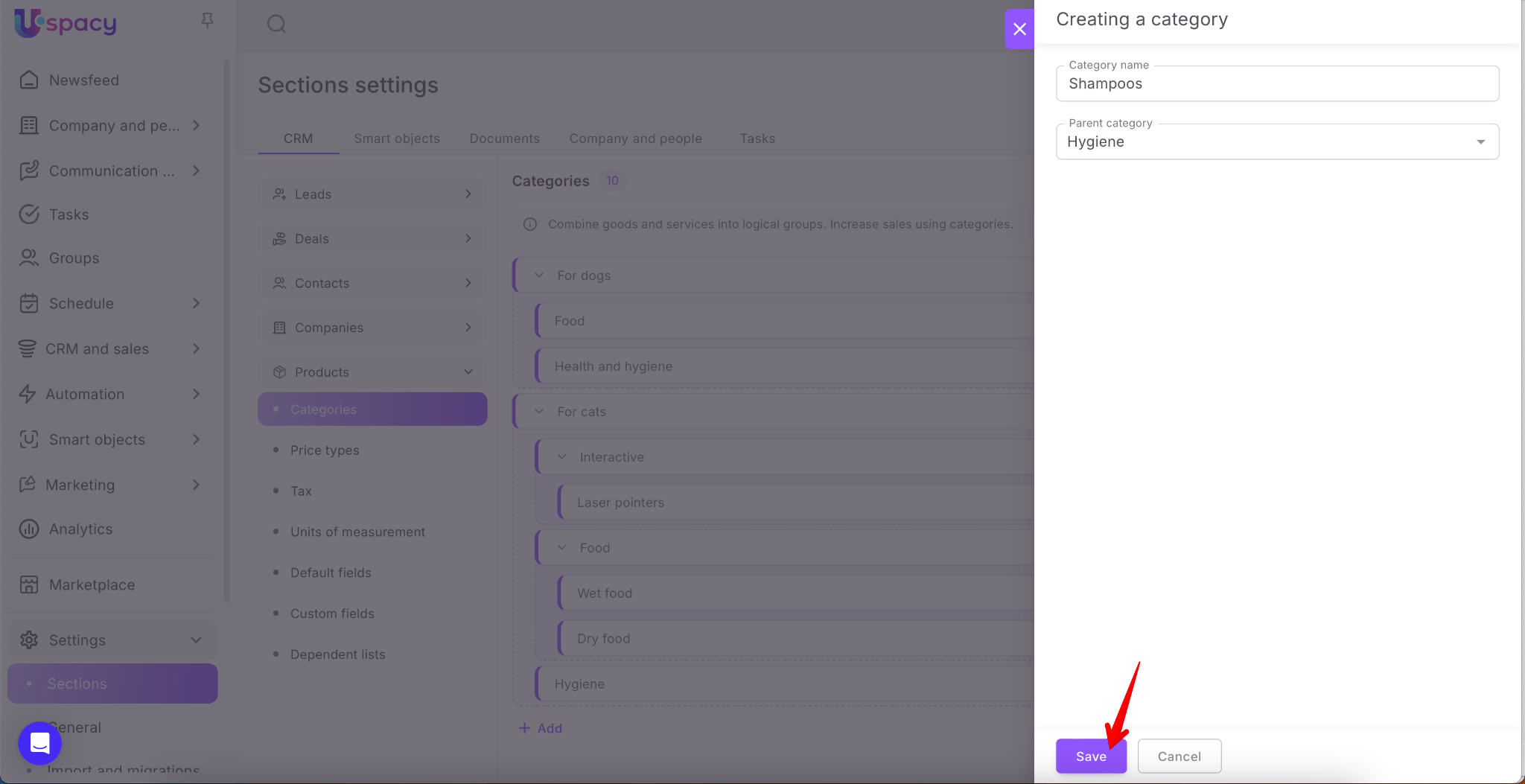
Just like in the first method, a category creation form will open. Here, enter the name of the category, and if needed, select a parent category. Then click Save.

The new category will immediately appear in the list and be available for selection.

🌟 Only administrators or users with the appropriate permissions can create categories. Other users can only select an existing category when creating or editing a product — they won’t see the button to create a new one.

The third method
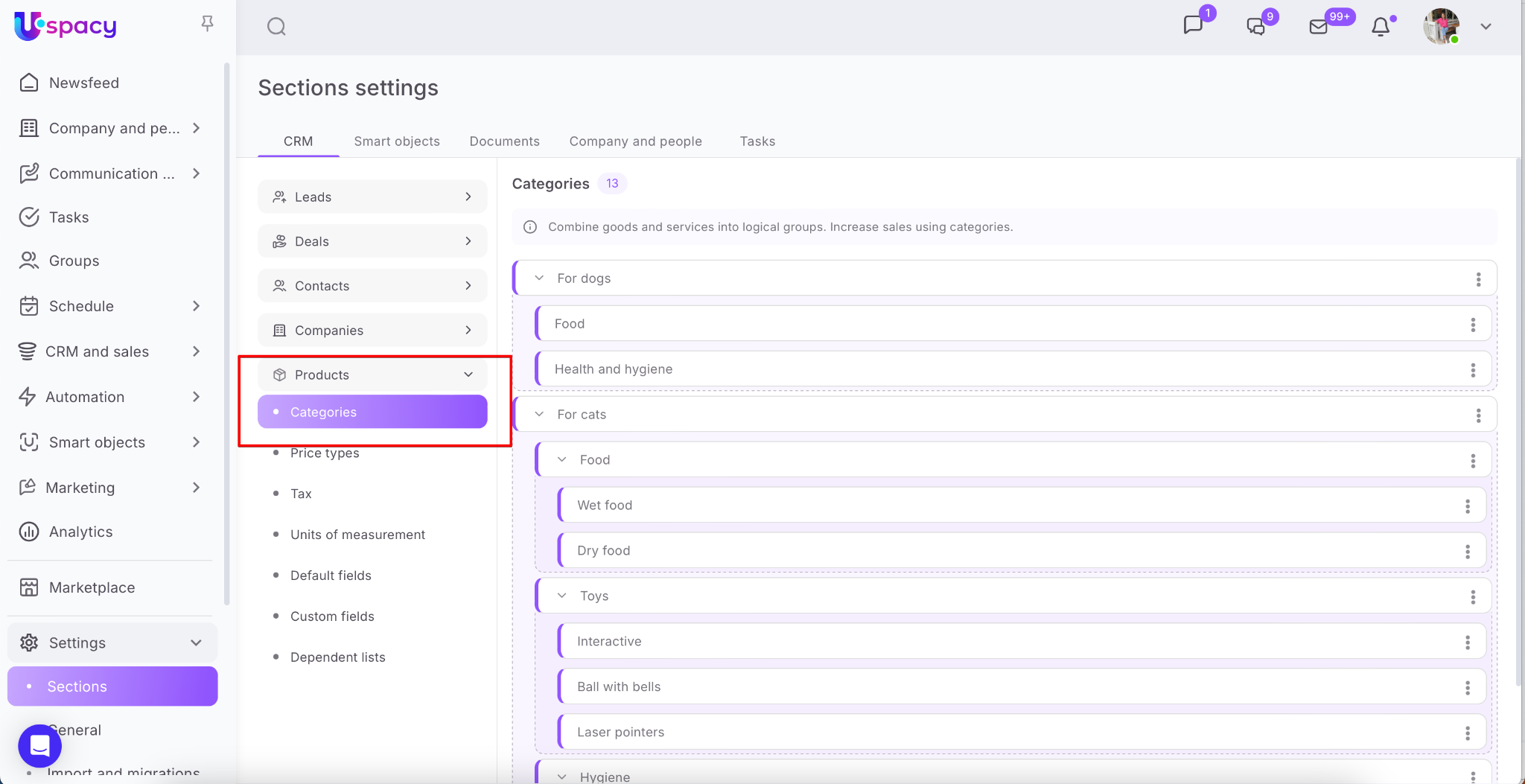
In addition, you can add a new category in the Settings - Sections section. To go to it, use the left menu or click on the gear and select the Configure option.
🌟 Only administrators or users with the appropriate permissions have access to this option.

Once there, expand the Products block and in the Categories section, click the + Add button.
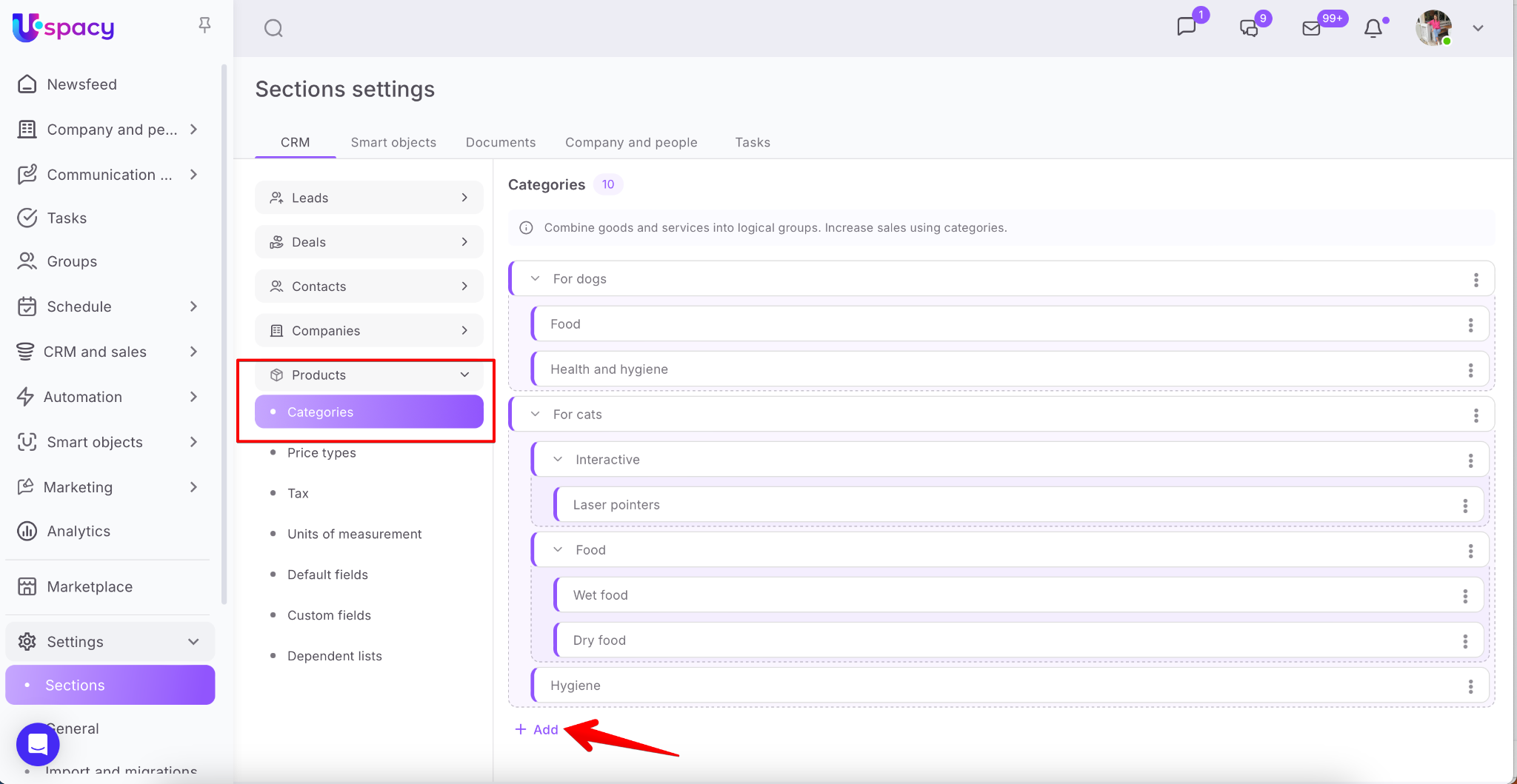
As in the previous methods, a category creation form will appear. Enter the category name and, if needed, select a parent category. Then click Save.
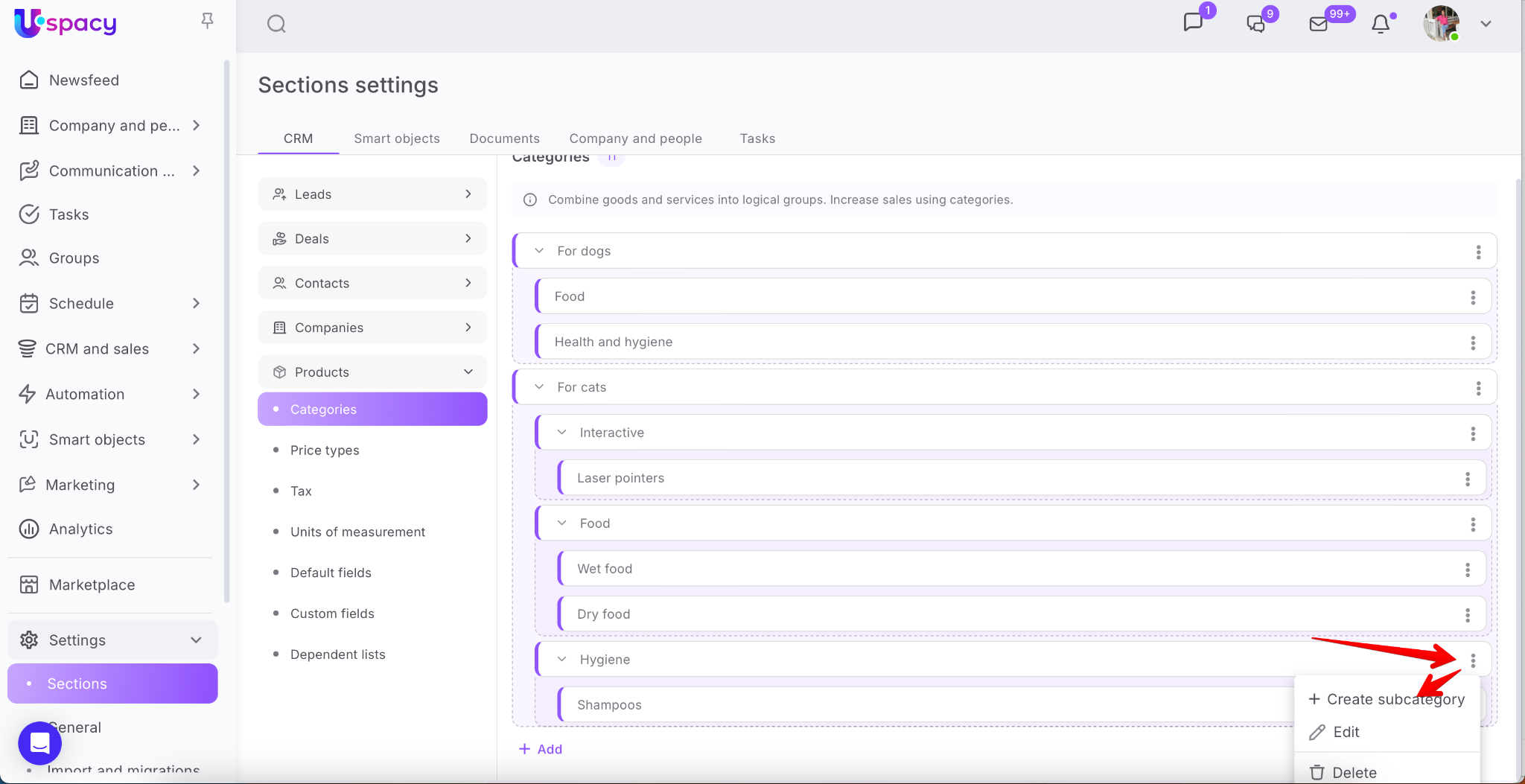
💡 Alternatively, you can use the interaction menu of the category (or subcategory) in your catalog that you want to add a child category to.
In this case, the Parent category field will already be pre-filled.
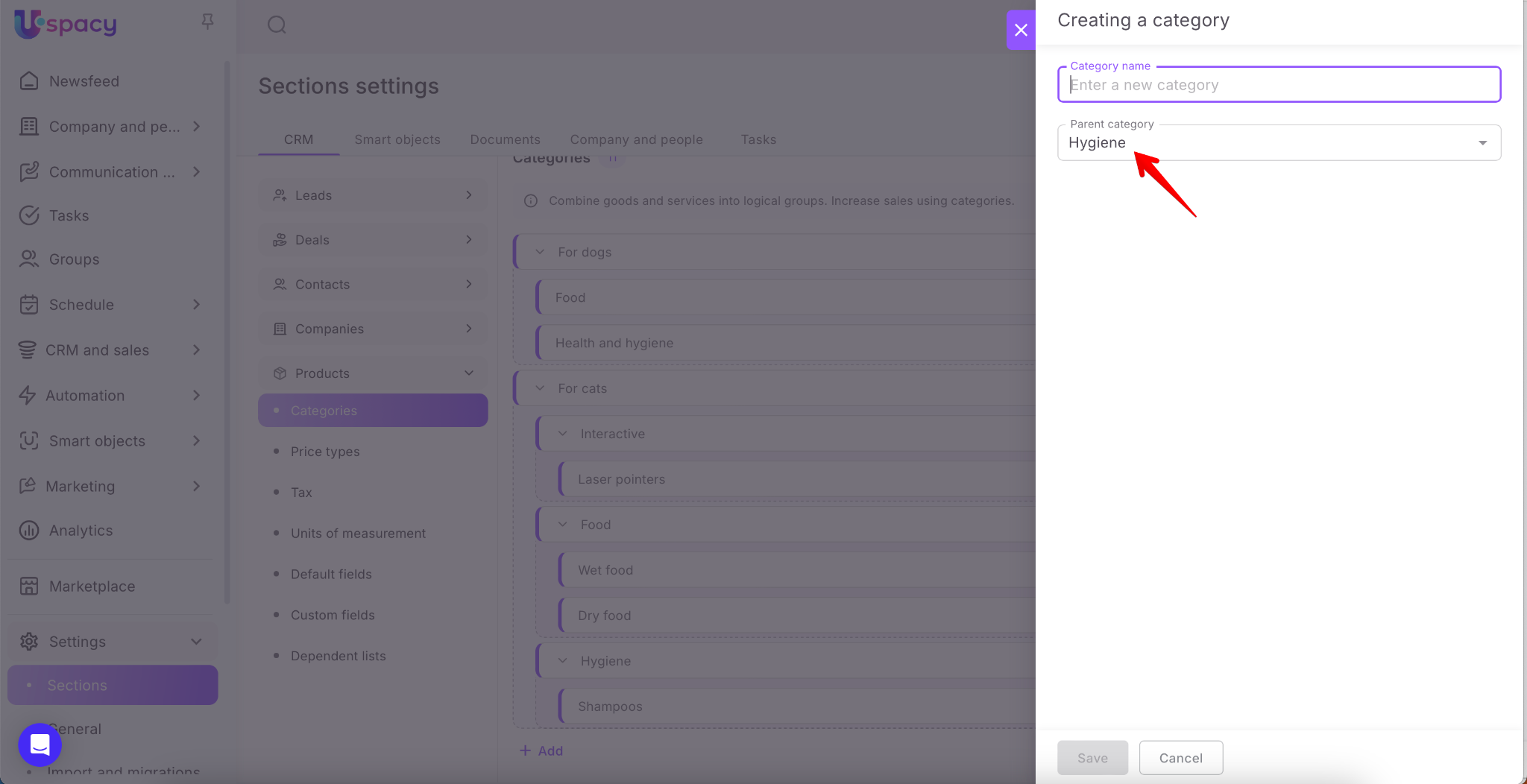
Of course, the newly created category will immediately appear in the overall catalog structure.
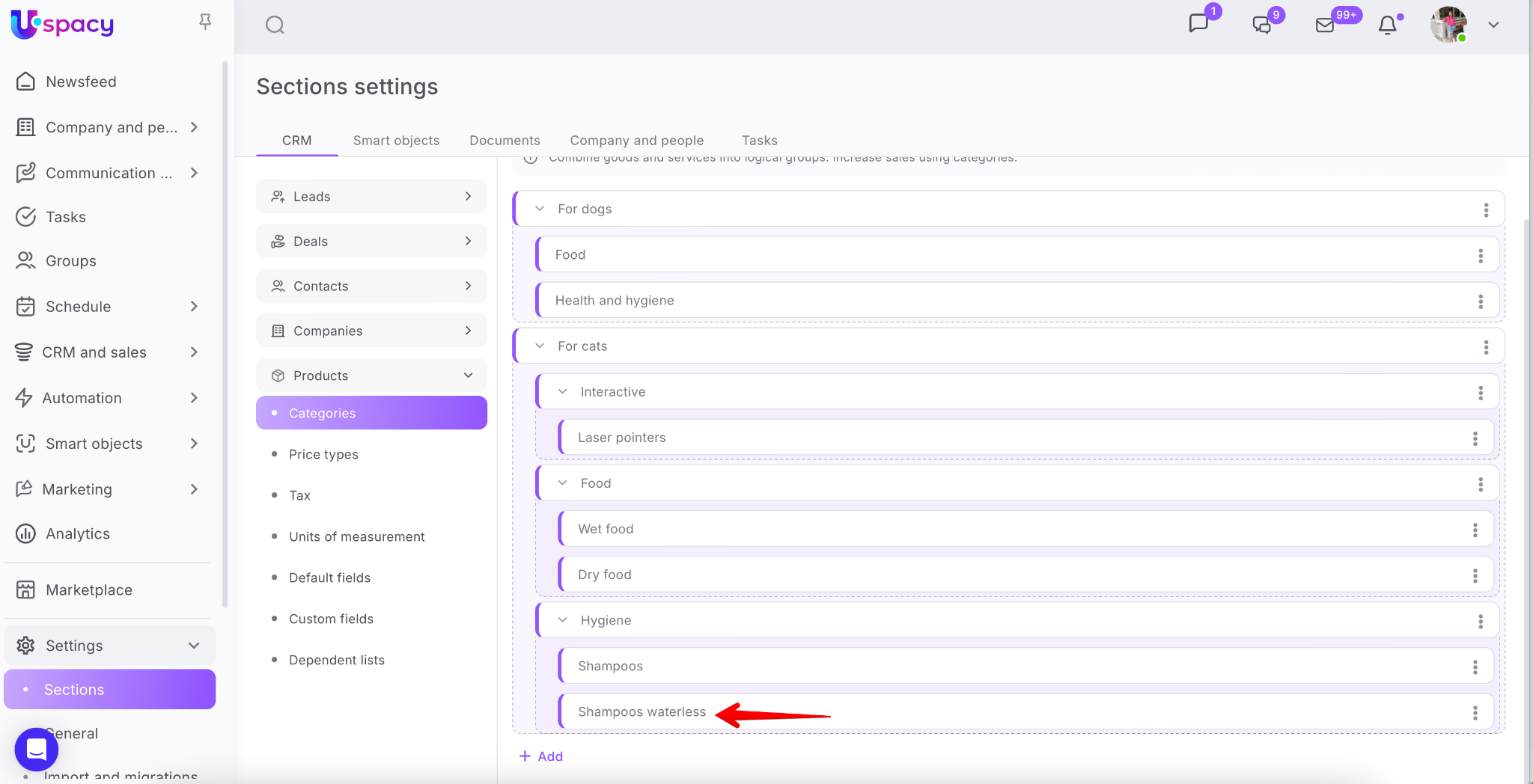
Category settings and deletion
You can also go to the category settings in several ways.
🌟 Only an administrator or a user with the appropriate set of permissions can access it.
On the Products page, open the category switcher. Hover over the desired category — when the gear icon appears, click on it.

Through the product card while selecting a category. Hover over the category — when the gear icon appears, click on it.

The third way via Settings → Sections → Products block. In the interaction menu for the desired category, select Edit.
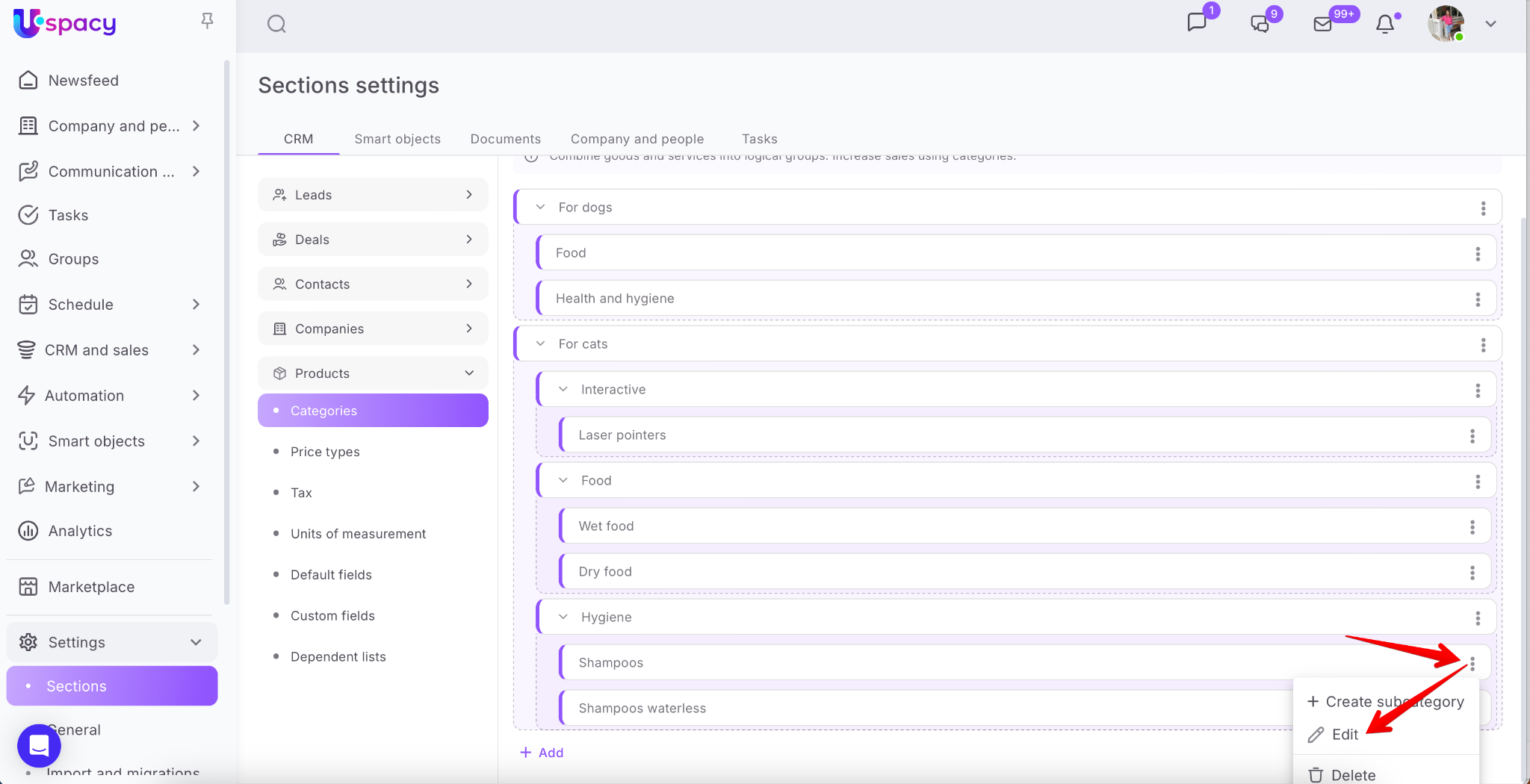
Regardless of the method, this will open the category editing form, where you can:
- Change the category name
- Select a different parent category
- Or remove the current parent category altogether by clearing the field

To apply the changes, click Save.

Done!
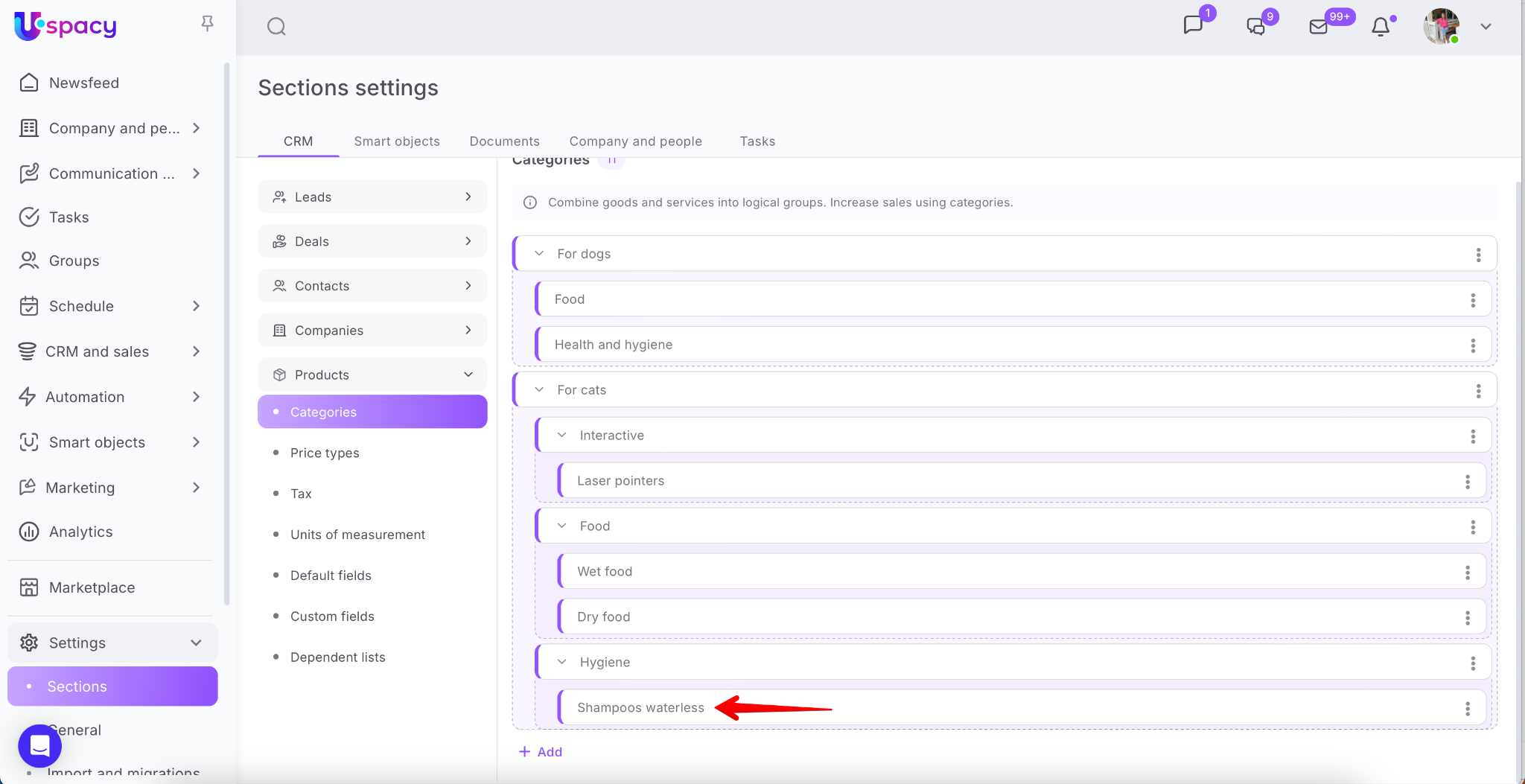

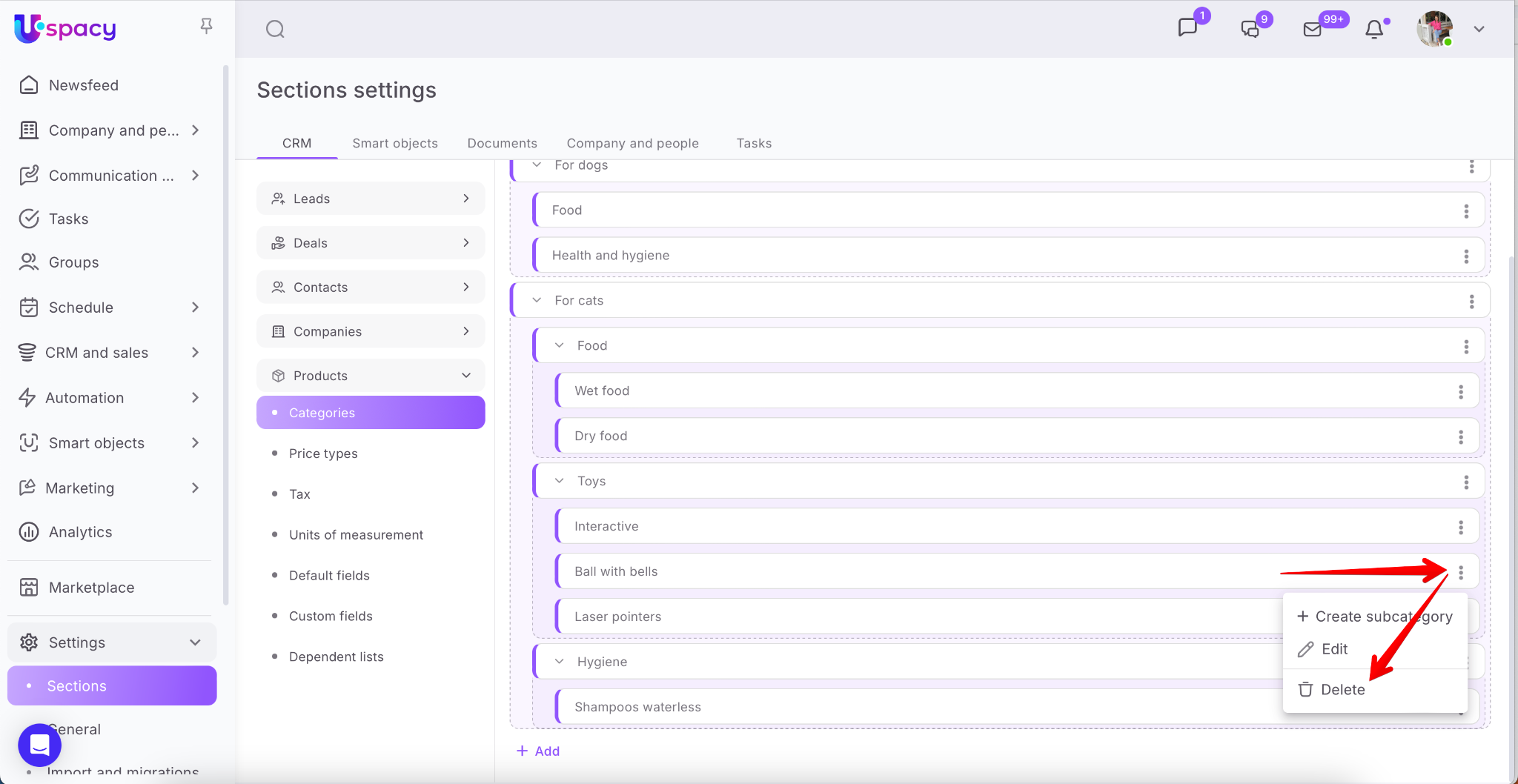
To delete a category, use the appropriate option in the interaction menu.
(We’ve already seen where to find it in the Settings section.)
There is also a Delete option available directly in the category editing form.

After clicking it, a confirmation window will appear with further actions required:
🟣 If you’re deleting a subcategory that is not a parent to others: Before removing it from the catalog, select another category to which the products assigned to the current one will be transferred.

🟣 If you’re deleting a parent category (i.e., one that contains subcategories): Before removing it, you’ll need to select another category where the products will be moved.

Decide what to do with the subcategories: You can delete them — in that case, their products will also move to the new category. Or you can keep them — they’ll move up one level in the hierarchy.

Example:
We’re deleting the Toys category.
We want to keep all its subcategories, so we select the option Delete only this category.
For the products from the Hygiene category (even if it didn’t contain any directly), we assign a new destination — the For cats category.

Now let’s check the result in the catalog:

All subcategories that were part of Toys are preserved and moved up one level — now they appear alongside categories like Hygiene and Food — and they still contain their respective products.

Product catalog
As mentioned earlier, Uspacy offers a special visualization mode that makes it easier to perceive the overall structure of the catalog.

To display products from a specific category, click on that category.

💡 If the category has subcategories, opening it will show both the products placed directly in that category and those in its subcategories.

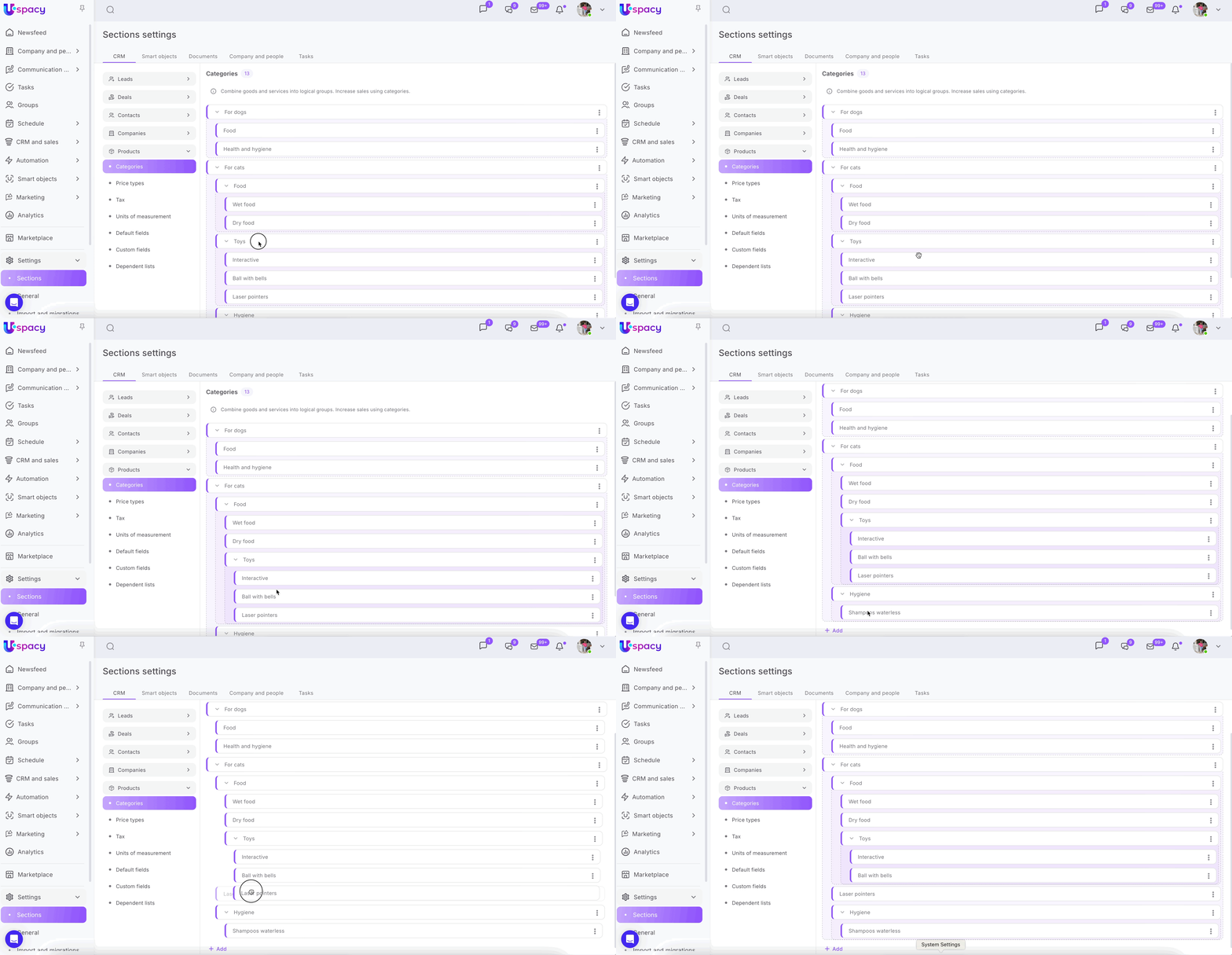
The arrangement of categories and subcategories in the catalog can be managed through the Settings section.
By dragging them to the desired position, you not only change the display order in the catalog but also adjust the hierarchical structure.
If you have additional questions or you need to contact the support, send a request to this email [email protected]
Created: August 23, 2023 / Updated: September 17, 2025