Free CRM for businesses: benefits, features, and limitations
October 14, 2026
7-minute read

Dmytro Suslov

CRM effectiveness is not determined by the number of available features, but by how well they meet your business needs. Free tools are often enough to organize sales operations, while advanced capabilities help automate workflows and support business growth. The key is to choose a solution that delivers value today and enables you to move forward with confidence.
For small businesses, a free CRM is often the first step toward organizing sales operations. Instead of relying on spreadsheets, notes, and scattered customer lists, a company gets a centralized system for storing contacts, managing deals, and planning follow-up activities—all without additional software costs.
However, as a business grows, its needs evolve. The client base expands, new team members come on board, and the need for automation, integrations, and advanced analytics increases. At this point, the limitations of a free plan can begin to affect day-to-day operations.
So, how can you determine whether a free CRM system is sufficient for your business? Let’s explore which features are available at no cost, what to consider when choosing a solution, and when upgrading to a paid plan becomes a financially sound decision.
Free CRM systems: key features and capabilities
A free CRM is a system for managing customer relationships and sales that can be used without paying a license fee or subscription. It helps businesses organize customer data, track deals, and coordinate team activities.
However, not all solutions that offer free CRM access operate under the same model. The three most common options are:
- Permanent free plan. Allows users to access the system indefinitely, with a defined set of features and usage limits.
- Free trial. Provides temporary access to the CRM’s features. Once the trial ends, a paid subscription may be required to continue using the system.
- Open-source CRM. The software can be used without licensing fees, but configuration, server hosting, and technical support require additional resources.
For companies looking to get started without a complex implementation process, an online CRM with a permanent free plan is often the most convenient option.
Depending on the system, the following tools may be available at no cost:
- Customer database. Store contacts, company information, and customer interaction history.
- Sales management. Create deals, manage the sales funnel, and track deal progress through each stage.
- Task management and scheduling. Assign tasks, set deadlines, and track follow-ups and commitments.
- Team collaboration. Share data and coordinate team members’ activities.
- Basic analytics. Access available metrics and evaluate sales performance.
- Integrations. Connect selected third-party services, depending on the plan’s capabilities.
At the same time, feature availability depends on the specific product. That is why free CRM systems should be compared not only by their feature sets but also by the terms and conditions under which those features can be used.
A free plan does not necessarily mean a limited demo with minimal functionality. For a company with straightforward processes, a free CRM can serve as a fully functional tool for day-to-day operations.
Choosing a free CRM: who needs it and when it is enough
A free CRM is best suited for businesses and professionals who need basic tools to manage customers and sales. The deciding factor is not the company’s size or stage of growth, but the complexity of its workflows and the features it requires.
A free plan is often sufficient for the following use cases:
- One-on-one customer management. Freelancers, consultants, and independent professionals can store contact information, record agreements, and schedule follow-up activities.
- Sales with a simple funnel. When the journey from the initial inquiry to closing a deal involves only a few steps, a basic sales funnel may be all that is needed.
- Managing a low volume of inquiries. When sales reps can handle incoming inquiries without complex automation, a CRM helps them track lead status and avoid losing potential customers.
- Team collaboration without complex permission settings. If employees only need standard user roles and shared access to information, advanced permission controls may be unnecessary.
- Getting started with CRM software. Companies that have previously relied on spreadsheets and notes can gradually migrate their data, set up basic workflows, and test the system in practice.
Consider this example. A small furniture retailer receives 20–30 inquiries per week. Two sales reps handle customer communications, and the sales funnel consists of four stages: new inquiry, consultation, terms negotiation, and sale closed.
The team’s primary goal is to ensure no inquiries are overlooked, keep customer contact information organized, and follow up on agreements promptly. If a free CRM supports these workflows, it can be more than sufficient to keep daily operations organized.
Ultimately, the deciding factor is not the size of the company but the complexity of its processes. Even a small business may need paid features if it manages multiple sales channels or relies heavily on automation.
Key limitations of free CRM systems: when saving money starts to cost you
Using a CRM at no cost does not necessarily mean there are no expenses involved. Plan limitations may go unnoticed at first, but over time, they can create additional work for your team.
Businesses most commonly encounter the following limitations:
- User limits. A free plan may support only a small number of team members. As the team grows, additional user accounts may become necessary.
- Data and usage limits. Some CRM systems restrict the number of contacts, deals, files, or actions available within a given period.
- Integrations. Connecting phone systems, email, messaging apps, and other services may be unavailable or restricted.
- Automation. Without automated workflows, sales reps must manually update statuses, assign tasks, and transfer information between tools.
- Analytics and reporting. Basic metrics may not be sufficient to analyze conversion rates, evaluate team performance, or forecast sales.
- Access permissions and customization. Advanced user roles, custom fields, separate sales funnels, and more complex workflows may be available only on paid plans.
The hidden cost of a free CRM is primarily the time your team spends on manual work. For example, imagine five sales reps each spend 20 minutes a day manually transferring data, checking statuses, and preparing reports. These tasks may seem minor, but over the course of a month, they add up to dozens of hours.
Assume the team works 22 days per month. In that case, five employees collectively spend more than 36 hours on tasks that could potentially be automated. At an estimated labor cost of USD 40 per hour, that amounts to more than USD 1,450 per month.
Of course, automation will not necessarily eliminate all manual work. However, even a partial reduction in these costs could offset the price of a paid CRM plan.
There are other consequences to consider, too: slower response times, errors when transferring information, and delays in following through on commitments. These losses are harder to quantify, but they directly affect customer service quality and sales performance.
That is why free and paid CRM systems should not be compared solely on subscription price. A more useful approach is to evaluate how much time your team spends on repetitive tasks and what benefits automating those tasks could deliver.
A practical guide to choosing free CRM system for businesses
When choosing a free CRM, start by identifying the tasks it needs to handle. A long list of features does not necessarily mean a product will be convenient for everyday use.
Before choosing a solution, check the following:
- Is the free plan permanent, or is it available only during a trial period?
- How many users can work in the system for free?
- Are contacts, deals, sales funnels, and tasks included?
- Are there limits on the number of records, data storage, or operations?
- Can the system be customized to fit your sales process?
- Which automation and analytics features are available for free?
- Does the CRM support data exports so you can migrate information from another system?
- Which additional features are available on paid plans?
- Is the interface intuitive enough for your team to use every day?
- Can you install apps and configure integrations?
Don't make your decision based solely on the product description. The best way to evaluate a CRM system is to recreate a typical workflow in it.
For example, create a contact, add a deal, assign a responsible person, and schedule the next action. Then try to find the customer, move the deal to another sales stage, and review the results.
This quick test will help you assess the system's speed, interface usability, and the practical value of its features. It will also show you which capabilities your business genuinely needs and which ones you can do without for now.
Uspacy free CRM: how to get started and expand its capabilities
If you’re looking for a free Ukrainian CRM, consider Uspacy. It’s a platform that brings together tools for sales, team collaboration, communication, and business process management.
Unlike many free CRM systems, Uspacy goes beyond managing customer databases and deals. Small teams can manage sales, tasks, and internal communication in a single Workspace.
The Uspacy free plan includes:
- Sales CRM. Manage leads, contacts, companies, and deals, and track sales through each stage of the funnel.
- Team task management. Create tasks and subtasks, assign a responsible person, add participants and observers, create checklists, and track work hours.
- Internal communication. Use one-on-one and group chats for everyday team communication without switching to a separate messaging app.
- Product management. Maintain a catalog of products and services to use when managing sales.
- Basic customer management tools. Access tools for communicating with customers and following up on inquiries within the same workspace.
- A unified Workspace for your team. CRM, tasks, and communication work together, eliminating the need to spread information across multiple separate services.
The Uspacy free plan supports up to 5 users, one Workspace administrator, and two standard roles. For a small team, this is enough not only to store customer information in a CRM but also to establish a basic daily workflow—from managing a deal to assigning a task and discussing it with the team.
This all-in-one approach is one of Uspacy’s key differentiators. Some CRM systems offer free plans for fewer users, while others provide free access to only a limited set of tools or offer only a trial period.
As your business needs grow, you can upgrade to a paid plan. Depending on the plan you choose, additional capabilities become available:
- More flexible CRM customization. Custom fields, additional sales funnels, and other tools for adapting the system to your business needs.
- Process automation. Conditional actions and Processes for automating repetitive tasks and building more complex workflows.
- Advanced integrations. More options for connecting third-party services and communication channels.
- Access control settings. More user roles and more granular control over employee permissions.
- Analytics. Additional reports, tools for analyzing performance metrics, and sales planning.
You can find the current list of features, limits, and plan differences on the Uspacy pricing page.
How do you get started? Create a Uspacy Workspace, add your customers, and set up a basic sales funnel. Invite your team members, assign responsibilities, and try managing real customer inquiries for a few weeks.
Then evaluate which tasks your team still performs manually, which tools are missing, and whether upgrading is worth the investment. This approach allows you to get started for free and invest in additional features only when they deliver practical value to your business.
Conclusion
A free CRM can be a fully functional business tool, especially in the early stages of a company's growth. It helps organize customer data, streamline sales, and replace scattered spreadsheets with a structured workflow.
However, having no subscription fee does not always mean maximizing savings. If CRM limitations force your team to spend more time on manual tasks, make customer interactions more difficult, or slow the development of your workflows, it may be worth considering a paid plan.
The key is to choose a system that meets your business's actual needs. Start with the essentials, test the available features in practice, and expand your toolkit when doing so delivers tangible value.
Updated: October 14, 2026
More materials on the topic

CRM for logistics: how to manage customers, requests, shipments, and communications
November 6, 2026

CRM for real estate: how realtors can manage leads, properties, and deals
November 2, 2026

CRM implementation: a step-by-step plan that keeps your sales team running smoothly
October 28, 2026
FAQ
Are there completely free CRM systems with no time limits?
What free CRM features are sufficient for a small business?
What is the difference between a free CRM and a paid CRM?
When should you upgrade from a free CRM to a paid plan?
Can I start using Uspacy for free and upgrade to a different plan later?
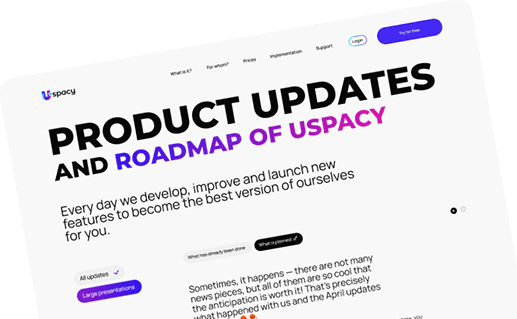
Uspacy is improving and developing at an incredible speed
Learn about product development plans
Uspacy roadmap 🚀