Billing and subscriptions: How to manage B2B clients with recurring (monthly) payments
May 15, 2026
7-minute read

Dmytro Suslov
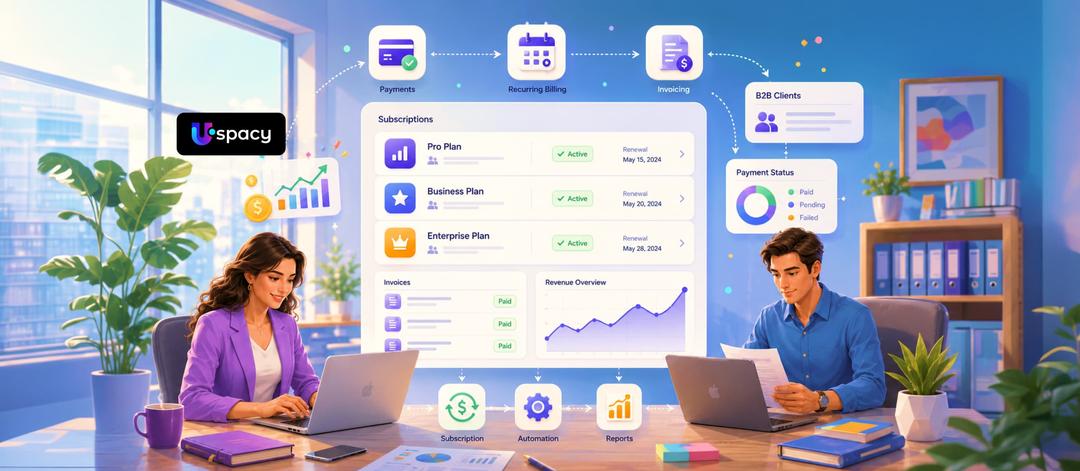
A subscription model gives B2B businesses stability only when invoicing, document workflows, and payment tracking operate without disruption. Automation eliminates routine tasks, reduces accounts receivable, and allows teams to focus not on payment reminders, but on building stronger customer relationships.
For B2B companies, the subscription model provides what many service businesses lack — predictable revenue. However, this model works only when invoices, payments, completion certificates, and customer statuses do not depend on a manager’s memory or a manually maintained spreadsheet. In IT outsourcing, agency services, SaaS, and service-based businesses, a single invoicing mistake can quickly turn into a cash flow gap.
The problem is familiar: the invoice was not sent on time, the client did not approve the payment, accounting failed to update the status, while the service continues to be delivered. As a result, the company loses predictable revenue and spends time on operational routine instead of business growth. That is why billing for B2B, recurring payments, and document control should be managed within a single environment. This approach is effectively supported by Uspacy — not just a CRM, but a comprehensive set of business management tools where sales, communications, tasks, and automation work together.
Why manual subscription management is a direct path to financial losses
When the number of clients is still small, a manual approach may seem perfectly manageable. But as the customer base grows, even a strong team begins to lose momentum. In a subscription-based model, this becomes especially risky because the same issue repeats not once, but every month.
The first risk is the human factor. A manager gets sick, goes on vacation, or shifts focus to new deals — and the support invoice is never issued. The company delivers the service for an entire month but fails to record the revenue. In B2B, this is critical because it involves not only payment itself, but also a full package of documents: an invoice, payment confirmation, and sometimes even a certificate of completed work.
The second risk is accounts receivable. The client continues using the service even though the subscription expired several days ago. Without systematic control, the company is effectively financing the client at its own expense. This affects liquidity and makes financial planning more difficult.
The contrast here is highly practical. Without automation: the team manually prepares invoices every month, checks payment statuses, and separately reminds clients about deadlines.
With an automated process: document workflows, tasks, and related actions operate according to predefined logic, while client information no longer gets lost between spreadsheets, email threads, and different services. This approach reduces the number of manual actions and provides better control over the entire process.
For example, in Uspacy, you can manage clients and deals, generate invoices and other documents using templates, and receive payment statuses back through APIs, webhooks, or integrations with accounting systems. This approach minimizes manual work, eliminates duplicate data entry, and gives the team a unified view of the client, agreements, and financial activities.
How automated recurring payments work in practice
Billing is the process of issuing invoices, tracking payments, and managing the client payment cycle. In B2B, it is almost always more complex than simply charging a payment because it involves company details, document approvals, and changes to service terms. That is why subscription management should be viewed as part of the business’s operational system.
In practice, the workflow looks like this:
- Step 1. Invoice template creation. The client’s details, amount, service type, and document package are defined.
- Step 2. Payment cycle setup. A billing frequency is assigned to the contract: monthly, quarterly, or annually.
- Step 3. Automatic delivery. On the scheduled date, the client receives the invoice automatically, without requiring an additional request to the manager.
- Step 4. Status synchronization. Once payment is received, the system updates the status to “Paid,” “Overdue,” or “Canceled.”
- Step 5. Plan adjustment. If the client switches to another package, the amount of the next payment is recalculated automatically.
This is what controlled recurring payments look like without manual routine work. When this workflow is configured through Uspacy, no-code automation, and integrations, the business gains not a collection of disconnected services, but a unified operational environment. Fewer switches between tools mean fewer errors, a faster payment cycle, and a clearer view of every client.
For Uspacy, this scenario is not an abstract model, but part of its own operational workflow. The internal billing process is built on a combination of standard CRM entities, Smart Objects, and automations.
The basic logic is as follows: a contact and company are linked to a dedicated custom entity — Subscription, which stores the plan, end date, number of users, domain zone, and financial metrics such as MRR (Monthly Recurring Revenue), LTV (Lifetime Value), and LTP (Lifetime Payment period). Around this subscription, the entire related structure is built: separate entities for transactions, invoices, and payments, which make it possible to see the full history of changes per client.
When an invoice is paid, automations trigger the next sequence of actions: they update the invoice status, create a transaction, adjust subscription parameters, and record new values in the system. If a payment is not automatically recognized due to an error in the reference, amount, or payer, the team can quickly process it manually, after which the system continues the workflow without breaking the logic.
As a result, the entire client picture — from plan details and interaction history to invoices, payments, plan changes, and key metrics — is stored in one unified space, while the complex billing process runs without separate spreadsheets or constant manual control.
Working with overdue payments (Dunning Management)
Even a well-structured process cannot eliminate delays entirely. In B2B, they often occur not because of conflict, but due to internal approvals, the absence of a responsible person, or delays in the client’s accounting department. That is why handling overdue payments must be systematic, professional, and predictable.
This is where Dunning Management comes in — a structured sequence of actions for clients with overdue payments.
The workflow may look like this:
- Step 1. Pre-due payment reminder.Three days before the payment date, the system sends an email or notification with the amount and payment details.
- Step 2. Payment day notification.The client receives a short reminder that the payment cycle is ending.
- Step 3. Post-due follow-up. If payment has not been received, another email or a task for the account manager is triggered after two days.
- Step 4. Grace period. The company provides several additional days to resolve the issue without immediate restrictions.
- Step 5. Service suspension. If payment is still not completed, access to the service or the scope of services is limited according to predefined rules.
This type of workflow helps control accounts receivable without conflict and without manually checking every payment. For the team, it means less routine work. For the client, it creates a clear process and predictable communication.
Key metrics for a subscription-based business
Automation is not only about keeping operations organized. It also gives businesses the numbers they need for informed planning. In a subscription-based model, there are two core metrics that directly reflect revenue quality and the strength of the customer base.
MRR (Monthly Recurring Revenue) is the predictable monthly income generated from active subscriptions. In simple terms, it is the amount a company can consistently expect to receive each month. If MRR is growing, the business is scaling steadily. If it remains flat or declines, it is important to review pricing strategy, upgrade opportunities, service quality, and communication with clients.
Churn rate is the customer attrition rate — the percentage of clients who cancel their subscriptions during a specific period. When Churn rate increases, the issue is usually deeper than the cancellation itself. It may be caused by invoicing errors, slow approval processes, weak service value, or an inconvenient payment experience.
That is why customer retention starts not with attractive reports, but with well-structured processes. When customer data, tasks, communication, and documents are consolidated within a single environment, businesses can identify churn risks earlier and respond more quickly. In this context, Uspacy helps keep customer information, interaction history, and related workflows within one unified space, allowing teams to see the bigger picture and make decisions based on up-to-date information.
Conclusion
The recurring payment model remains one of the most stable formats for B2B businesses. However, it delivers results only when invoicing, reminders, payment statuses, and access rules are fully automated. Sales managers should focus on selling and building relationships — not manually monitoring every payment.
When billing for B2B, document workflows, communications, and customer data operate as a unified system, businesses gain more stable cash flow and less operational chaos. This is how subscription processes should be built. Uspacy helps bring this logic together in a single environment: as a ready-to-use online service, a no-code platform for automation workflows, and an API-based foundation for integrations and scaling.
Updated: May 15, 2026
FAQ
What is billing in B2B?
Why does manual subscription management create risks for businesses?
What are the benefits of automating recurring payments?
Where should you start if the payment process is already overloaded with manual work?
Uspacy is improving and developing at an incredible speed
Learn about product development plans
Uspacy roadmap 🚀